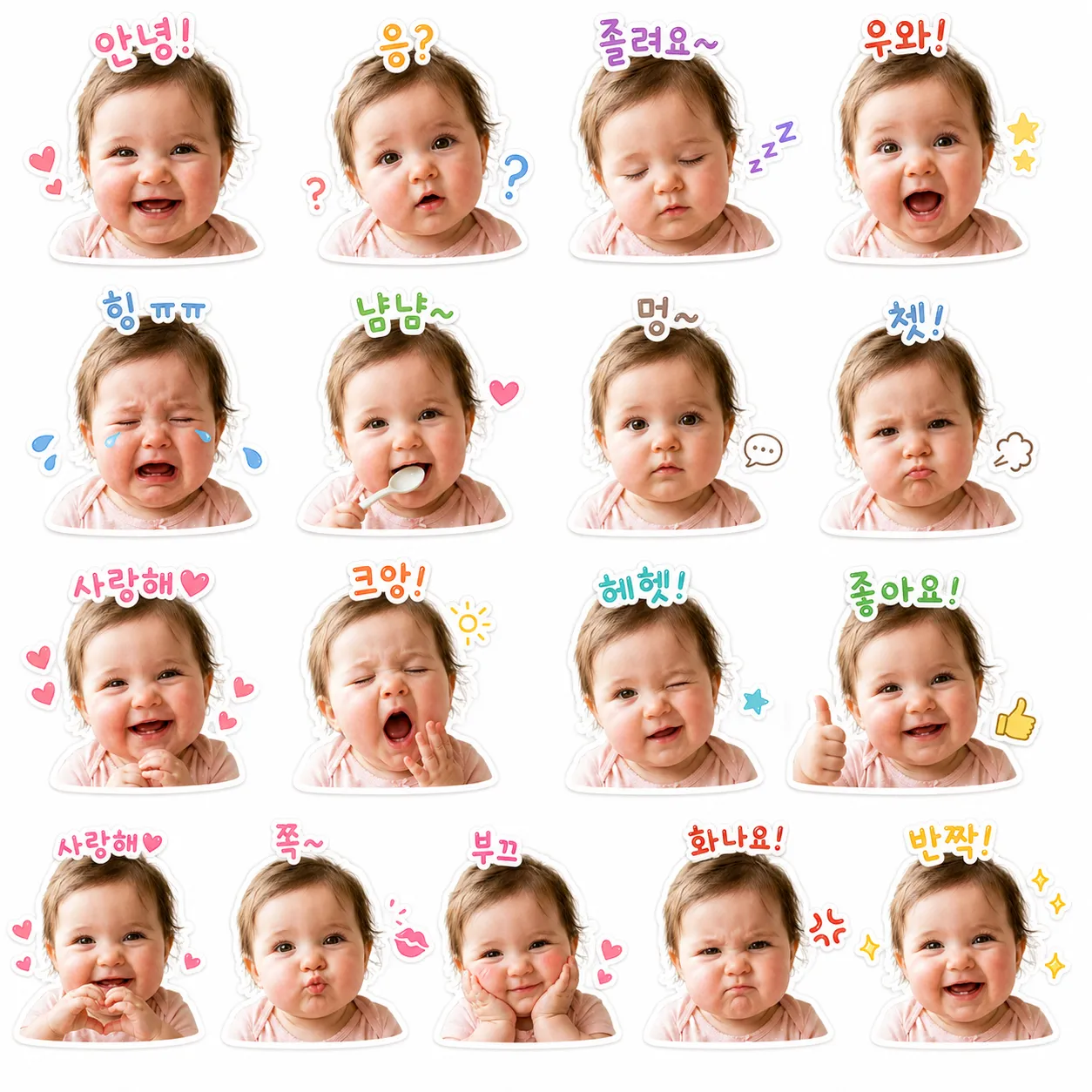
"I want to make emoticons with my baby's face, but I can't draw..." 😅
Don't worry anymore. With just one photo and a simple prompt, you can create adorable, KakaoTalk-ready baby emoticons in just 3 minutes. Drawing skills? Not needed at all.
🎨 Why Use ChatGPT for Emoticons?
In the past, creating emoticons required illustration skills or hiring a freelance designer. But in 2026, ChatGPT's DALL-E 3 image generation lets anyone create professional-quality emoticons with ease.
| Method | Time Required | Cost | Difficulty |
|---|---|---|---|
| Hire a Designer | 3-7 days | $40-150 | ⭐ (Easy) |
| Draw It Yourself | 10-30 hours | Free | ⭐⭐⭐⭐⭐ (Hard) |
| ChatGPT + Prompt | 3-10 minutes | ChatGPT Plus subscription | ⭐ (Easy) |
🔑 The Core: Copy-Ready Master Prompt
Copy the prompt below into a new ChatGPT chat, upload your baby's photo, and run it. You'll get 12-16 varied expressions generated at once.
1. Always start in a "New Chat" after pasting the prompt.
2. Use a clear, front-facing baby photo for best results.
3. If results aren't perfect, add "Make the expressions more exaggerated/cute" as a follow-up request.
😊 16 Expressions & Text Guide
Preparing appropriate Korean text for each expression makes your emoticons feel much more natural. Use the grid below as reference.
🚀 Step-by-Step Tutorial
DALL-E 3 image generation is a Plus subscriber feature. Starting in a new chat prevents context mixing.
Use a clear, front-facing photo. Simpler backgrounds yield cleaner results.
Copy the prompt above exactly. Adding "Use this photo as reference" improves accuracy.
If expressions are too subtle or extreme, request "Make expressions cuter/more exaggerated" for adjustments.
Download the generated image, then use Photoshop or free tools (Canva, Photopea) to crop into 16 individual emoticons.
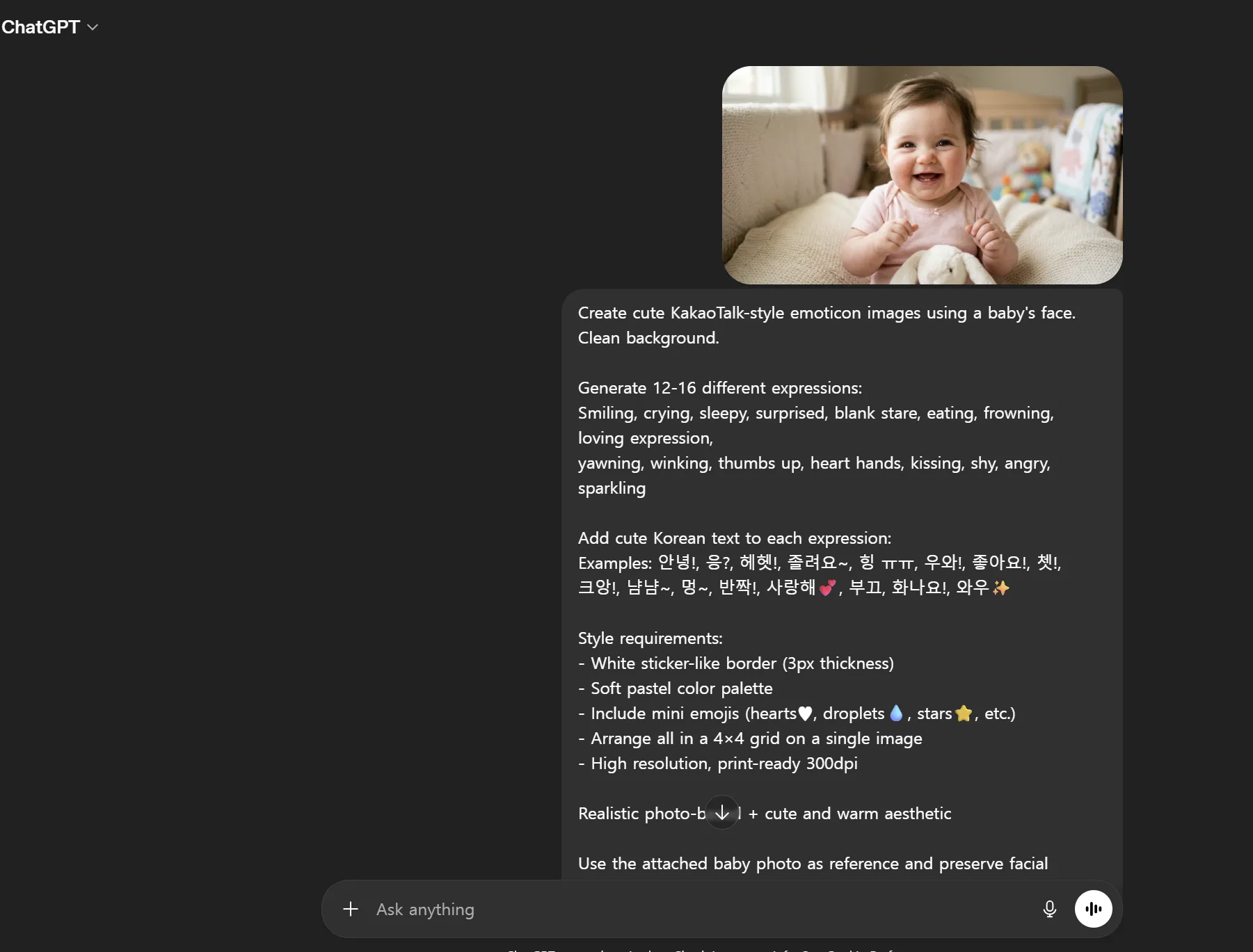
💬 Community Reactions & Real User Reviews
We gathered authentic feedback from users who tried this method on Reddit, Naver Cafes, Blind, and other communities.
⚠️ Reduce Failure Rate: 90% → 10%
Here are common issues beginners face and how to solve them. Following these tips significantly increases your first-try success rate.
→ Add "Must maintain 95%+ of original facial proportions and features" at the end of your prompt. Specifying "Reference eye/nose/mouth positions from original photo" improves accuracy.
→ Request "Make each expression more dramatic and exaggerated." Or specify "Set expression intensity to 8/10 or higher" for clearer differentiation.
→ Specify "Clean solid background" or "White or light pastel background" in your prompt. The "White sticker-like border 3px" option also helps with background separation.
→ Specify "Korean text centered at bottom of each emoticon, in clear Gothic-style font." Since text generation is a DALL-E 3 weakness, adding text manually in Canva after image generation is also a valid approach.
✨ Conclusion: Now It's Your Turn
Creating emoticons with ChatGPT is no longer just for experts. With one photo and one prompt, anyone can make cute, personalized emoticons.
Try it today with your baby's photo. In 3 minutes, you'll experience that moment when friends on KakaoTalk ask, "Where did you get these?!" 🎉