Thought, "Another AI coding tool?" This time, it's different. If you fell in love with the power of Claude Code but felt stifled by its closed ecosystem, pay attention. 'OpenCode', a terminal-based open-source AI agent, and the 'Oh My OpenCode' plugin that evolves it into the ultimate tool, are drastically changing developers' workflows in 2026. Beyond simple code generation, become the conductor of an 'AI Orchestra' that orchestrates your entire project.
1. OpenCode: The AI Revolution Returns to the Terminal
We live in the era of excellent AI IDEs like Cursor and Windsurf. However, many developers still love the simplicity and speed of the terminal (CLI). That was exactly why Anthropic's 'Claude Code' was met with such enthusiasm when it first appeared. However, Claude Code had a critical flaw: the restriction that 'you must only use Claude models.'
Why OpenCode?
OpenCode inherits the 'open source' spirit as its name suggests. It brings the user experience of Claude Code while smashing its limitations.
- Model Freedom: Connect not only Claude 3.5 Sonnet but also GPT-4o, Gemini 1.5 Pro, and even local LLMs (Ollama).
- Cost Efficiency: Instead of being tied to a specific subscription, you can use your own API keys or use 'OpenCode Zen', an integrated payment system, for reasonable pricing.
- TUI (Text User Interface): Provides a sophisticated terminal interface where all operations can be done with just the keyboard, no mouse required.
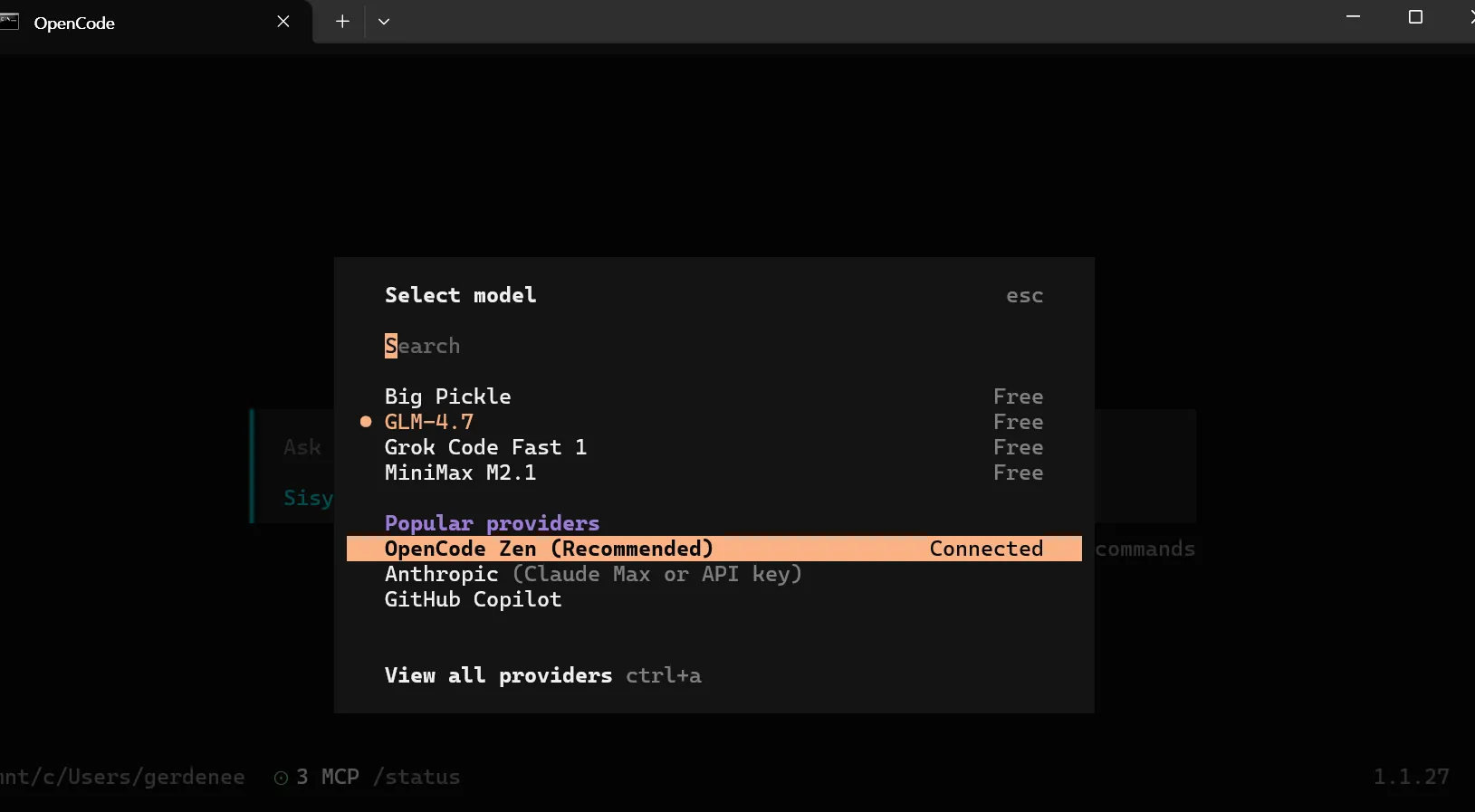
In particular, OpenCode shines when used with terminal multiplexers like tmux or zellij, without launching a heavy IDE like Cursor. Its ability to grasp the entire project structure and modify files while consuming minimal resources is unrivaled.
"OpenCode is not just a coding tool. It's a platform that reinterprets the Linux spirit for the AI era. The fact that it doesn't matter which model or editor you use is key to what makes developers go crazy for it." – TechReview 2026
2. Oh My OpenCode: "Sisyphus" Changes the Rules of the Game
If OpenCode is a great 'engine', Oh My OpenCode is an 'expansion pack' that adds a turbocharger and autonomous driving capabilities. Just as installing 'Oh My Zsh' is essential when using the Zsh shell, this plugin has become a necessity, not a choice, for OpenCode users.
A Small Ball Launched by a Korean Developer
This amazing project was born by a Korean developer named 'yeongyu' (Choi Yeong-yu). After burning through $24,000 worth of tokens alone in research, he found the optimal structure where AI agents cooperate to solve problems. The result is Oh My OpenCode.
Sisyphus: The Savior for Suffering Developers
The core of Oh My OpenCode is the main agent called 'Sisyphus'. Like Sisyphus in Greek mythology who had to roll a boulder eternally, it signifies performing endless repetitive coding tasks on your behalf. But Sisyphus doesn't work alone. He leads a capable team.
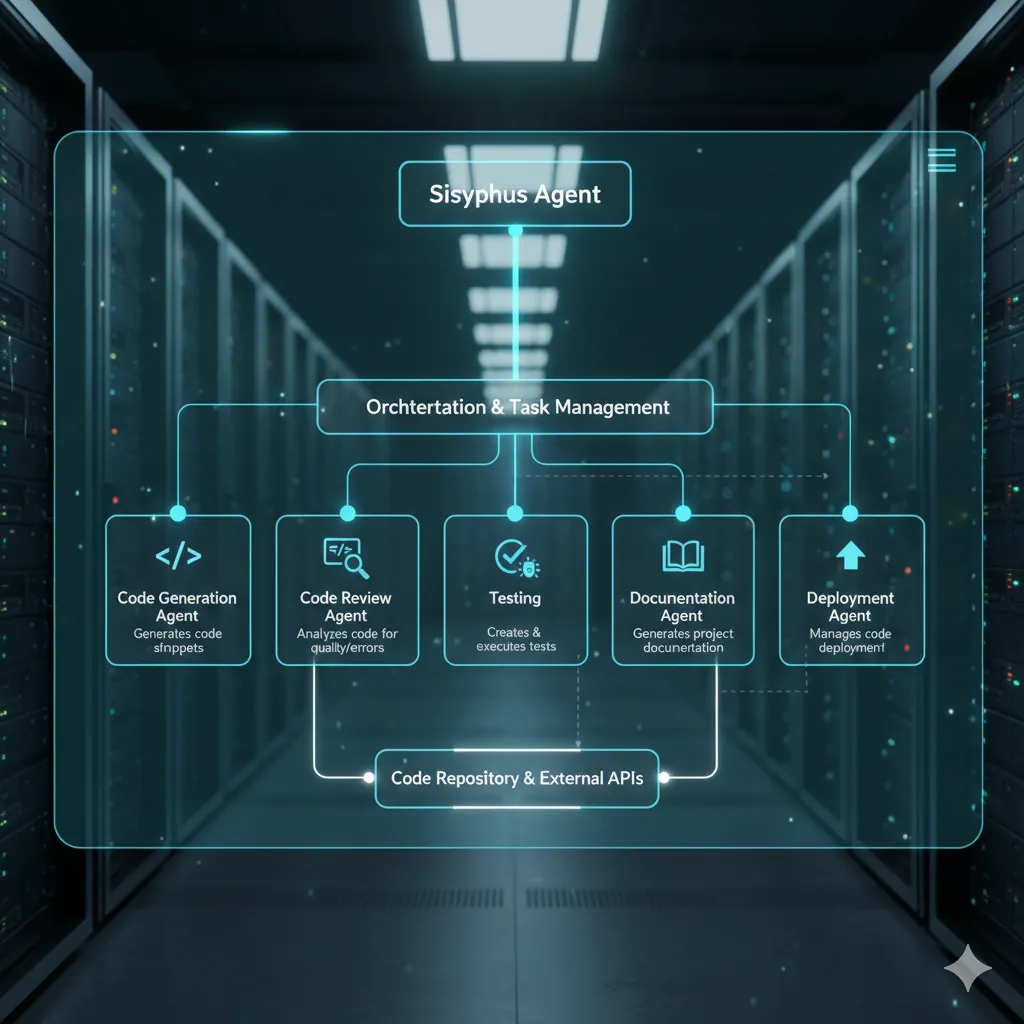
Sisyphus's Dream Team (Specialized Agents)
Sisyphus analyzes the user's command (prompt) and then delegates tasks to the most suitable sub-agent.
- 🧙♂️ Oracle: Based on GPT-5.2 Medium. A strategist for design, debugging, and drawing the big picture.
- 🎨 Frontend/UIUX: Based on Gemini 3 Pro. Writes trendy UI code and handles visual elements.
- 📚 Librarian: Based on Claude 3.5 Sonnet. Deeply analyzes official documentation, open-source code, and project history.
- 🚀 Explorer: Based on Grok Code. Navigates vast codebases with overwhelming speed to fetch necessary information.
For example, if you command, "Analyze this project's architecture, add a new feature, and improve the UI," Sisyphus first sends the Explorer to grasp the code, tasks the Oracle with the design, and then has the Frontend agent write the code. This entire process is automated with a single keyword: ultrawork.
3. From Installation to Action: The Ultimate WSL Guide
If you are a Windows user, we strongly recommend using WSL2 (Ubuntu). OpenCode and Bun perform best in a Linux environment.
Step 1: Prepare Environment & Install OpenCode
First, update your package list, install essential tools (curl, git, unzip), and download OpenCode.
# 1. Update system and install prerequisites
sudo apt update && sudo apt upgrade -y
sudo apt install -y build-essential curl git unzip

# 2. Run OpenCode installation script
curl -fsSL https://opencode.ai/install | bash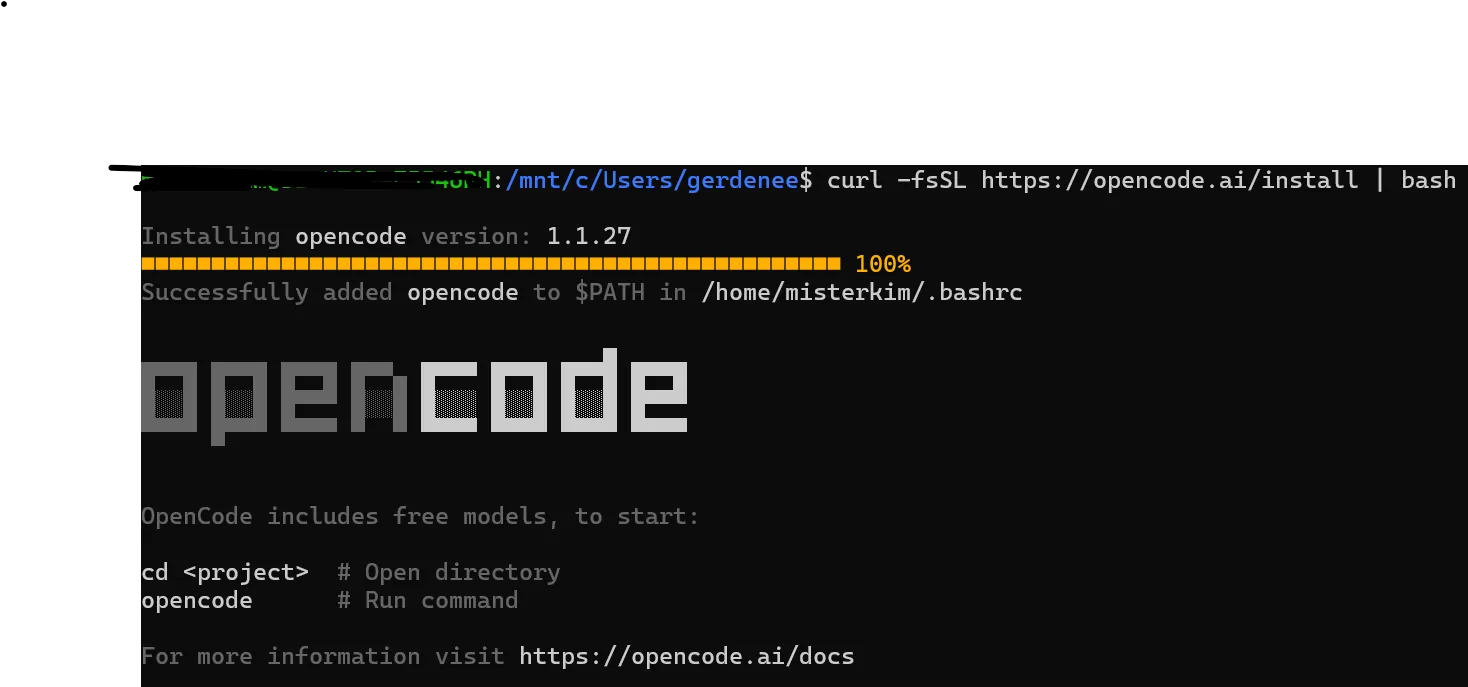
Step 2: Setup API Keys & Environment Variables
OpenCode reads API keys from system environment variables. It's convenient to register them in your .bashrc so you don't have to type them every time.
# Example: Register Anthropic Key (Change based on your model)
echo 'export ANTHROPIC_API_KEY="sk-ant-..."' >> ~/.bashrc

# Apply changes
source ~/.bashrc
Step 3: Install Runtime (Bun) & Oh My OpenCode
Oh My OpenCode runs fastest on Bun. We installed unzip earlier to prevent potential errors during this step.
# 1. Install Bun
curl -fsSL https://bun.sh/install | bash
source ~/.bashrc

# 2. Install Oh My OpenCode plugin (Summon Sisyphus)
bunx oh-my-opencode install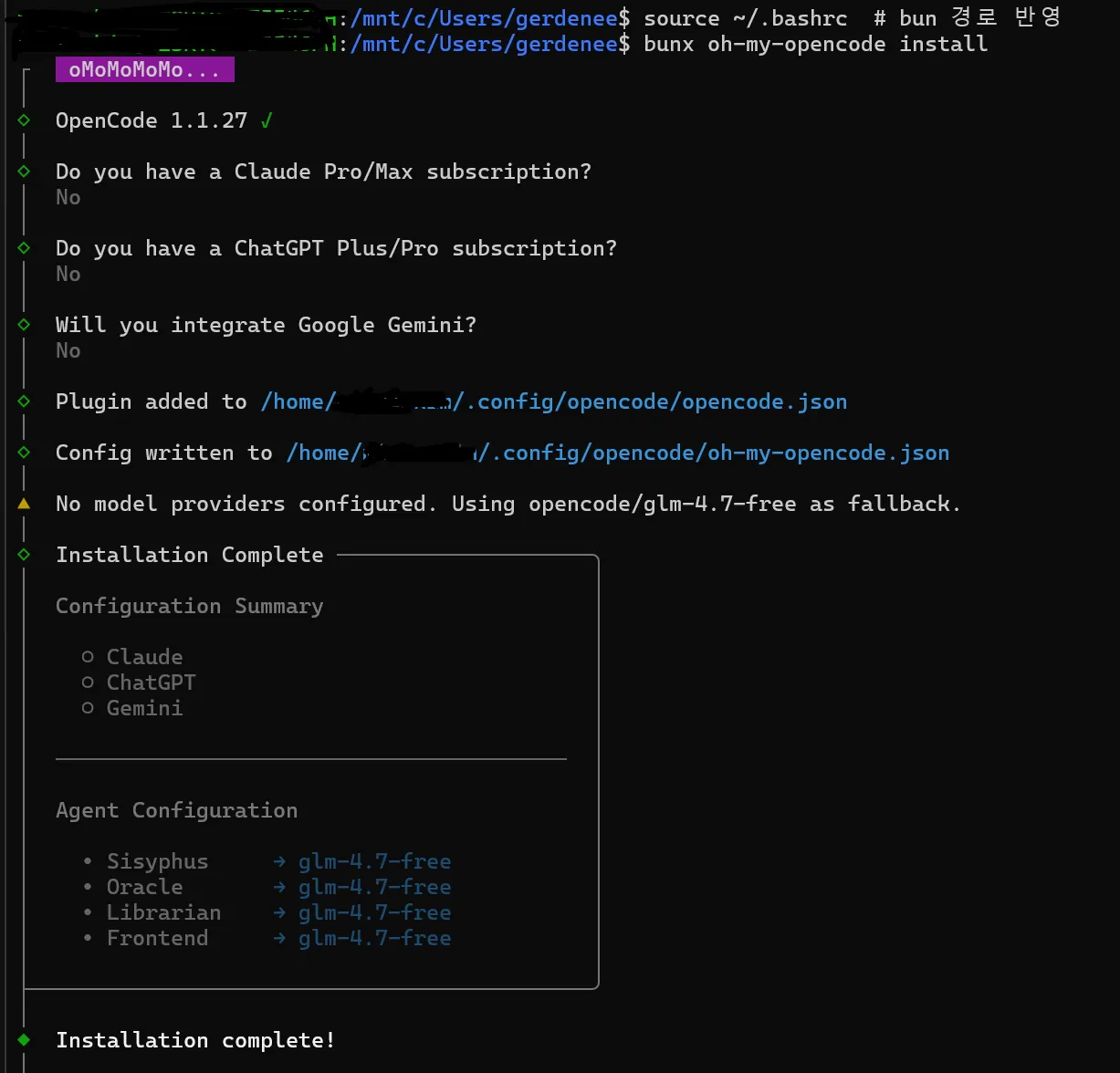
Step 4: Execute Ultrawork
Once installed, navigate to your project folder, run opencode, and ignite the agent with the ultrawork (or ulw) command.
# Move to project folder and run
cd ~/my-project
opencode

# In the prompt input:
> Refactor this code. ulw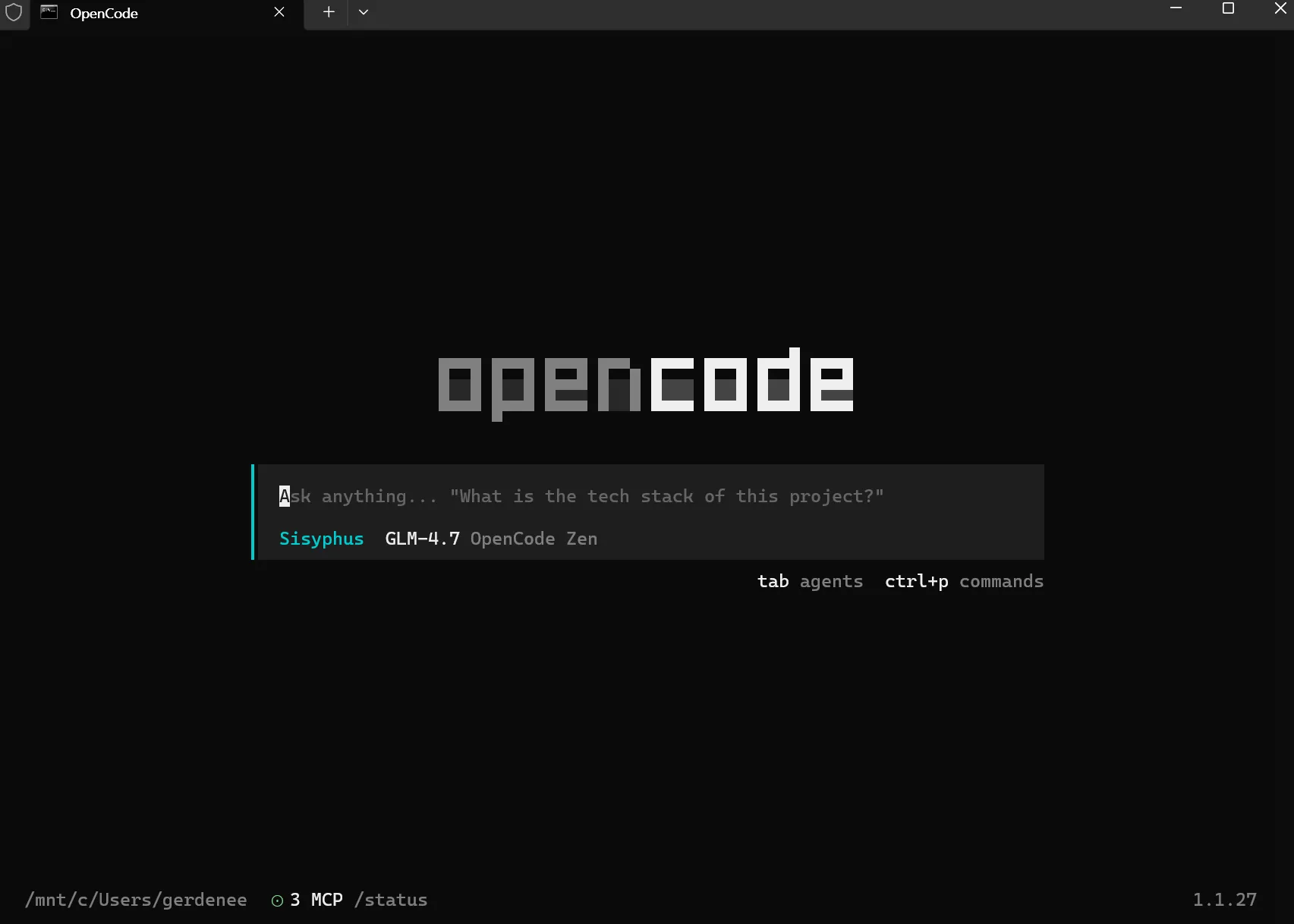
4. Troubleshooting Common Errors
Here are solutions to common issues encountered when installing on WSL.
🚨 WSL Quick Fix Guide
-
error: unzip is required to install bun
If you see this error installing Bun, you are missing theunzippackage. Fix it with:
sudo apt update && sudo apt install -y unzip -
opencode: command not found
If the command is missing after install, your PATH isn't updated. Restart the terminal or runsource ~/.bashrc. If it fails, addexport PATH="$HOME/.local/bin:$PATH"manually. -
API Key Not Recognized
Useopencode configto enter keys manually, or check if variables are set correctly usingenv | grep API.
5. Conclusion: Developers Become 'Directors'
When using OpenCode and Oh My OpenCode, you get one distinct feeling. "I'm not writing code; I'm managing a team that writes code."
Of course, there are downsides. Calling multiple high-performance models in an agentic way can lead to significant API token costs. But if you can finish tasks in 10 minutes for a few dollars that would otherwise require hiring a developer or staying up all night for days? The cost-effectiveness is overwhelmingly positive, not even worth calculating.
Summary & Suggestions
- Who is it for? Mid-level or higher developers comfortable with CLI environments who want to utilize various LLMs in the right places.
- Caution: Pay attention to API cost management. Test
ulwon small tasks first. - Future Outlook: AI coding is moving from 'Chat' to 'Agent'. This is the tool at the forefront of that trend.
Open your terminal right now and summon Sisyphus. Development in 2026 is no longer a lonely battle. Create something bigger and cooler with your reliable AI teammates.