"If Postman has become too heavy and expensive, now is the time to switch to Apidog."
In 2026, the landscape of API development tools is shifting dramatically. The era demands an all-in-one platform that goes beyond simple API testing to encompass design, documentation, mocking, testing, and deployment. At the center of this evolution stands Apidog. Especially with the introduction of MCP (Model Context Protocol) server support and the AI-native testing engine earlier this year, developers' workflows are being completely redefined. In this comprehensive 30,000+ character guide, we dive deep into everything Apidog has to offer and share actionable insights for immediate implementation in your production environment.
1. What is Apidog? Why It Surpassed Postman 🎯
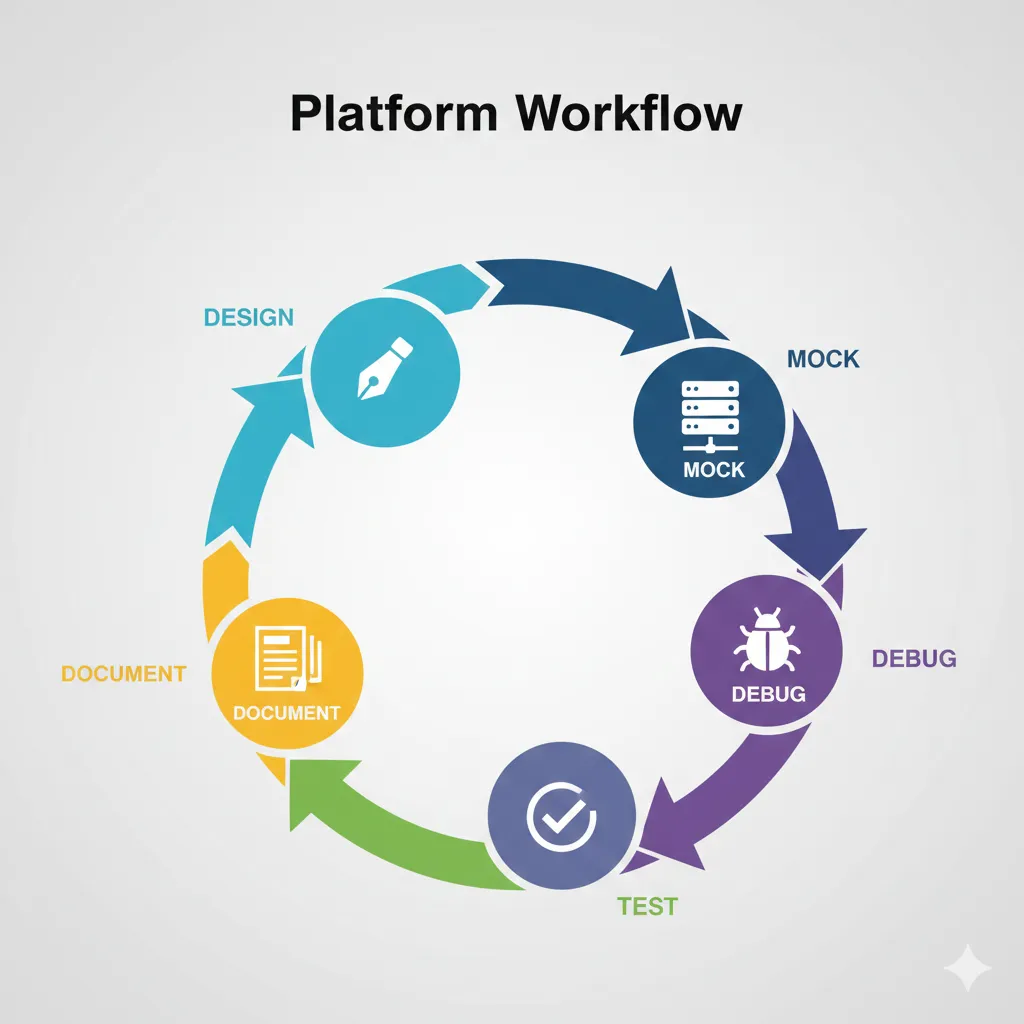
Apidog is not just another API client. It is an all-in-one API development platform where you can complete the entire lifecycle: Design → Mock → Debug → Test → Document → Publish. Since its debut in 2023, it has grown rapidly and is now used by over 500,000 teams worldwide as of 2025.
Why Are Teams Switching from Postman to Apidog?
Communities like Reddit's r/webdev and r/QualityAssurance are buzzing with positive feedback about Apidog. Key factors driving the migration include:
- Cost Efficiency: While Postman Enterprise costs $49/user/month, Apidog Professional ranges from $18-24/month—over 80% cheaper
- Real-time Collaboration: Edit API specs simultaneously with multiple team members like Google Docs, without Git
- AI-Native: Not just AI bolted on, but AI as the core engine—from generating test cases to auditing documentation
- Frictionless Mocking: Mock server URLs are generated automatically the moment you define an endpoint, immediately available for frontend developers
Key Takeaway
Apidog is optimized for implementing "API-First" strategies. It enables parallel development where frontend and QA can start working before backend APIs are complete.
2. Deep Dive into 2026 Features: AI and MCP Integration 🤖
In 2026, Apidog has evolved beyond a simple API tool into a hub for AI agent integration. Notably, MCP (Model Context Protocol) server support enables a new dimension of workflow where developers can reference API specs and generate code while conversing with AI assistants in IDEs like Cursor and VS Code.
2.1 MCP Server: The Era Where AI Reads APIs Directly
MCP (Model Context Protocol) is a standard proposed by Anthropic that allows AI models to safely connect with external data sources and tools. With the January 2026 update, Apidog became the world's first platform to embed an MCP client, allowing AI to read and understand API specs hosted on Apidog directly from your IDE.
// Example mcp.json configuration for Cursor IDE
{
  "mcpServers": {
    "apidog-my-project": {
      "command": "npx",
      "args": [
        "-y",
        "apidog-mcp-server@latest",
        "--site-id=123456"
      ]
    }
  }
}
After this configuration, simply ask in Cursor's Agent mode: "Fetch the API documentation via MCP and generate the DTO for the user lookup endpoint"—the AI will read the API spec from Apidog in real-time and accurately generate TypeScript interfaces or Python dataclasses. This innovation transforms API documentation from static PDFs or web pages into structured data that AI can "understand."
2.2 AI Test Engine: Automatically Generating Test Cases
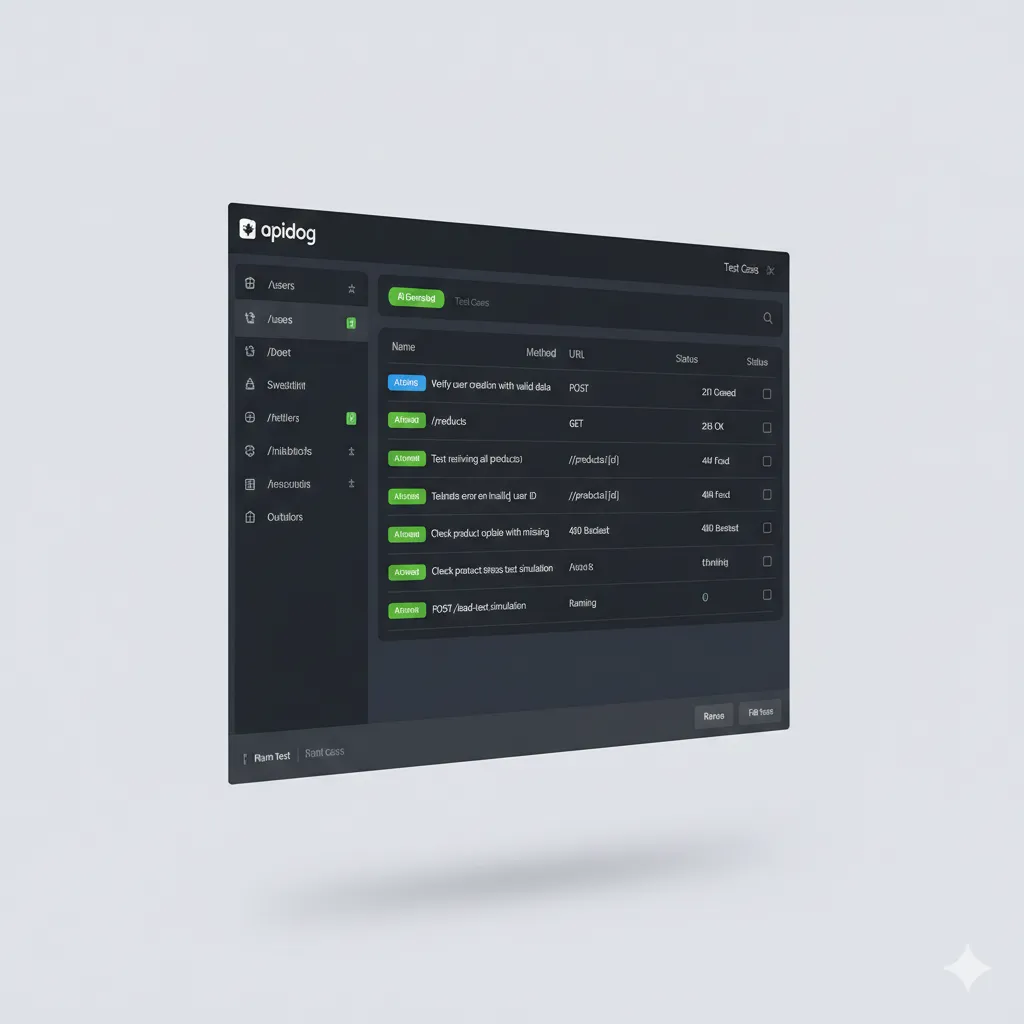
The AI Test Engine introduced in late 2026 is changing how QA engineers work. By analyzing API endpoint specs, it automatically:
- Identifies edge cases such as missing required fields or type mismatches
- Generates test data based on Boundary Value Analysis
- Analyzes coverage gaps in existing test suites and automatically supplements them
2.3 Complete SSE/Streaming API Support
Unlike Postman where checking SSE responses was cumbersome, Apidog offers the industry's first complete support for Server-Sent Events (SSE) protocols essential for LLM services like ChatGPT and Claude. It merges streaming data in real-time and displays it in readable Markdown format. For reasoning models like DeepSeek R1, it even separates the reasoning chain from the final response.
3. 5-Minute Setup Guide and Initial Configuration ⚡
Apidog is available as a web browser app, desktop application (Windows/macOS/Linux), and VS Code extension. This guide focuses on the feature-rich desktop app.
Step 1: Download and Install
1Visit apidog.com and download the client for your OS. Mac users should download the .dmg, Windows the .exe, and Linux the AppImage.
Step 2: Create Workspace
2After your first login, click "New Project." Choose the Pet Store template (the official OpenAPI example) to preview various features.
Step 3: Environment Configuration
3Select "Manage Environments" from the "Environment" dropdown in the top right. Generally, it's best to pre-configure three environments:
// Development environment example
{
  "baseUrl": "http://localhost:8080/api",
  "apiKey": "dev-key-12345",
  "timeout": 5000
}

// Production environment example
{
  "baseUrl": "https://api.yourservice.com/v1",
  "apiKey": "{{PROD_API_KEY}}",  // Manage sensitive info as local values
  "timeout": 30000
}
Step 4: Invite Team and Set Permissions
4Invite team members from "Settings" → "Members" in the left sidebar. A powerful feature of Apidog is that Viewers are free. If 5 developers are editing and 10 QA members are viewing, there are no additional costs for the QA team (as of December 2025, Free Plan supports up to 4 editors).
4. Mastering API Design: The Design-First Strategy 🎨
Apidog's core philosophy is "Design comes before code." Define API endpoints first, then backend developers implement while frontend developers work with mock data simultaneously.
4.1 Visual Schema Editor
Instead of writing JSON Schema manually, Apidog provides a Visual Schema Editor where you can drag and drop fields and define types. Complex nested objects (allOf, oneOf) and discriminator patterns can be defined easily through the GUI.
// User schema example (OpenAPI 3.0 spec auto-generated by Apidog)
{
  "openapi": "3.0.0",
  "components": {
    "schemas": {
      "User": {
        "type": "object",
        "properties": {
          "id": { "type": "integer", "format": "int64", "example": 1 },
          "email": { "type": "string", "format": "email" },
          "role": {
            "type": "string",
            "enum": ["admin", "user", "guest"],
            "x-apidog-mock": "@pick(['admin', 'user'])"
          }
        },
        "required": ["id", "email"]
      }
    }
  }
}
4.2 AI Schema Builder
Simply enter field names and AI automatically generates descriptions and suggests appropriate Mock data rules. For example, add a createdAt field and it suggests @datetime; add avatarUrl and it suggests @image.
5. Smart Debugging and AI Automation Testing 🧪
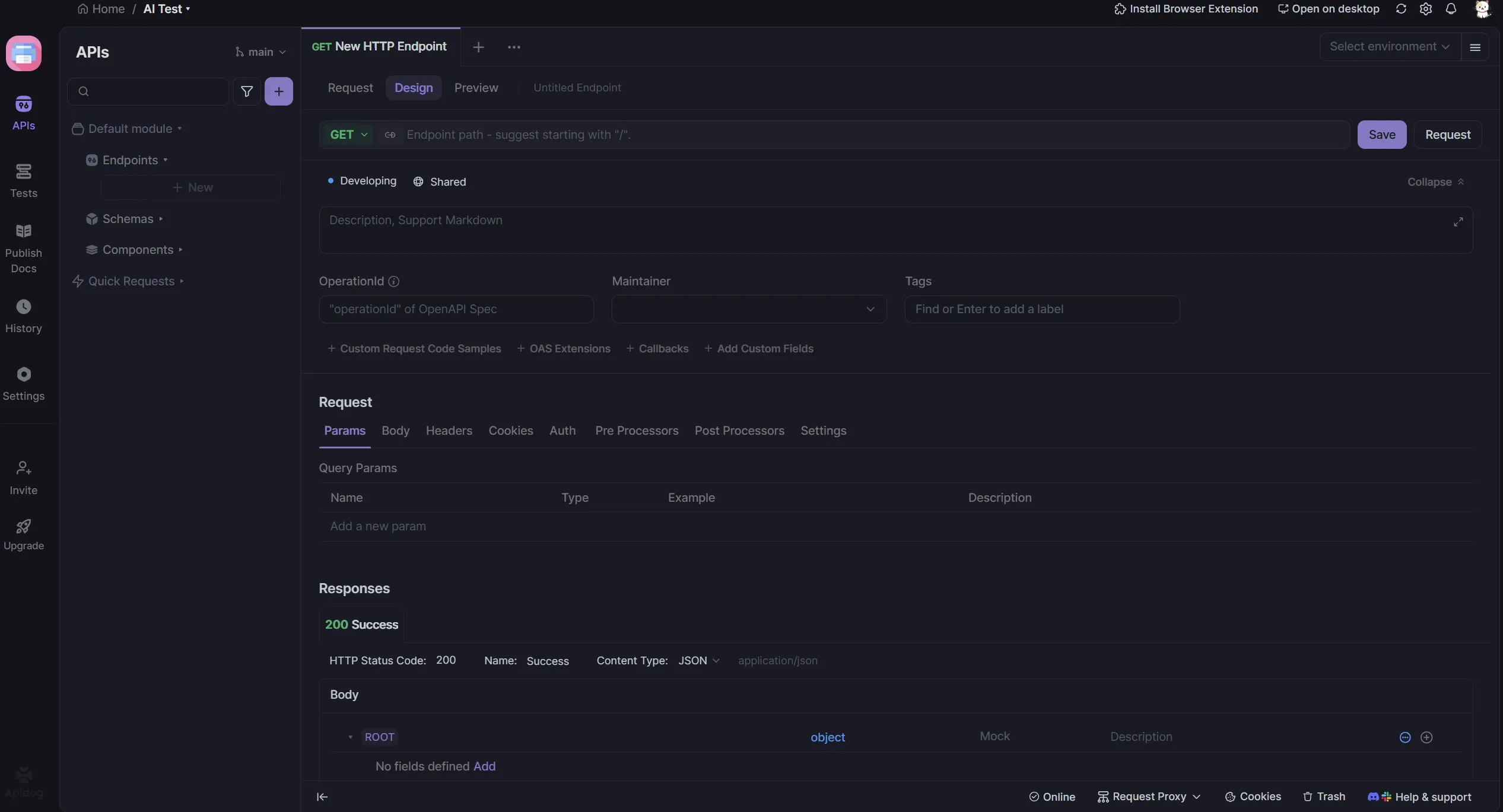
After APIs are implemented, debugging and testing are essential. Apidog goes beyond sending requests to support response auto-validation and test scenario configuration.
5.1 Visual Assertion Testing
Set validation conditions through GUI without writing code:
- Verify response status code is 200
- Confirm
data.user.namein response body is a string - Check response time is under 500ms
- Verify header contains
X-RateLimit-Remaining
5.2 Test Scenarios and Data-Driven Testing
The Test Scenario feature allows you to chain multiple APIs to test complex flows:
- Call Login API → Extract token
- Query user info with extracted token
- Query order list with retrieved user ID
- Verify order list is not empty
Upload CSV/JSON files for Data-Driven Testing—run hundreds of test datasets in batch without manual input.
Pro Tip: Automated Test Reports
When integrating test scenarios with Jenkins or GitHub Actions, the Apidog CLI outputs JUnit XML format reports. Integrate these with SonarQube quality gates to automatically verify API quality before code merges.
6. Accelerating Parallel Development with Mock Servers 🚀
In microservices architecture, the biggest bottleneck is "Team B waiting for Team A's API to be completed." Apidog's mock servers solve this problem.
6.1 Auto-Generated Smart Mock
The moment you define an API endpoint, a cloud-based mock server URL is instantly generated in the format https://mock.apidog.com/project/123456/endpoint/users. Frontend developers can start development immediately, even before backend implementation is complete.
6.2 Custom Mock Rules
Beyond returning random data, you can set different responses based on request parameters:
// Return error if userId parameter is 999
if (request.params.userId === "999") {
  return {
    statusCode: 404,
    body: { error: "User not found", code: "USER_001" }
  };
}

// Normal response for others
return {
  statusCode: 200,
  body: { id: request.params.userId, name: "@name" }
};
6.3 Switching Between Production and Mock
Simply change the BASE_URL in your frontend code to switch between real and mock servers instantly. Manage via environment variables to separate development and production environments without build configuration changes.
7. AI-Friendly Documentation and MCP Server Integration 📚
API documentation is central to Developer Experience (DX). Apidog generates interactive live documentation rather than static pages, and even provides MCP server functionality that AI agents can read.
7.1 AI Search in Published Documentation
Since the December 2025 update, Apidog integrates Algolia AI Search into published documentation. When users ask "How do I reset user passwords?" in natural language, it finds the exact API endpoint—this is semantic search, not just keyword matching.
7.2 MCP Server Integration with IDEs
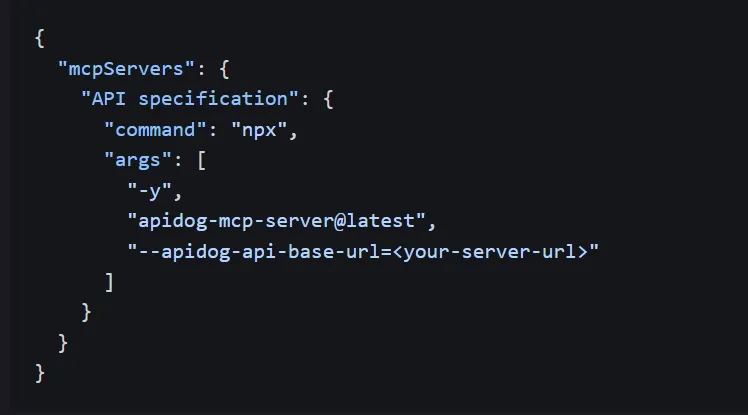
Enable MCP in the LLM-friendly Features menu of published documentation, and AI assistants (Cursor, Claude Code, etc.) can read your API specs directly. This enables:
- Automatic reflection of API changes in code (auto-updating type definitions)
- Automatic code generation for API calls (fetch, axios, python requests, etc.)
- Automatic analysis of codebases affected by API changes
8. Detailed Comparison: Postman vs Apidog ⚖️
Based on features most commonly compared in developer communities like Reddit and Dev.to:
"We migrated from Postman to Apidog. The biggest difference is the reduced 'friction.' With auto-generated mock servers, frontend teams don't have to wait, and our development speed doubled." – Reddit r/webdev user
9. Enterprise Usage: CI/CD and Git Integration 🏢
For large organizations, API quality management and version control are survival issues. Apidog provides powerful features for enterprise environments.
9.1 Git Integration and Contract-as-Code
Using Apidog's Modularization feature, you can split API specs into multiple modules and sync each module with separate GitHub/GitLab/Azure DevOps repositories. This implements Contract-as-Code strategies where API changes are managed through the same workflow as code reviews.
9.2 CI/CD Pipeline Integration
Use the Apidog CLI to run automated tests in Jenkins, GitHub Actions, GitLab CI, etc.:
# GitHub Actions example
name: API Test
on: [push, pull_request]

jobs:
  test:
    runs-on: ubuntu-latest
    steps:
      - uses: actions/checkout@v3

      - name: Run Apidog Tests
        run: |
          npx apidog-cli run \
            --project-id ${{ secrets.APIDOG_PROJECT_ID }} \
            --environment-id ${{ secrets.APIDOG_ENV_ID }} \
            --output-junit-xml \
            --fail-on-error

      - name: Upload Test Report
        uses: actions/upload-artifact@v3
        with:
          name: api-test-report
          path: test-report.xml
9.3 Enterprise Security Features
- IP Whitelist: Restrict access to specific IP ranges only
- Custom Roles: Granular permissions like "Edit APIs only" or "Testing only"
- Audit Logs: Track who modified which API and when
- On-premises: Self-hosting option for financial/public institutions with cloud restrictions
10. Pro Tips and Community Insights 💡
10.1 Hidden Productivity Shortcuts
- Ctrl + K: Quick command palette (VS Code style)
- Ctrl + Shift + D: Instant switch between Design and Debug modes
- Ctrl + E: Switch environments
- Ctrl + /: JSON Pretty Print
10.2 Advanced Mock Data Tips
Apidog supports Mock.js syntax. Beyond basic data like @name and @email, you can use advanced syntax:
// Generate Korean names and addresses
{
  "name": "@cname",
  "phone": "@phone",
  "zipCode": "@zip",
  "createdAt": "@datetime",
  "avatar": "@image('200x200')",
  "status|1": ["active", "inactive", "pending"],
  "id": "@guid"
}
10.3 Creative Use Cases from the Community
Real-world use cases discovered on Reddit's r/apidog and Dev.to:
AI Prototyping
"Used Apidog's AI schema generation to create wireframe-level APIs in 30 minutes, connected the mock server to frontend immediately for customer demos. Backend development started after that."
– Startup CTONew Developer Onboarding
"Before new developers touch actual code day one, they explore APIs through Apidog's mock servers. Bugs decreased 70% when they entered the codebase already understanding the API structure."
– Senior Backend Developer10.4 Realistic Limitations and Solutions
Apidog isn't perfect. Key limitations pointed out by Reddit users:
- Offline Limitations: Complete offline work is only available in Enterprise Plan. Solution: Save work locally during development, sync periodically
- Ecosystem vs Postman: CLI tools like Newman are more mature. Solution: Apidog CLI is rapidly improving and covers most scenarios
- Free Team Limit: Editing limited to 4 members on free tier. Solution: QA and PMs can use Viewer (free) permissions which is sufficient for most
Conclusion: The Future is Integration
As of 2026, Apidog is establishing itself as the API development standard for the AI era, going beyond being just a Postman alternative. Especially MCP server support is a game-changer for human-AI collaboration. Start free for teams under 5, and for enterprises, enjoy all of Postman's features and more at 80% lower cost. The future of API development has already begun.