In 2026, within modern application development, "performance is a feature." Users won't tolerate a single second of latency, and the era of clicking through heavy GUI-based testing tools prior to a launch is dead. Developers are migrating en masse to Grafana k6—a code-first, CI/CD-friendly testing solution that boasts overwhelming resource efficiency.
1. Why Grafana k6 Now? (The Fall of JMeter)
Apache JMeter has been the industry standard for decades and remains an excellent tool. However, in the 2026 cloud-native era dominated by Microservices Architecture (MSA), Serverless computing, and real-time APIs, its limitations have become painfully obvious.
JMeter is a heavy, Java-based GUI application. Because it saves test scripts in XML format, performing Code Reviews on systems like Git is virtually impossible. Conversely, k6 uses JavaScript (ES6) and TypeScript for scripting. Developers can write code in their favorite IDE (like VS Code) and seamlessly integrate it into CI/CD pipelines via GitHub Actions.
Furthermore, Postman, once synonymous with API testing, recently transformed into an "Everything App," causing massive backlash over Feature Creep and Vendor Lock-in. Exhausted developers are seeking refuge in lightweight, fast, and open-source tools like k6.
"Performance testing is no longer a rite of passage performed by the QA team the day before launch. It's a core development workflow that must be automatically verified in the pipeline the moment code is merged. k6 is the ultimate tool that makes this possible." – 2026 DevOps & SRE Trend Report
2. The Grafana k6 1.0 Revolution: 2026 Updates
Since its acquisition by Grafana Labs, k6 has evolved beyond a simple load testing tool into a 'bridge connecting performance engineering and observability.' The recent major update, k6 1.0, created massive waves in the market.
🎯 Native TypeScript Support
No more agonizing over bundler setups (Webpack, Babel). Starting with k6 1.0, TypeScript is supported natively, allowing you to write robust test codes backed by IDE autocomplete and type safety.
🧩 Native Extensions
Previously, using external plugins required custom builds via xk6. Now, you can seamlessly import and use extension modules directly within k6 without any external tooling.
🌐 WebMCP & AI Agent Integration
Integrated with WebMCP (Web Model Context Protocol)—a key 2026 trend—AI agents can now analyze k6 scripts in real-time and instantly pinpoint the root causes of bottlenecks.
📊 Traces Drilldown Fully Integrated
When a 500 Error occurs during a test, you can now dive straight into the Distributed Tracing logs of that specific request with a single click right from your Grafana dashboard.
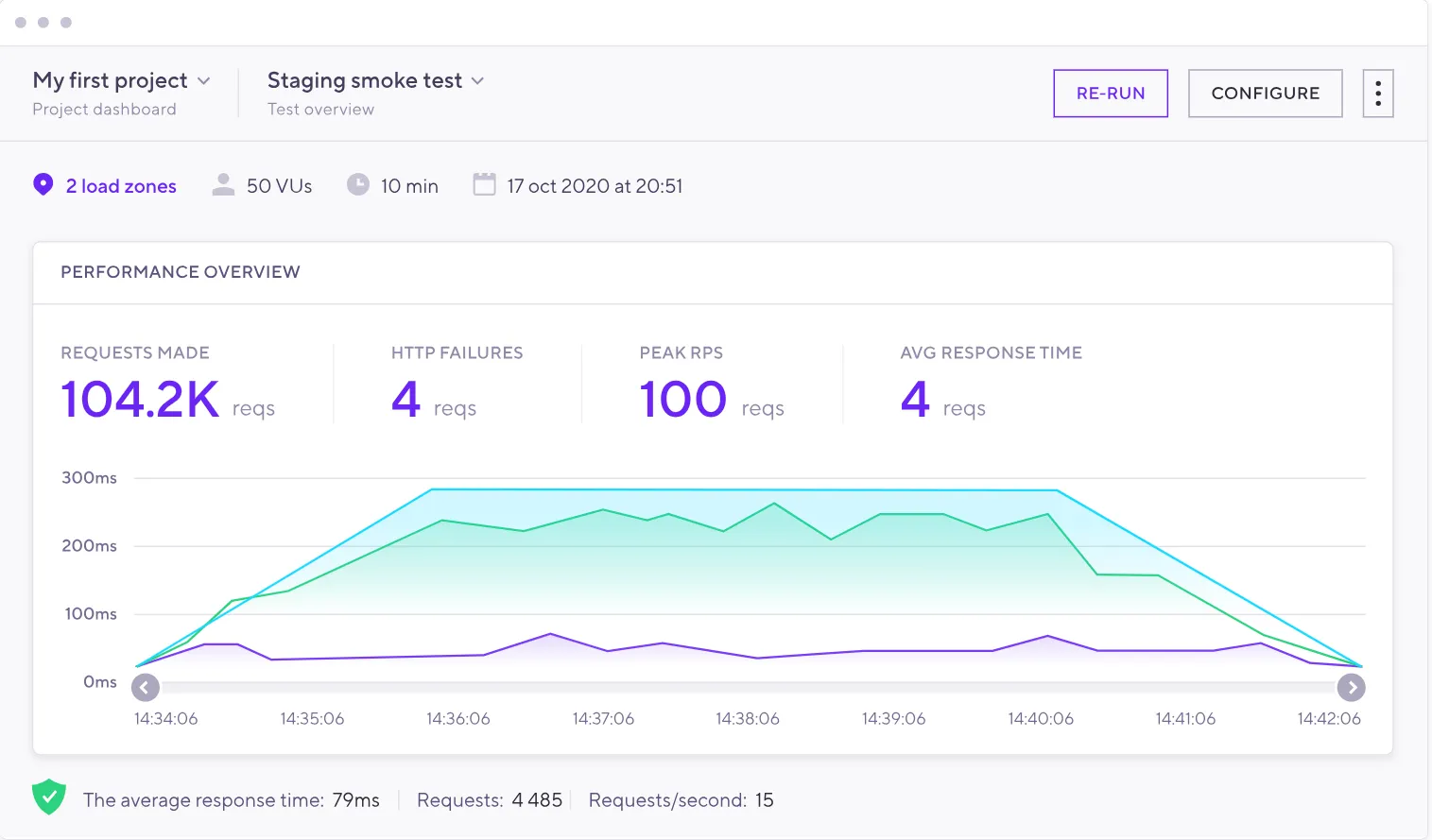
3. k6 vs JMeter: Who is the Final Winner in 2026?
This is the most common question when selecting a performance testing tool: "Should our team use k6 or JMeter?" Find your answer through our comprehensive 2026 comparison table below.
| Comparison Criterion | Grafana k6 🚀 | Apache JMeter ☕ |
|---|---|---|
| Engine Base | Go (Lightweight & Fast) + V8(JS/TS) | Java (Heavy, high memory consumption) |
| Resource Usage | Extremely Efficient (Saves 70% CPU compared to JMeter at 1,000 RPS) | High (Requires multiple load generators for heavy loads) |
| Script Format | Code-centric (JavaScript / TypeScript) | GUI-centric (Saved as hard-to-read XML) |
| Version Control (Git) | Extremely easy for code reviews & merging | Code reviews and resolving merge conflicts are a nightmare |
| CI/CD Integration | Excellent (Runs instantly like a script in GitHub Actions, Jenkins) | Possible, but requires complex and heavy setups |
| Supported Protocols | HTTP/1.1, HTTP/2, WebSockets, gRPC | Overwhelmingly diverse (Legacy support: JDBC, SOAP, FTP, LDAP, JMS) |
Key Takeaway: Which tool should you choose?
✅ Choose k6 if: Your team aims for DevOps, tests microservices (APIs), and wants to manage infrastructure and tests As-Code.
✅ Choose JMeter if: You need to query databases directly (JDBC), test legacy protocols like SOAP or FTP, or if your primary users are manual QA personnel uncomfortable with coding.
4. Live Community Reactions (Reddit & Dev Forums)
The rise and fall of technologies are always felt first in community reactions. Between late 2025 and early 2026, Reddit's r/programming and r/devops were buzzing with debates over performance testing tools.
These reactions clearly demonstrate the immense value of "Testing as Code" in modern software development.
5. [Hands-On] Your First k6 Load Test in 5 Minutes
Seeing is believing! Let's write some code to see just how intuitive k6 really is.
Step 1: Install k6
Enter the command below in your terminal according to your OS.
# macOS
brew install k6
Windows
choco install k6
Linux (Debian/Ubuntu)
sudo apt-key adv --keyserver hkp://keyserver.ubuntu.com:80 --recv-keys C5AD17C747E3415A3642D57D77C6C491D6AC1D69
echo "deb https://dl.k6.io/deb stable main" | sudo tee /etc/apt/sources.list.d/k6.list
sudo apt-get update
sudo apt-get install k6
Step 2: Write the Test Script (TypeScript / JavaScript)
Create a script.js file and write the following sleek test code aligned with 2026 trends. This script ramps up virtual users, holds the load, and then ramps down.
import http from 'k6/http';
import { check, sleep } from 'k6';
// 🚀 1. Test Configuration (Options)
export const options = {
stages: [
{ duration: '30s', target: 50 }, // Ramp-up: 50 Virtual Users (VU) over 30 seconds
{ duration: '1m', target: 50 }, // Load Test: Maintain 50 VUs for 1 minute
{ duration: '30s', target: 0 }, // Ramp-down: Decrease to 0 VUs over 30 seconds
],
thresholds: {
// 🚨 SLA: 95% of HTTP requests must be under 200ms; failure rate < 1%
http_req_duration: ['p(95)<200'],
http_req_failed: ['rate<0.01'],
},
};
// 🎯 2. Main function executed by Virtual Users (VUs)
export default function () {
const res = http.get('https://test-api.k6.io/public/crocodiles/');
// ✔️ 3. Response Assertions
check(res, {
'status is 200': (r) => r.status === 200,
'transaction time OK': (r) => r.timings.duration < 200,
});
// 💤 4. Think time (Simulating real user delays)
sleep(1);
}
Step 3: Run the Test and View Results
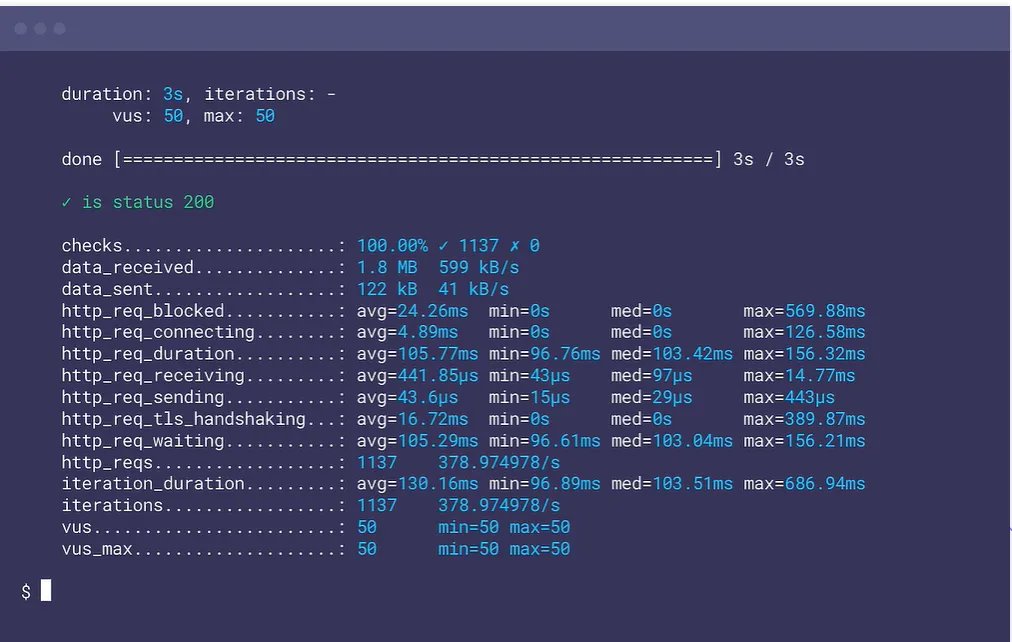
Execute the test by typing k6 run script.js in your terminal.
On the results screen, you'll instantly see test success status (checkmarks) along with the average, median, p(90), and p(95) values of HTTP request durations. If it fails the Thresholds you've set, you can configure your CI/CD pipeline to automatically halt deployments (Fail).
6. Conclusion & 2026 Performance Testing Trends
Performance is a feature. In 2026, a slow API is treated as a bug.
Grafana k6 shattered the barriers of heavy and cumbersome performance testing, creating an environment where frontend and backend developers alike can easily write tests as code and integrate them into pipelines. Moving forward, we are stepping deeper into the era of AI-driven Observability, where AI agents autonomously optimize k6 scripts and diagnose bottlenecks.
Are you still drowning in JMeter's XML hell? Type brew install k6 today and experience the brave new world of code-based performance testing! 🚀