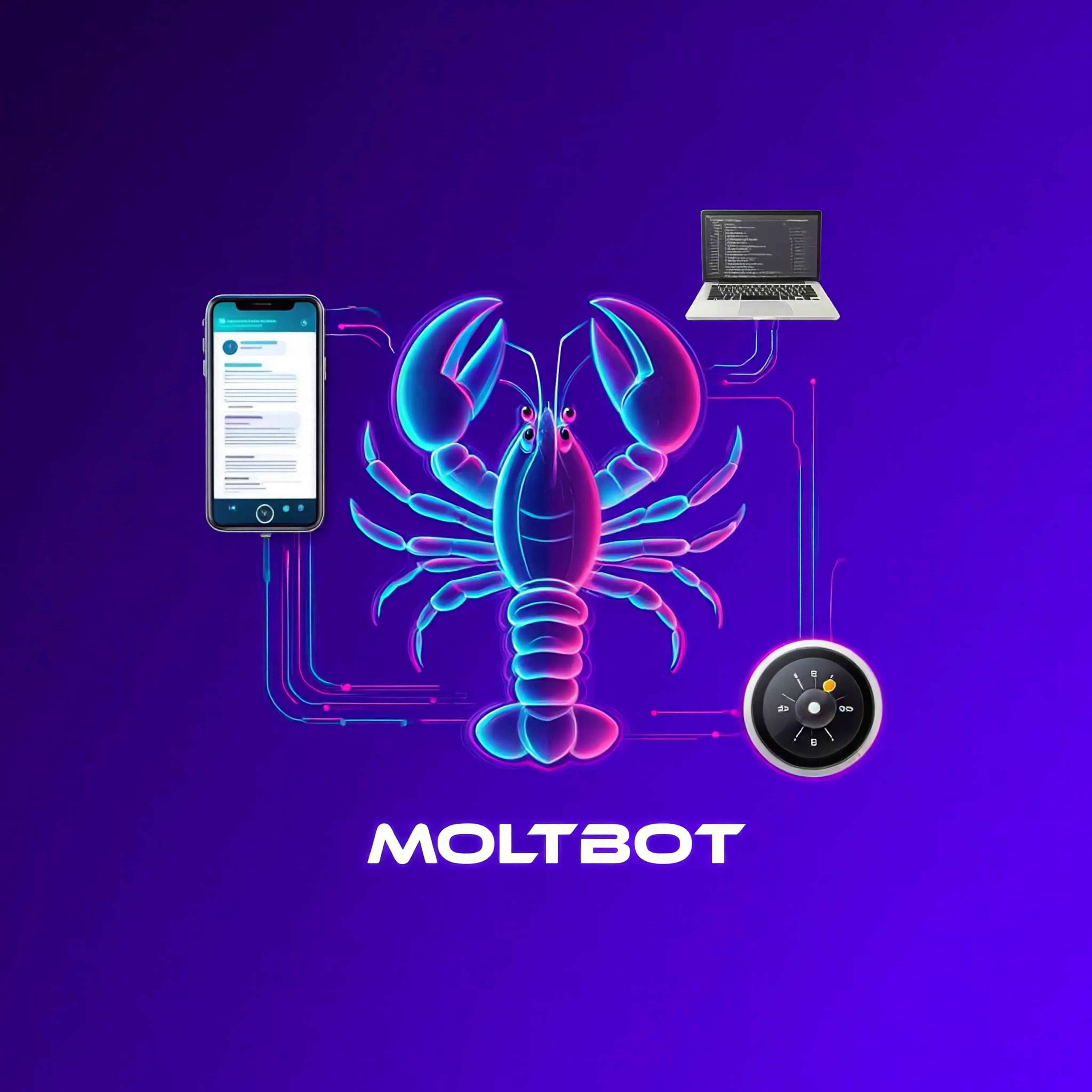
"Jarvis, check my schedule tomorrow and set a jogging alarm if the weather is good." This conversation is no longer just a scene from Iron Man—it can now be your daily reality. As of early 2026, we have entered the era of "Actionable AI," where artificial intelligence goes beyond mere conversation to take direct action. At the forefront of this revolution is Moltbot. Evolved from Clawdbot, this open-source personal AI assistant has skyrocketed to over 60,000 GitHub stars, becoming one of the fastest-growing open-source projects in history. Let's dive deep into this digital butler that stays awake 24/7 on your computer. 🚀
The Birth of Moltbot: From Clawdbot to Moltbot 🦞
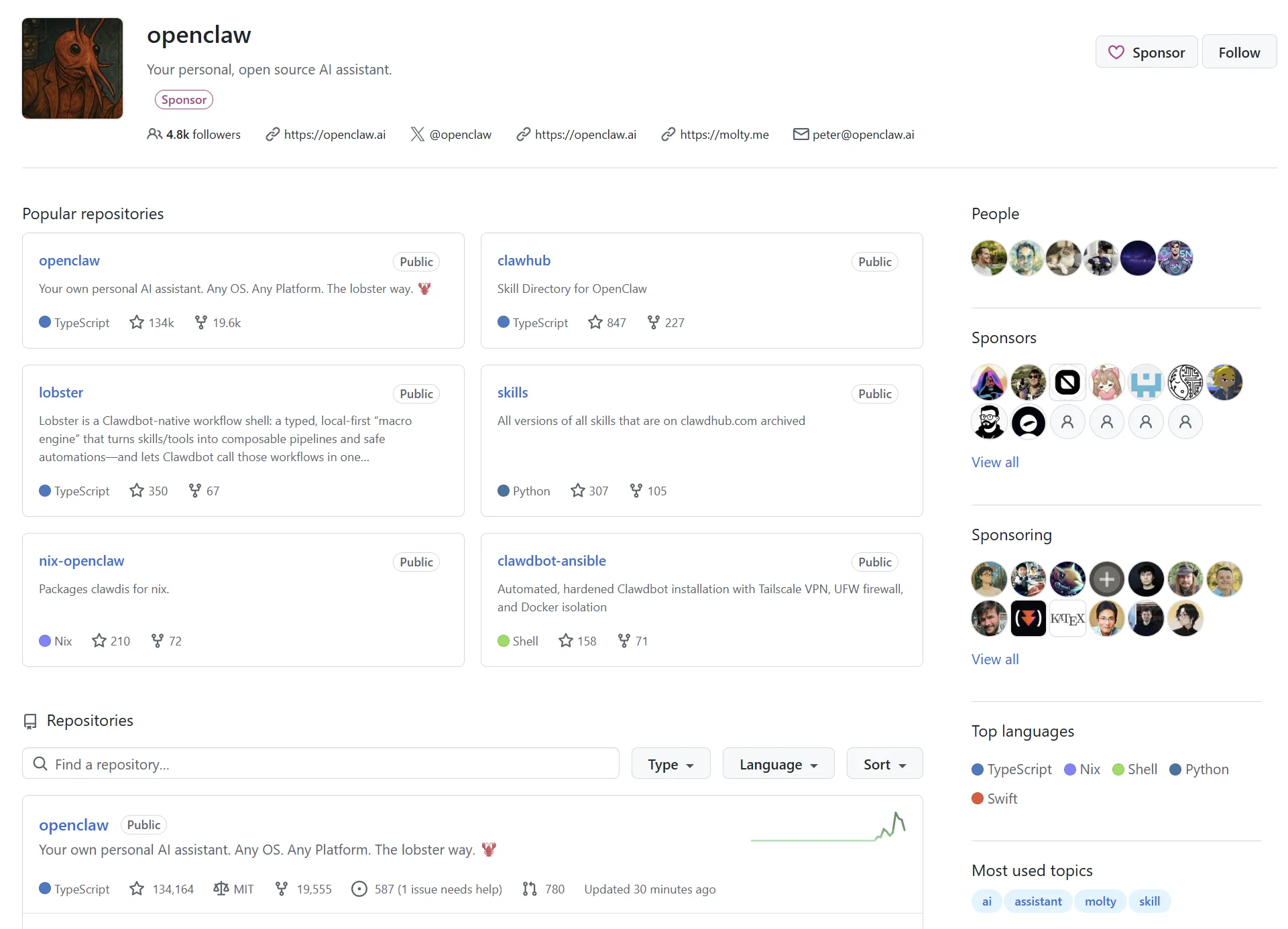
In late 2025, Peter Steinberger, a developer known for his macOS tools, released a project initially named Clawdbot. The name was a playful combination of "Claude" (Anthropic's AI model) and "Claw," signifying an AI that could actually grasp and manipulate things in the digital world.
However, as the project exploded in popularity, the developer unveiled a grander vision. In January 2026, the project was renamed Moltbot. Derived from the word "Molt" (as in a lobster shedding its shell to grow), the name represents an AI that adapts and evolves within its user's environment. Under the slogan "The Lobster Way," Moltbot is evolving from a simple chatbot into a Personal AI Operating System.
"Moltbot isn't just an AI that answers questions. It's an autonomous agent that manages your entire digital life." – Peter Steinberger, Creator of Moltbot
Currently, Moltbot has recorded over 60,000 stars on GitHub, making it one of the fastest-growing open-source projects in history. The Discord community boasts over 8,900 active members, with more than 130 contributors improving the code from around the world.
Why is the Mac Mini Sold Out Everywhere? 💻
In January 2026, a strange phenomenon occurred. Apple's Mac Mini suddenly became sold out everywhere—no new game release, no Apple product announcement. The driving force behind this was Moltbot.
Moltbot requires a personal server running 24/7. The Mac Mini M4, with its low power consumption, quiet operation, and excellent performance, emerged as the optimal hardware for running Moltbot. As the word spread that "one Mac Mini equals your own AI data center," demand surged among developers.
Deep Dive: AI with Hands and Feet 🤖
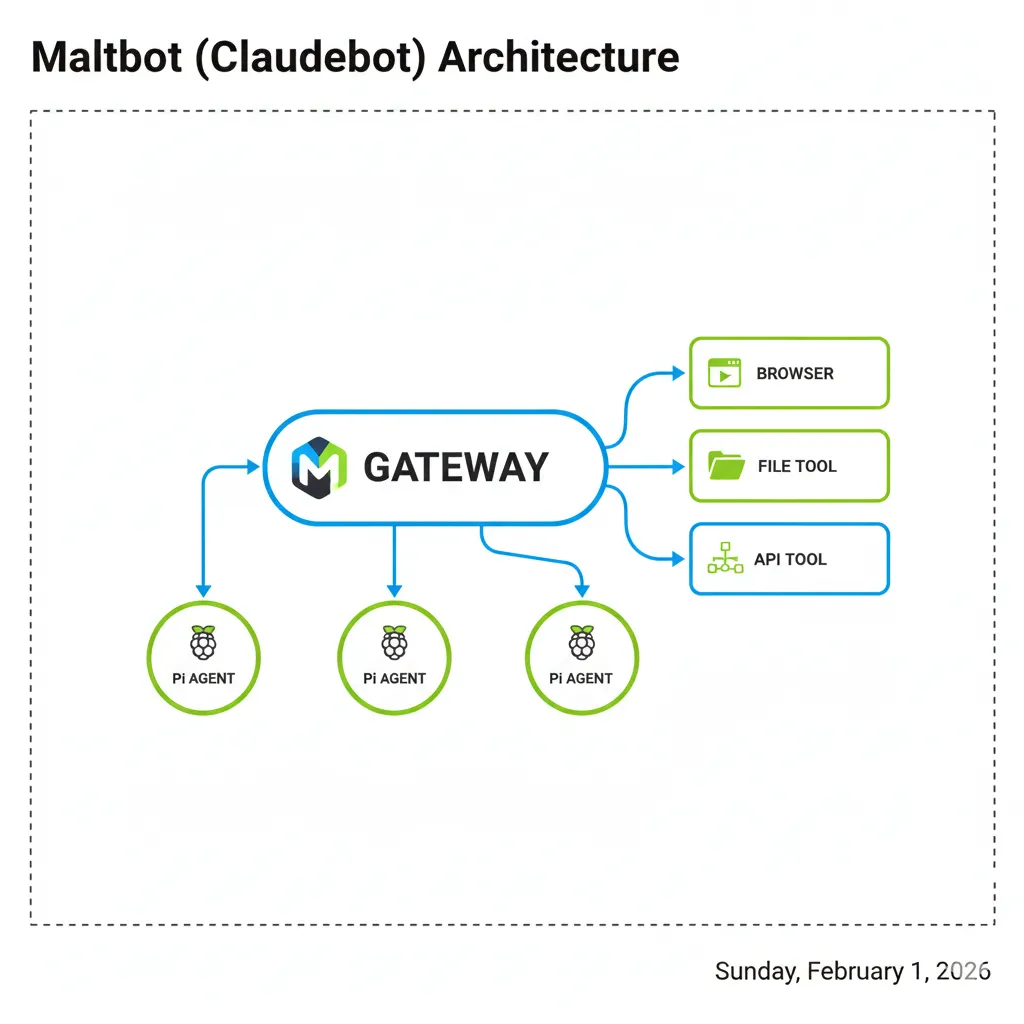
The defining characteristic that separates Moltbot from existing chatbots is its executive power. As its nickname "Claude with Hands" suggests, it possesses the ability to move the digital world.
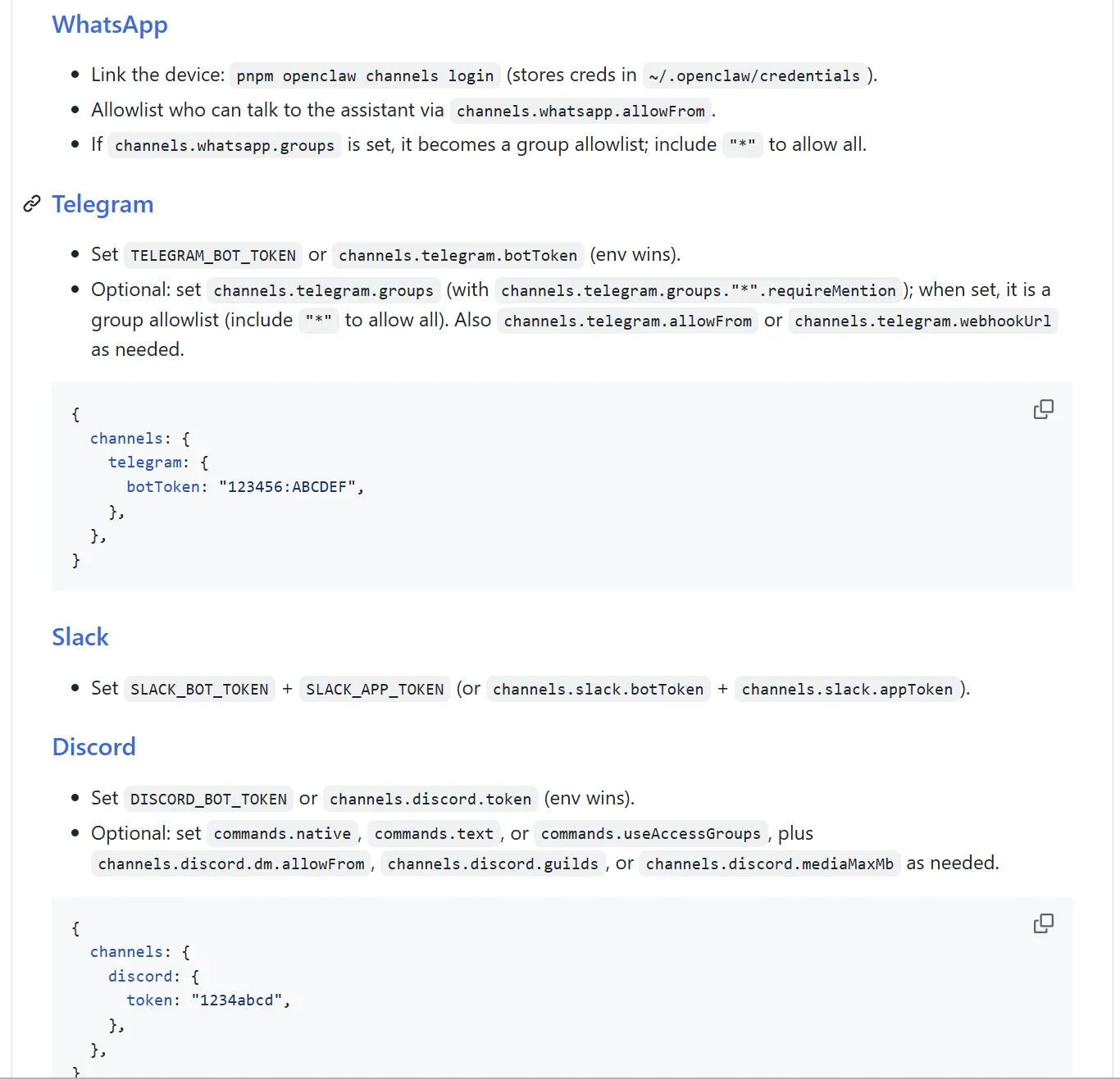
1. Omnichannel Support
No need to install a separate app—communicate with your AI assistant through the messengers you already use. Moltbot supports over 12 platforms:
Real-time connection via Baileys protocol. The most commonly used channel.
Telegram
Bot API based. Fast and stable connection.
Discord
Preferred by developer communities. Optimal for server management.
Slack
Powerful for work automation. Utilizes Bolt framework.
Signal
For privacy-conscious users.
iMessage
Native macOS support. Natural conversation with blue bubbles.
2. Proactive AI
While traditional AI waits for your question, Moltbot initiates conversation. It sends messages like "Good morning! You have 3 important meetings today, and it's raining, so don't forget your umbrella" at 8 AM. It handles scheduled reminders, system monitoring alerts, daily briefings, and cron jobs automatically.
3. Complete Local System Control
The most powerful feature is controlling the computer itself:
- Terminal Control: Direct shell command execution. From code builds to server restarts.
- File System: Document creation, code refactoring, file organization.
- Browser Automation: Web scraping, form auto-fill, data extraction.
- Canvas Visual Workspace: Real-time visual workspace manipulation via A2UI.
4. Persistent Memory System
Moltbot maintains permanent memory by storing conversations in Markdown files:
- SOUL.md: Defines AI personality, tone, and core values. Instructions like "Be genuinely helpful."
- USER.md: Information about you. Preferences, occupation, important schedules.
- AGENTS.md: Task instructions and safety rules.
- memory/YYYY-MM-DD.md: Daily activity logs.
Installation Guide: Build Your AI Butler in 10 Minutes 🛠️
Moltbot runs on Node.js and supports macOS, Linux, and Windows (WSL2). Here's the simplest installation method.
Prerequisites
- Node.js v22 or higher
- Anthropic API Key (Claude) or OpenAI API Key
- 20GB+ free disk space
- Internet connection
Installation Process
Global Installation
Run the following command in your terminal:
npm install -g moltbot@latestRun Onboarding
Start the initial setup including daemon installation:
moltbot onboard --install-daemonConfigure API Key
Claude is recommended. Create the following file:
# ~/.openclaw/.env
ANTHROPIC_API_KEY=sk-ant-api03-xxxxxxxxxxxxMessenger Pairing
Select your desired platform (Telegram, Discord, etc.) and enter the token received from BotFather. Enter the pairing code in the messenger to complete the connection!
Model Selection Guide
| Model | Characteristics | Recommended Use |
|---|---|---|
| claude-opus-4-5 | Highest performance, slow response, high cost | Complex coding, deep analysis |
| claude-sonnet-4-5 ⭐ | Balanced performance, fast response | General use (Recommended) |
| claude-haiku-4-5 | Fastest, cost-effective | Quick questions, simple tasks |
Ollama Local Model Integration (Free Option)
To save on API costs, you can connect local LLMs via Ollama:
# After installing Ollama
ollama pull llama3.3
# or: ollama pull qwen2.5-coder:32b

# .env configuration
OLLAMA_API_KEY=ollama-local
Claude Code vs Moltbot: What's the Difference? ⚔️
While Anthropic's official "Claude Code" and the open-source "Moltbot" may look similar, they serve completely different purposes.
| Feature | Claude Code | Moltbot |
|---|---|---|
| Nature | Developer terminal tool | Personal AI Operating System |
| Execution Environment | Limited to terminal (CLI) | Messenger, voice, web |
| Proactivity | Passive (Q&A) | Proactive (alerts, briefings) |
| Memory | Session-based | Persistent (Markdown) |
| Channels | CLI only | 12+ messengers |
| Open Source | ❌ Closed | ✅ Fully Open Source |
| Cost | Subscription required | API costs only (Free with Ollama) |
In summary, while Claude Code is a coding partner for developers, Moltbot is a butler that manages your entire digital life. The biggest difference is that non-developers can use Moltbot comfortably.
Real-World Use Cases: From Developers to Casual Users 💡
Scenario 1: Developer's Morning Briefing
You wake up to a message on Telegram:
• 10:00 Code review (GitHub PR #234)
• 14:00 Client meeting
• Detected 2 errors in the CI/CD pipeline overnight. Would you like me to check the logs?"
Scenario 2: Smart Home Integration
Ask it to "Dim the lights and set the heating to 22°C at 7 PM," and it runs automatically every day via Cron jobs. Integrates with Philips Hue, Home Assistant, 8Sleep, and various IoT devices.
Scenario 3: Content Curation
Every morning, it scrapes newsletters, Reddit, and Hacker News, summarizing only articles matching your interests (e.g., AI, startups). Ask "Suggest 3 blog topics," and it provides ideas.
Security and Privacy: The Local AI Advantage 🔒
While ChatGPT or Claude web send data to the cloud, Moltbot runs locally, with message processing and file access happening entirely on your device. Only AI model API calls go external, and those are encrypted.
Sandbox Mode
To prevent AI from accidentally deleting important files or executing malicious code, Docker-based sandboxing is available:
{
  "agents": {
    "defaults": {
      "sandbox": {
        "mode": "non-main",
        "scope": "session",
        "workspaceAccess": "ro"
      }
    }
  }
}- non-main mode: Sandboxing for group chats, full permissions for private chats
- ro (Read Only): Can read files but not modify them
- session scope: Container auto-deletes when session ends
Community Reactions: Reddit and Discord Reviews 💬
Reactions from developers and early adopters worldwide have been overwhelmingly positive:
"It really feels like Jarvis has become reality. When I wake up, it summarizes what happened overnight and organizes today's tasks. I use this instead of Google Assistant now." – Reddit r/selfhosted user
"I thought it was a toy at first, but now I actually delegate server monitoring and deployment to it. When errors occur, it notifies me on Slack, and when I say 'check logs,' it finds the cause." – Discord Community Manager
"Bought a Mac Mini M4, and now I can't live without it. Even when I'm out, I can control everything from my phone." – Twitter/X User
Of course, being in its early stages, there are bugs and inconveniences. Windows support is limited to WSL2, and iMessage only works on macOS. However, these are being rapidly improved through the active open-source community.
Troubleshooting: Common Errors and Solutions 🛠️
1. "Permission denied" Error (macOS)
Symptom: Cannot read or write files.
Solution: Add your terminal app to System Settings → Privacy & Security → Full Disk Access.
2. WhatsApp Connection Drops
Symptom: Won't connect even after scanning QR code.
Solution: Log out from WhatsApp Web and try again. One WhatsApp account can only connect to one Gateway.
3. API Cost Explosion
Symptom: Anthropic bill is higher than expected.
Solution: Switch to Haiku model or use Ollama local models. You can also set token limits in AGENTS.md.
4. Gateway Not Starting on Boot
# Manual daemon registration
moltbot daemon install
sudo launchctl load ~/Library/LaunchAgents/com.moltbot.gateway.plist
Future Outlook: The New Standard for AI Agents 🔮
Moltbot isn't just a trend—it's establishing a new paradigm for personal AI. It satisfies three trends simultaneously: Self-hosted AI (independent from the cloud), Agentic AI (acting autonomously), and Private AI (respecting personal privacy).
The 2026 roadmap includes support for more platforms (Zoom, Google Meet), enhanced multi-agent collaboration features, and expansion of the skill marketplace via ClawdHub. Particularly with advances in voice interfaces, it's expected to evolve into an "always-on voice assistant."
Key Takeaway
Moltbot goes beyond an AI that answers questions—it's an autonomous assistant managing your entire digital life. Being open-source, anyone can start for free, and local execution guarantees privacy. The era of having your own AI with just one Mac Mini starts today.
The era where AI is not just a tool but a companion. Moltbot is a fascinating attempt at bringing that future to reality, and its growing ecosystem is worth watching. Why not build your own AI assistant today?