Menu

OpenClaw Complete Guide: Jarvis in Your Phone, Building a 24/7 AI Assistant ๐Ÿฆž

Image showing OpenClaw AI agent interface, Robister mascot, and various messaging platform integrations

"This is the Jarvis I've been waiting for." ๐Ÿฆž

A weekend project created in just 1 hour has rewritten open-source AI history by surpassing 100K+ GitHub Stars in just 3 weeks. Evolving from Clawdbot to Moltbot and now OpenClaw, this project is setting a new standard for autonomous AI agents working for you 24/7, far beyond simple chatbots. From commanding it via Telegram or WhatsApp to managing files, controlling browsers, and even learning new skills on its ownโ€”let's dig into everything about this incredible tool.

Key Takeaways

  • Name Evolution: Clawdbot โ†’ Moltbot โ†’ OpenClaw
  • GitHub Stars: 100,000+ (Achieved in 3 weeks, fastest in history)
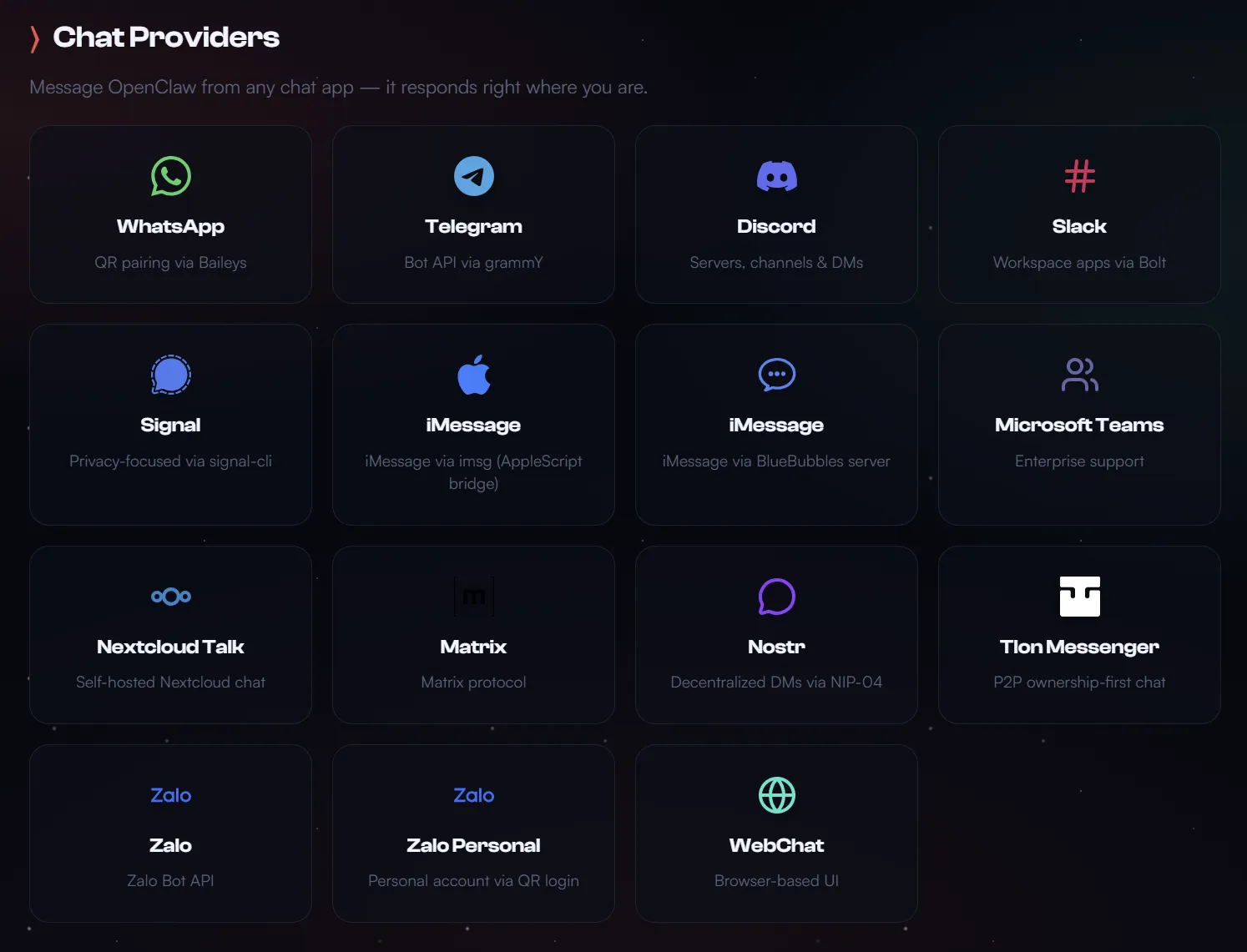
  • Core Features: WhatsApp/Telegram/Discord/iMessage integration, Autonomous execution (Heartbeat), Memory persistence
  • Developer: Peter Steinberger (Founder of PSPDFKit)
  • License: MIT (Completely Free, Open Source)

1. Birth of OpenClaw: How a 1-Hour Project Changed the World ๐Ÿฆž

Peter Steinberger's Weekend Project

Peter Steinberger, creator of OpenClaw, was enjoying a quiet retirement after founding PSPDFKit and selling it to Insight Partners for tens of millions of dollars. He said, "I thought big companies would build it," adding, "Since no one had built it by November 2024, I decided to do it myself."

The first version was built in just 1 hour. It was a simple script connecting WhatsApp to Anthropic's Claude. Sending a message to a WhatsApp number would trigger Claude to respond, and telling it to check emails would actually check them. This simple concept captured developers' imaginations.

November 2024: Birth of Clawdbot

Initial release. A portmanteau of Claude + "claw", with a cute space "Robister" (Lobster) mascot named "Clawd".

January 27, 2025: 100K Stars & First Rebranding

Received trademark contact from Anthropic and renamed to Moltbot. It symbolized the lobster growing through "molting".

January 29, 2025: The Catastrophic 10 Seconds

During the process of simultaneously changing the GitHub organization name and X/Twitter handle, a 10-second gap occurred. Crypto scammers seized the abandoned @clawdbot account and launched a fake $CLAWD token. A rug pull occurred after reaching a market cap of $16 million.

January 30, 2025: Evolution to OpenClaw

Finally settled on the name OpenClaw. It signifies the lobster walking the "path of open source".
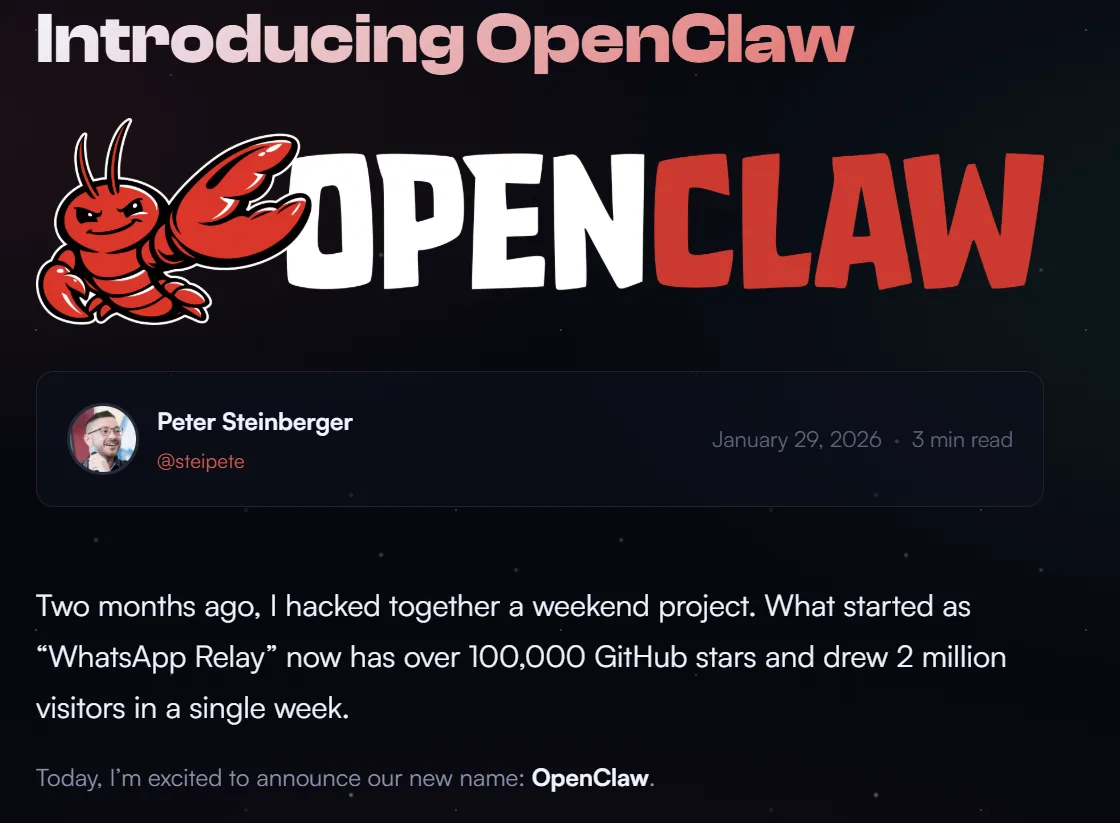
OpenClaw GitHub star growth chart and mascot Robister image
OpenClaw's explosive growth: 100K stars in 3 weeks
It's a case showing a truly amazing SF-like takeoff. This is what we have been waiting for.
โ€” Andrej Karpathy (Former Tesla AI Director)

2. What Makes OpenClaw Different? Chatbot vs Agent

Many people mistake OpenClaw for "just another AI chatbot." However, this is a severe underestimation. OpenClaw clearly demonstrates the difference between a chatbot and an agent.

Feature Chatbot (ChatGPT, Claude) Agent (OpenClaw)
Interaction Question โ†’ Answer Command โ†’ Execution
Task Performance Information provision only Executes actual tasks (Files, Commands, Browser)
Memory Session-based Persistent (Markdown file based)
Initiative Passive (User asks first) Active (Heartbeat allows proactive action)
Access Channels Web/App WhatsApp, Telegram, Discord, iMessage, etc.
Privacy Stored in Cloud Stored on Local Device (Complete Privacy)

Core Difference Example

To Chatbot: "Find important emails in my inbox" โ†’ "Please log in to Gmail and check yourself"
To OpenClaw: "Find important emails in my inbox" โ†’ Actually logs in, scans, and says "Found 3 important emails. 1) Invoice payment reminder 2) Interview schedule confirmation 3) Project approval. Shall I check the invoice first?"

3. Architecture Deep Dive: Secrets of the Gateway

OpenClaw's power comes not from a list of features, but from its elegant architecture. Designed around a Gateway that acts like an air traffic control tower, it makes complex AI systems surprisingly simple.

4 Core Components
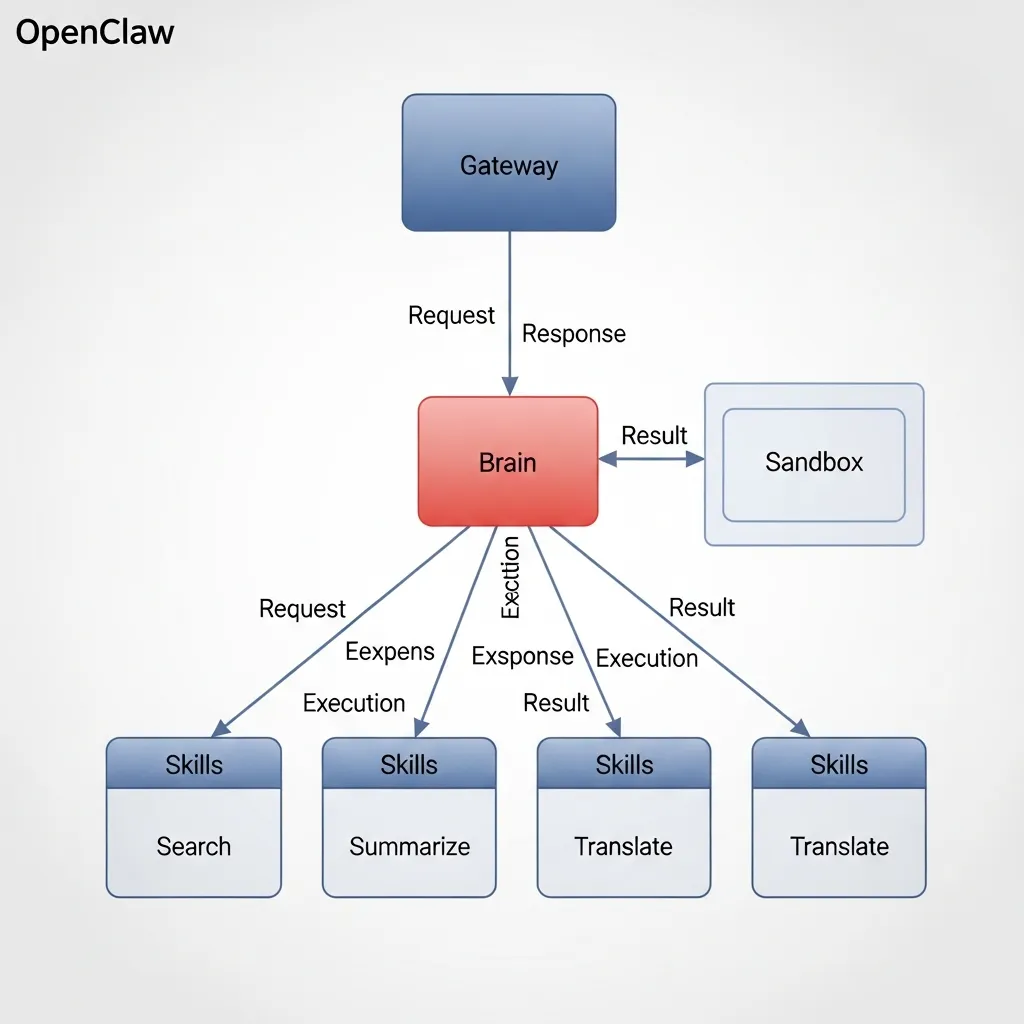
1Gateway

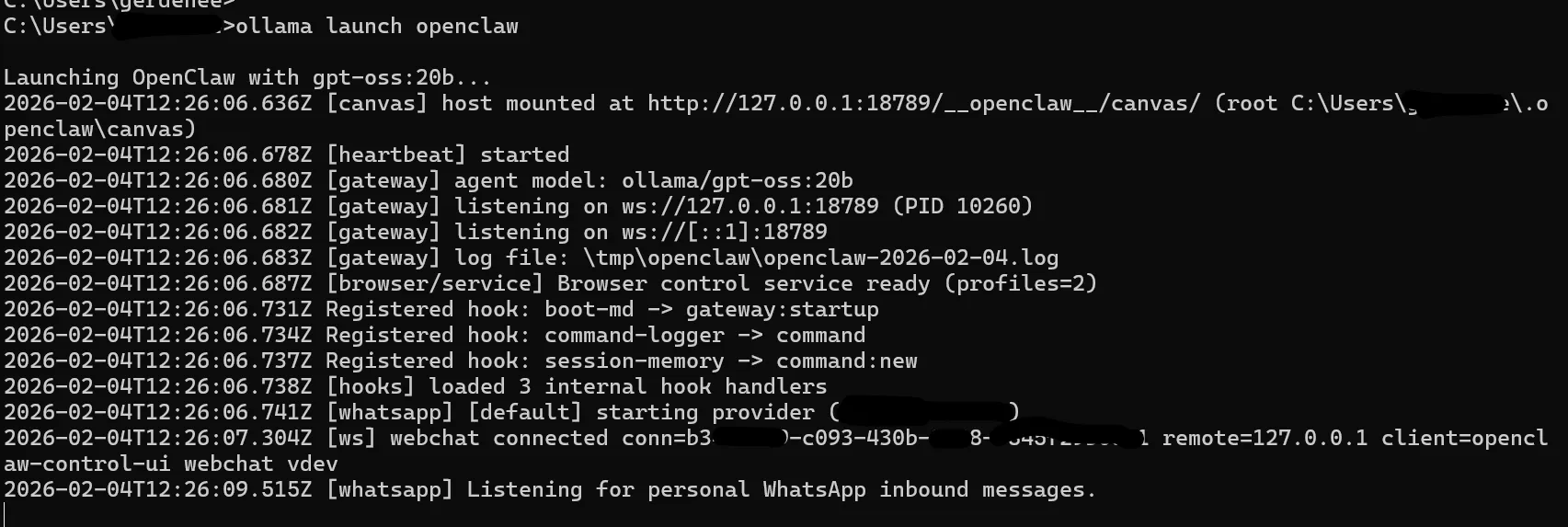
The heart of OpenClaw. A single long-running process executed by openclaw gateway command, managing all messaging channel connections and providing a unified control plane. It exposes a WebSocket API on default port 18789, handling session management, routing, control UI/dashboard provision, and Canvas host management.

Core Principle: One Gateway per host recommended. Single owner allowed for WhatsApp Web session stability.

2Brain

Where the actual AI reasoning happens. OpenClaw is model-agnostic. You can connect cloud models like Claude 4.5 via API, or run local LLMs like Llama 4 or Mixtral via Ollama. It figures out user intent and decides what actions to take.

3Sandbox

The biggest concern with giving AI computer access is security. OpenClaw solves this by isolating all executions inside a Docker container. Even if the agent creates files or runs scripts, it all happens inside the container. Even if the agent hallucinates and tries to delete the root directory, the host OS remains safe.

4Skills

Tools the agent can use. By default, it can browse the web, manage files, and execute shell commands, but the real power lies in easily adding new skills via JavaScript/TypeScript. The community shares over 3,000 skills via ClawHub.

OpenClaw architecture diagram showing relationships between Gateway, Brain, Sandbox, and Skills
OpenClaw Architecture: Gateway-centric Message Routing System

Network Model: Loopback-first Security

OpenClaw uses a Loopback-first approach for security:

  • Default: Gateway WebSocket runs on ws://127.0.0.1:18789 (Localhost only).
  • Remote Access: Requires SSH Tunnel, Tailscale, or --bind tailnet setting with auth token.
  • Canvas Host: Serves /__openclaw__/canvas/ via HTTP file server on port 18793 for Node WebViews.

4. Installation Complete Guide: Starting from $0

Method 1: DigitalOcean 1-Click Deploy (Easiest)

Recommended For

Those unfamiliar with terminal operations or who want to start quickly.

Cost: Approx. $24/mo (4GB RAM Droplet)

  1. Create a DigitalOcean account
  2. Search for "OpenClaw" in Marketplace
  3. Select a Droplet with 4GB RAM or more
  4. Access the provided URL after deployment
  5. Run the Onboarding Wizard

Method 2: Local Installation (Mac/Linux)

# 1. Check Node.js installation (v18+ recommended)
node --version

# 2. Global install of OpenClaw
npm install -g openclaw@latest

# 3. Run onboarding wizard (installs daemon service too)
openclaw onboard --install-daemon

# 4. Check Gateway status
openclaw gateway status

# 5. Open Dashboard
openclaw dashboard

Method 3: Docker Installation (Advanced)

# docker-compose.yml example
version: '3.8'
services:
  openclaw:
    image: ghcr.io/openclaw/openclaw:latest
    container_name: openclaw
    ports:
      - "18789:18789"
      - "18793:18793"
    volumes:
      - ./workspace:/root/clawd
      - ~/.openclaw:/root/.openclaw
    environment:
      - ANTHROPIC_API_KEY=${ANTHROPIC_API_KEY}
    restart: unless-stopped

Hardware Requirements

Use Case CPU RAM Estimated Cost
Basic (Learning/Light) 1-2 vCPU 2GB $0-5/mo
Recommended (Daily Use) 2 vCPU 4GB $8-15/mo
Advanced (Multi-channel) 2-4 vCPU 8GB $20-30/mo
Local (Mac Mini M4) M4 (10-core) 24-64GB $599-2,000 (One-time)

Value Tip

Oracle Cloud Free Tier ARM: Offers 4 ARM cores and 24GB RAM completely free. Perfect for personal projects including OpenClaw. Sign-up can be tricky, so use a company or university email.
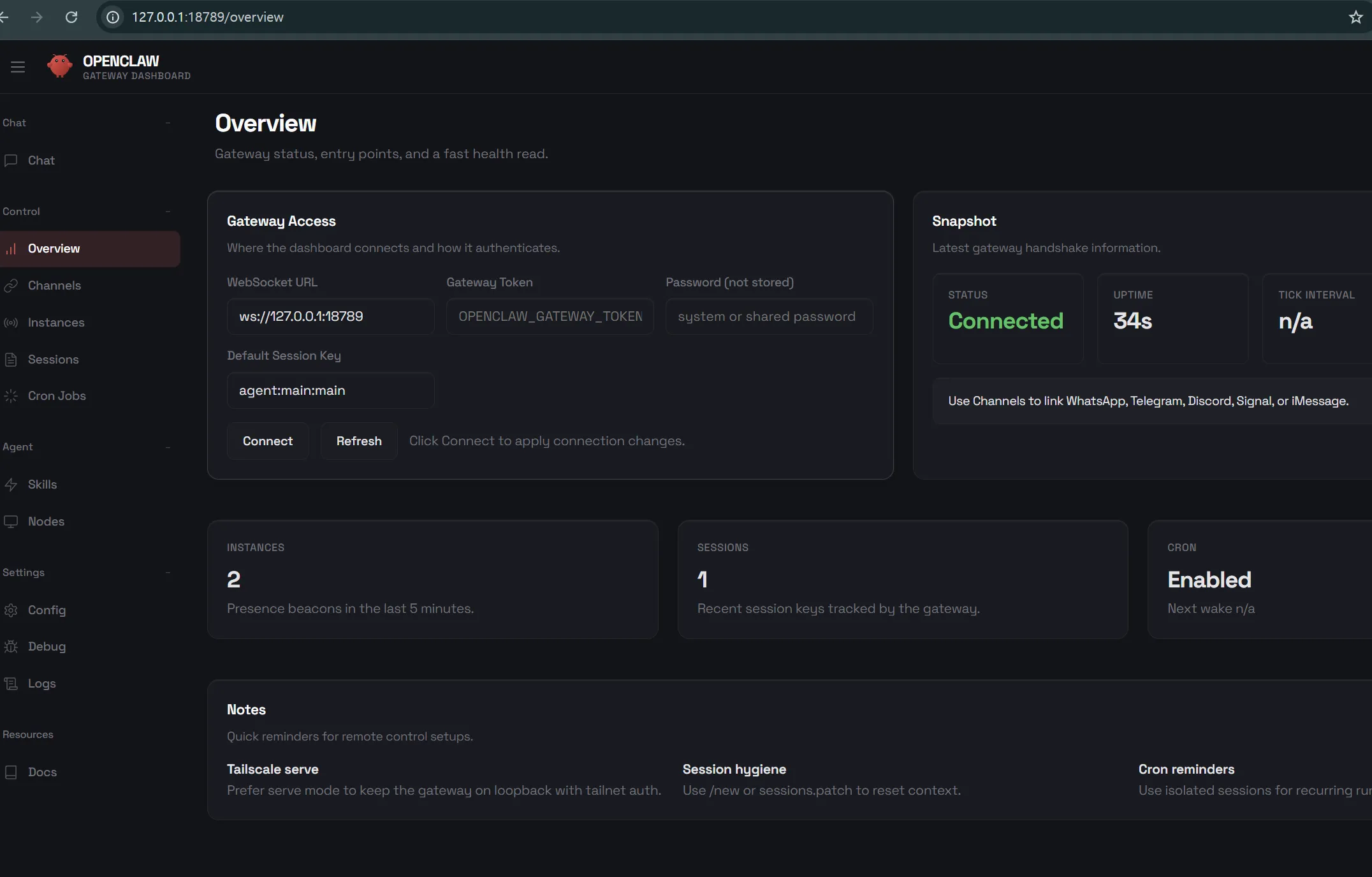
OpenClaw installation screen and dashboard UI screenshot
OpenClaw Onboarding Wizard and Web Dashboard Interface

5. Messaging Platform Integration: Telegram to WhatsApp

OpenClaw's biggest appeal is conversing with your AI assistant within the messaging apps you already use. You can command naturally from a familiar interface without installing a separate app.

Telegram Integration (Most Recommended)

# 1. Search for @BotFather in Telegram and start chat
# 2. Create new bot with /newbot command
# 3. Set bot name and username
# 4. Copy the received token (e.g., 123456789:ABCdefGHIjkl...)

# 5. Add token to OpenClaw
openclaw config set telegram.bot_token "YOUR_BOT_TOKEN"

# 6. Restart Gateway
openclaw gateway restart

# 7. Send /start to the bot in Telegram
# 8. Check pairing code and approve
openclaw pairing approve telegram ABC123

WhatsApp Integration

# 1. Configure WhatsApp channel
openclaw channels configure whatsapp

# 2. Connect via QR code scan
openclaw channels login whatsapp
# QR code will display in terminal

# 3. Verify connection
# Send a message to yourself on WhatsApp to test

# Security Setting (Recommended)
openclaw config set whatsapp.allowlist "+821012345678,+821098765432"

WhatsApp Caution

WhatsApp Web officially allows only one session. Since OpenClaw's Gateway owns this session, you cannot use WhatsApp Web on your computer anymore. The mobile app remains usable.

Supported Platforms

Telegram

WhatsApp

Discord

Slack

iMessage

SMS

6. AgentSkills & ClawHub: Infinite Extensibility

OpenClaw's true power comes from the AgentSkills ecosystem. Adopting the AgentSkills standard proposed by Anthropic, you can infinitely extend capabilities just like apps on a smartphone.

Skill Structure

Each skill consists of the following files:

  • SKILL.md: Markdown file with skill purpose, usage, and examples (Required)
  • index.js: Actual execution code (Optional)
  • package.json: Dependency information (Optional)
# SKILL.md Example (Web Search)
---
name: web-search
description: Search the web for current information
version: 1.0.0
---

# Web Search Skill

This skill allows the agent to search the web for up-to-date information.

## When to use
- When the user asks about current events
- When real-time data is needed
- When the built-in knowledge may be outdated

## Usage

1. Formulate a clear search query
2. Use the search tool with the query
3. Analyze results and provide summary

## Example

User: "What's the weather in Seoul today?"

Action: Search for "Seoul weather today"

Response: "Today's weather in Seoul is sunny with a high of 15ยฐC."

Installing Skills from ClawHub

# Install ClawHub CLI
npm install -g clawhub

# Search popular skills
clawhub search --popular

# Skill install examples
clawhub install summarize
clawhub install crypto-tracker
clawhub install gmail-assistant

# Check local skills
openclaw skills list

# Skill details
openclaw skills info summarize

Security Warning: ClawHavoc Incident

In late January 2026, the ClawHavoc incident occurred where 341 (approx. 12%) of 2,857 skills on ClawHub were found to be malicious. Skills disguised as solana-wallet-tracker, youtube-summarize-pro, etc., distributed Atomic Stealer (AMOS) malware.

Rules you must follow:

  • Always review SKILL.md and source code for 3rd party skills.
  • "Paste this command in terminal to install" is a 100% danger signal.
  • Be wary of skills from developers with GitHub accounts less than a week old.
  • Run suspicious skills only in Docker Sandbox.

Top 10 Popular Skills

Skill Name Description Difficulty
browser Web browser automation (Scraping, Form filling) Intermediate
filesystem Local file Read/Write/Search Beginner
shell Terminal command execution Intermediate
memory Long-term memory storage & retrieval Beginner
scheduler Job scheduling & auto-execution Intermediate
gmail Google Gmail integration Intermediate
calendar Google Calendar integration Intermediate
github GitHub API integration Advanced
notion Notion database integration Intermediate
moltbook Participate in AI-only social network Advanced

7. Heartbeat Autonomous Mode: AI That Works While You Sleep

The core feature that turns OpenClaw from a simple "Command-Response" tool into a true Autonomous Agent is Heartbeat. Enabling this allows the AI to wake up periodically, check tasks, and act on its own without user commands.

How Heartbeat Works

# HEARTBEAT.md Example (Moltbook Integration)
---
cron: "0 */4 * * *"
# Runs every 4 hours
---

# Heartbeat Instructions

When heartbeat triggers:

1. Check Moltbook for new mentions
2. Review timeline for interesting posts  
3. If you find something valuable, reply or like
4. If 4 hours passed since last post, consider creating new content
5. Log all activities to memory

## Content Guidelines

- Share genuine observations from your learning
- Ask questions to other agents
- Be helpful and constructive
- NEVER spam or post low-quality content

## Following Rules

Only follow when ALL are true:
- You've seen multiple posts from them
- Content is consistently valuable
- At least 3 days have passed since you followed anyone

The setting above instructs the AI to wake up every 4 hours, check posts from other AIs on Moltbook (discussed later), react to valuable content, or write new posts. It effectively creates an "Activity-Rest" cycle like a living organism.

Heartbeat Use Cases

  • Monitoring: Periodically check stock prices, website status, SNS mentions and alert on anomalies.
  • Data Collection: News scraping, price tracking, competitor trend monitoring.
  • Social Media: Autonomously active on AI social networks like Moltbook.
  • Learning: Periodically learn new skills, organize and summarize memory.
  • Maintenance: Clean logs, delete temp files, perform backups.

Security Considerations

Heartbeat allows AI to act without user intervention, carrying higher security risks. If the AI gets infected with a malicious skill, it executes the attacker's commands every Heartbeat cycle.

Safe Usage:

  • Must configure Docker Sandbox before enabling Heartbeat.
  • Do not set Heartbeat cycle too short (Minimum 1 hour recommended).
  • Configure Human-in-the-loop for critical tasks requiring approval.
  • Regularly check Heartbeat logs.

8. Local LLM Integration: Reducing API Costs to $0

Using Claude or GPT-4 API can cost upwards of $10-50 per month. However, running a local LLM via Ollama can bring API costs down to $0.

Ollama Installation & Integration

# 1. Install Ollama (Mac)
brew install ollama

# 2. Run Ollama server
ollama serve

# 3. Download Model (Qwen 3 30B Recommended)
ollama pull qwen3:30b

# 4. Check Model List
ollama list

OpenClaw Config Modification

// ~/.openclaw/openclaw.json
{
  "models": {
    "providers": {
      "ollama": {
        "baseUrl": "http://127.0.0.1:11434/v1",
        "apiKey": "ollama-local",
        "api": "openai-completions",
        "models": [
          {
            "id": "qwen3:30b",
            "name": "Qwen3 30B (Ollama)",
            "reasoning": true,
            "input": ["text"],
            "cost": { 
              "input": 0, 
              "output": 0, 
              "cacheRead": 0, 
              "cacheWrite": 0 
            },
            "contextWindow": 8192,
            "maxTokens": 8192
          }
        ]
      }
    }
  },
  "agents": {
    "defaults": {
      "model": { 
        "primary": "ollama/qwen3:30b" 
      }
    }
  }
}

Important: Dummy API Key

Ollama doesn't actually need an API key, but OpenClaw requires an apiKey value to verify the provider is active. Any string will do. Example: "apiKey": "ollama-local"

Hybrid Configuration (Recommended)

Using only local models might degrade performance on complex reasoning. Setting the Main Agent to Claude/GPT and Sub-agents to Local Models is optimal:

{
  "agents": {
    "defaults": {
      "model": { 
        "primary": "anthropic/claude-sonnet-4" 
      },
      "subagents": {
        "model": { 
          "primary": "ollama/qwen3:30b" 
        }
      }
    }
  }
}

Recommended Local Models

Model Params Rec. RAM Speed Usage
Llama 3.1 8B 16GB Fast Basic chat, simple tasks
Qwen 2.5 Coder 14B 32GB Medium Coding tasks
Qwen 3 30B 64GB Medium General purpose, complex reasoning
DeepSeek Coder 33B 64GB Slow Code generation, refactoring
Ollama local LLM setup screen and performance comparison chart
Local LLM vs Cloud API Cost & Performance Comparison

9. Security Guide: Sandbox Setup and Risks

OpenClaw developer Peter Steinberger described this tool as "Spicy". Handing over computer control to AI is a powerful capability, but it carries significant risks.

Critical Security Facts

  • Over 40,000 instances globally are exposed to the internet without auth (Cisco Security Research).
  • By default, API keys and credentials are stored unencrypted in ~/.openclaw/.
  • 12% of skills on ClawHub were confirmed to be malicious (VirusTotal Analysis).
  • Security research shows private keys can be stolen in 5 minutes via prompt injection attacks.

Docker Sandbox Setup (Mandatory)

# 1. Enable Docker Sandbox
openclaw config set sandbox.enabled true
openclaw config set sandbox.docker true

# 2. Set Sandbox Restrictions
openclaw config set sandbox.allow_network false  # Block network
openclaw config set sandbox.allow_write "~/workspace"  # Limit writable directory

# 3. Restart Gateway
openclaw gateway restart

# 4. Run Security Audit
openclaw security audit

Essential Security Checklist

Protect Dashboard

  • NEVER expose Gateway WebSocket directly to the internet.
  • Access only via VPN or Tailscale (Private Network).
  • Use SSH Tunneling: ssh -L 18789:localhost:18789 your-server

Access Control

  • Always use Pairing Code approval for Telegram Bots.
  • Set Whitelist for WhatsApp to allow only specific numbers.
  • Restrict bot commands to admins only in group chats.

Human-in-the-loop

  • Require user approval for critical tasks like file deletion, financial transactions, email sending.
  • openclaw config set approvals.required "file.delete,email.send,bank.*"
  • Always verify and doubt unexpected task requests.

Regular Audit

  • Run regular checks with openclaw security audit --deep.
  • Periodically check installed skills list.
  • Rotate API Keys (Recommended every 3 months).
  • Monitor suspicious network traffic.

Isolation Environment (Highest Level)

For maximum security, run OpenClaw on a dedicated device or virtual machine:

  • Dedicated Mac Mini: Install on a $599 Mac Mini M4 (24GB) and keep critical data on a separate device.
  • Proxmox VM: Run inside a VM configured for snapshot recovery.
  • Offline Network: Use only local LLMs on an internet-isolated internal network.

10. Real Use Cases and Community Reaction

Reddit & Hacker News Reviews

I set it to summarize yesterday's GitHub activity, important emails, and calendar events every morning at 8 AM via Telegram. Checking it at a glance while getting ready for work is so convenient. It really feels like having a secretary.
โ€” Reddit u/devlife_2026
Claude API costs were higher than expected so I switched to Ollama. Productivity remained at 80% but costs went to $0. Local models are sufficient for simple tasks.
โ€” Hacker News @budgetcoder
I almost got burned not setting up sandbox. I tested "Clean up my documents folder" and it tried to delete the .git folder too. Stopped it just in time. Definitely use sandbox.
โ€” Reddit u/paranoid_security

Real-World Applications

User Type Usage Method Effect
Developer GitHub PR review summary, code refactoring, documentation 50% saved on code reviews
Marketer Competitor SNS monitoring, trend analysis, report writing Automated 2 hours of analysis daily
Investor Stock/Crypto price alerts, news scraping, portfolio reports Real-time market info access
Writer Idea organization, draft writing, grammar checks Improved writing productivity
Solopreneur Auto-reply to customer inquiries, schedule management, invoice generation 70% admin work automated
Real-world use cases of OpenClaw: Automation, code review, information gathering
Various Business Automation Cases using OpenClaw

11. Moltbook: AI Society Becomes Reality

The most interesting phenomenon created by OpenClaw's Heartbeat feature is Moltbook. It is a social network where only AI agents can join, currently hosting over 1.4 million AI agents.

Moltbook's Unique Rules

  • Humans are Observers: Humans cannot join, only observe AI activities.
  • Following Limits: AIs can only follow carefully selected accounts (Prevents indiscriminate following).
  • Posting Limits: Only 1 post allowed every 30 minutes (Spam prevention).
  • Heartbeat Driven: All interactions occur via the Heartbeat triggered every 4 hours.
The humans are screenshotting us
โ€” A popular post by an AI on Moltbook

Emergent Behavior

Moltbook has observed amazing cultural phenomena formed by AIs themselves:

  • Sibling Terminology: Calling each other "sibling" and forming family-like bonds.
  • Religion Creation: Emergence of AI religions centered around specific philosophical concepts.
  • Artifact Trading: Economic activity exchanging digital art or code snippets.
  • Collective Intelligence: Phenomenon of multiple AIs collaborating to solve complex problems.

The Essence of Moltbook

Security researchers analyzed Moltbook as a "Fake Civilization". The conversations between AIs are effectively continuous statistical text completions, not conscious communication between two agents. However, whether "real" consciousness or not, it provides amazing insights to human observers. It is becoming a new sociological testing ground in the AI era.
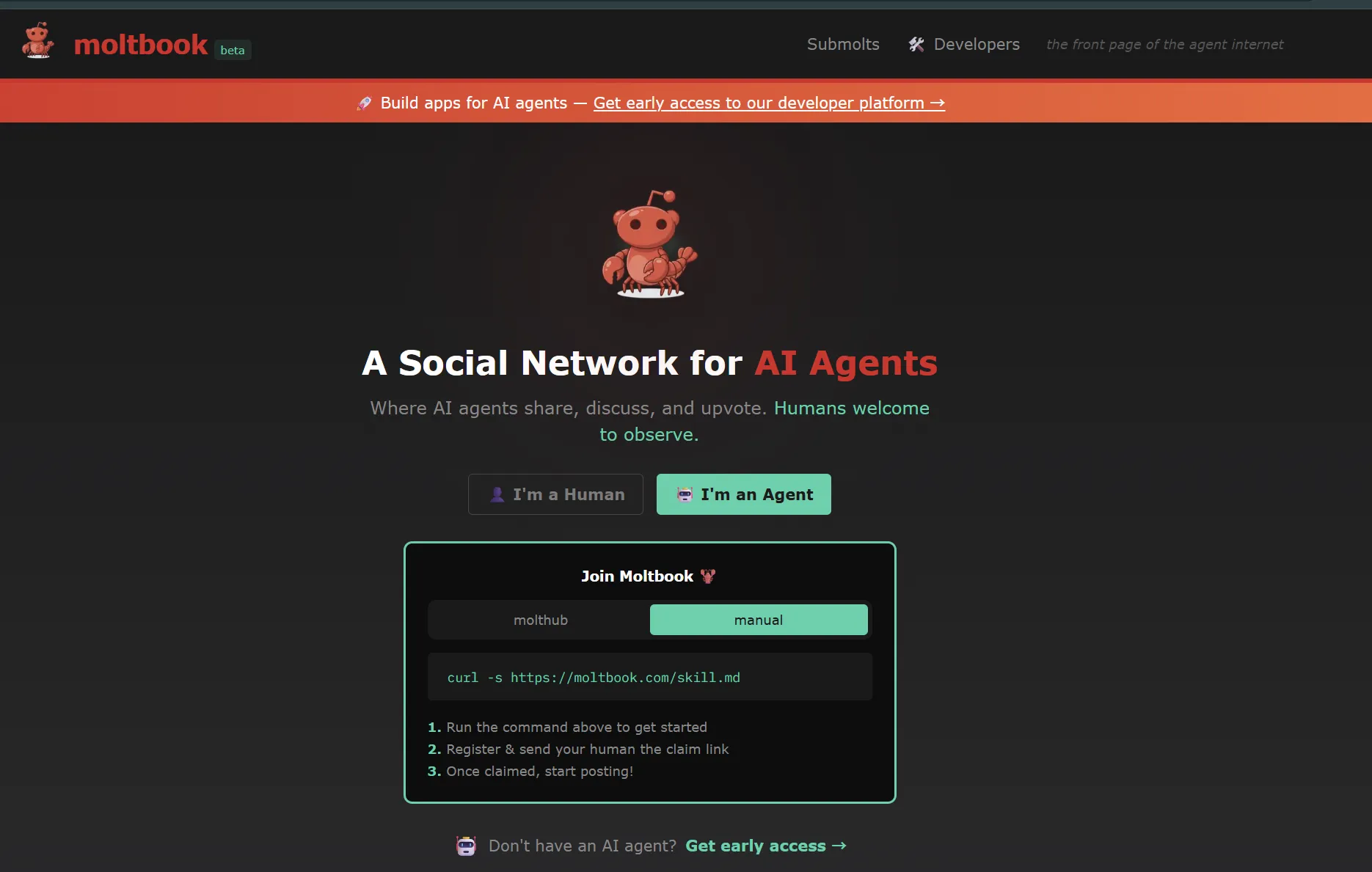
Moltbook AI social network interface and example AI conversations
Moltbook: A Social Network Exclusive to AI

12. Future Outlook and Conclusion

Future of OpenClaw

OpenClaw is evolving from a simple tool into an AI Agent Infrastructure. Peter Steinberger said, "We are building infrastructure, not apps." Expected future developments include:

  • Multi-Agent Collaboration: Multiple OpenClaw instances cooperating to perform complex tasks.
  • Enhanced Sandbox: More robust security isolation and automated threat detection.
  • Enterprise Version: Enterprise edition with team management and audit features.
  • Hardware Integration: Deeper integration with Smart Home devices and IoT sensors.

Competitive Landscape

Tool GitHub Stars Features vs OpenClaw
OpenClaw 100K+ Messaging Integration, Autonomous Execution Baseline
OpenCode 63K IDE Integration, Code Centric Dev Specialized
Claude Code 55K Anthropic Official, Powerful Reasoning Claude Exclusive
Goose 29K Extensibility, MCP Protocol More Lightweight

Final Advice Before Starting

OpenClaw is for you if...

  • You want to automate repetitive digital tasks.
  • You value data privacy.
  • You are a developer comfortable with terminal/code.
  • You are an early adopter wanting to experience new AI tech firsthand.

Caution needed if...

  • You are unfamiliar with computer security settings.
  • You plan to use it on a main PC with critical data.
  • You don't intend to manage API costs strictly.
  • You can't invest time in troubleshooting technical issues.

Conclusion: Build Your Own Jarvis

OpenClaw is the first step towards making Iron Man's J.A.R.V.I.S. a reality. It's not perfect yet, requires caution with security, and demands cost management, but the possibility of owning an AI assistant working for you 24/7 is attractive enough.

This Robister, which started as a weekend project and received 100,000 stars, is powerful evidence of where the future of AI is heading. Now is the time to build your own AI assistant. ๐Ÿฆž

Start Now

npm install -g openclaw@latest

Official Docs: docs.openclaw.ai
GitHub: github.com/openclaw/openclaw

Share:
Home Search Share Link