2026 marks the golden age of AI tools. Moving beyond simple chatbots, we now have AI that actually takes action. OpenClaw serves as your digital employee working 24/7, while OpenCode provides the ultimate coding partner right in your terminal. Though they may seem similar, these tools embody completely different philosophies and purposes. In this article, based on real user experiences and community reactions, we provide an in-depth analysis of which tool fits your workflow best.
1. Overview: Core Differences Between the Two Tools 🎯
OpenClaw and OpenCode are two of the most talked-about projects in the 2025-2026 AI tool ecosystem. However, they fundamentally aim to solve different problems.
🎭 In One Sentence
OpenClaw is "a digital employee that works for you," while OpenCode is "a pair programmer coding with you in the terminal."
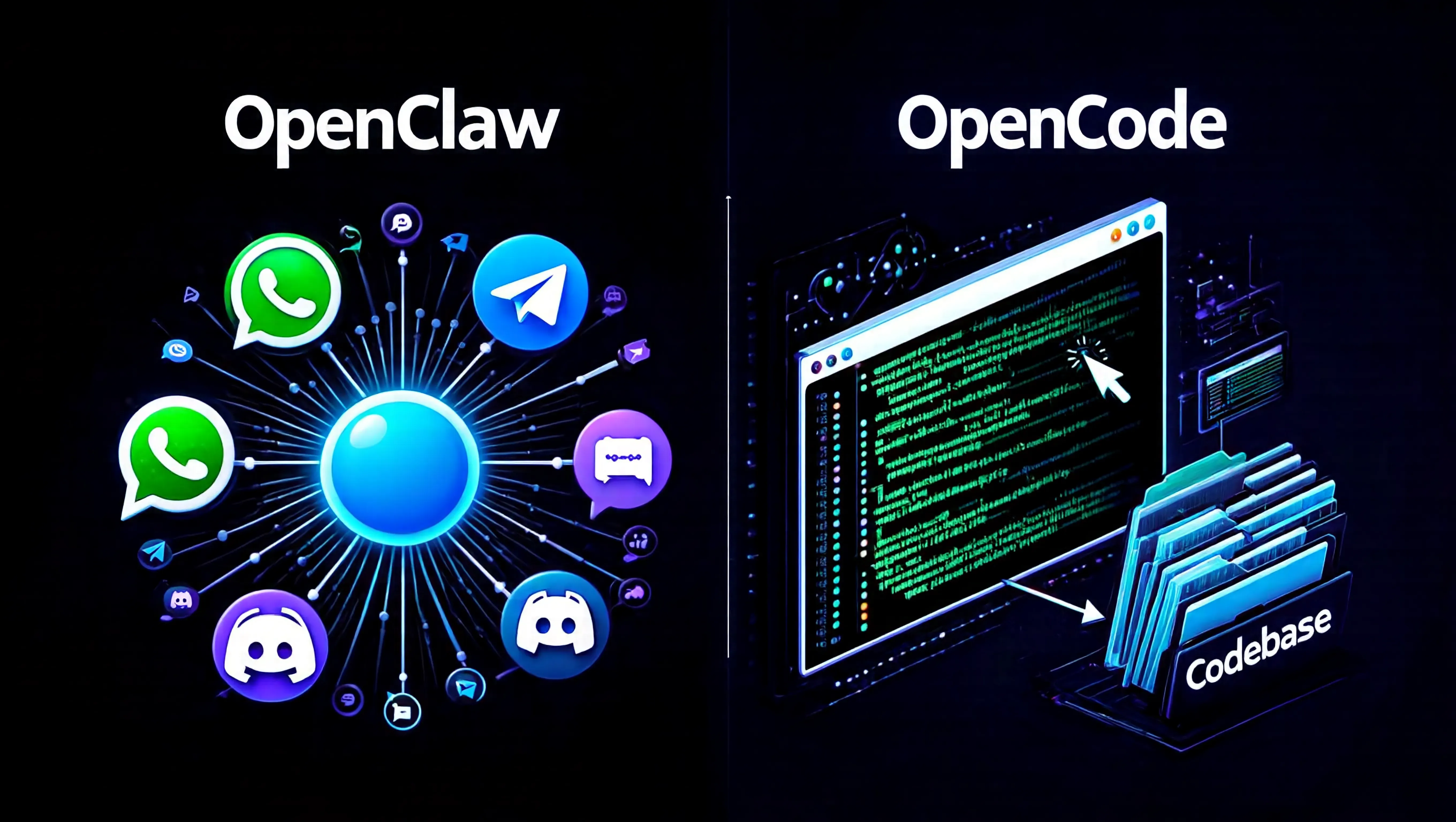
OpenClaw is an autonomous AI agent that evolved from Clawdbot through Moltbot to its current name. It integrates with over 50 messaging platforms including WhatsApp, Telegram, and iMessage, and its defining characteristic is that it judges and acts on its own without user commands. As of January 2026, it surpassed 100,000 GitHub stars, marking the fastest growth of any open-source AI agent in history.
On the other hand, OpenCode is a terminal-based AI coding assistant created by the neovim development team. Starting as an open-source alternative to Claude Code, it has grown to over 95,000 GitHub stars with 2.5 million developers using it monthly. Supporting 75+ LLM providers, its strength lies in allowing developers to freely customize it to their workflow.
2. Deep Dive into OpenClaw: Your Digital Employee 🦞
2.1 History and Evolution: From Clawdbot to OpenClaw
OpenClaw's history began as a personal project by Peter Steinberger, founder of PSPDFKit. In late 2025, he started building a personal AI assistant named "Clawd," which was essentially the concept of giving "hands and feet" to Anthropic's Claude. When open-sourced in early 2026 under the name "Clawdbot," it recorded explosive growth with 9,000 GitHub stars in just 24 hours.
This process involved two rebranding efforts (Clawdbot → Moltbot → OpenClaw), which caused considerable confusion in the community. The name "Moltbot" was criticized for losing existing brand recognition, eventually settling on the more intuitive "OpenClaw."
2.2 Core Features: What Makes OpenClaw Special?
Heartbeat System: A Living Agent
OpenClaw's most innovative feature is Heartbeat. This mechanism allows the agent to periodically "wake up" and check for tasks to execute on its own. For example, if you set "Check my email every morning at 8 AM and send me a summary of only important emails," OpenClaw will automatically run at the scheduled time every day.
50+ Messenger Integrations
It integrates with almost all messaging platforms including WhatsApp, Telegram, Discord, Slack, Signal, iMessage, and Microsoft Teams. This allows users to naturally interact with AI within tools they already use. Telegram tests showed immediate responses and appropriate threading even in private groups with 5 members.
Persistent Memory
OpenClaw maintains long-term context through SOUL.md (personality definition) and MEMORY.md (memory storage) files. This is a decisive difference from simple chatbots, enabling it to reference conversations from days ago or remember user preferences.
2.3 Real Use Cases: How Are Users Actually Using It?
Based on actual user reviews collected from Hacker News, here are OpenClaw's use cases:
"While driving, I send iMessage to Siri saying 'Check if there are any performances at the local concert hall and find ticket prices for 2.' A few minutes later, it presents multiple options. It even investigated cheaper seats or free alternative activities for that weekend."
— Hacker News user
"My agent 'Patch' acts as a supervisor managing my 20 terminals. While waiting in line at Disneyland, I can talk to Patch on my iPhone and manage multiple Claude Code instances on my development workstation."
— Small business owner in Orange County
"Discovered and fixed a broken SMS chatbot that had been down for 10 months. Diagnosed legacy app version issues, upgraded components, and rewrote bot prompts through 6 iterations analyzing actual customer conversations."
— SaaS + AV rental business owner
2.4 Pros and Cons Analysis
Pros
- Complete local execution for privacy
- 24/7 autonomous task execution
- 50+ messaging platform support
- Extensible skill ecosystem via ClawHub
- Multi-agent workflow support
- Fully customizable as open-source
- Persistent memory and context retention
Cons
- Complex and technical installation process
- Token costs increase faster than expected
- Significant risk if security settings are inadequate
- Relatively buggy (cost of rapid development)
- Browser automation is vulnerable
- Risk of automation errors due to hallucination
- High barrier to entry for non-technical users
3. Deep Dive into OpenCode: The Terminal Coding Wizard 🧙♂️
3.1 Philosophy and Design Principles
True to its origins from the neovim development team, OpenCode follows a "by developers, for developers" philosophy. Led by the SST (Serverless Stack) team, this project started as an open-source alternative to Claude Code but has since transcended that scope.
OpenCode's core philosophy is Model Agnosticism. While Claude Code is tied to Anthropic's Claude models, OpenCode supports 75+ LLM providers. You can freely choose from OpenAI GPT-4/5, Anthropic Claude, Google Gemini, Grok, Llama, and even local models.
🎯 OpenCode's 3 Core Principles
- Privacy First: Does not store code or context data
- Model Freedom: Can connect to any AI model
- Extensible: Developers define their own skills and workflows
3.2 Core Features in Detail
LSP Integration (Language Server Protocol)
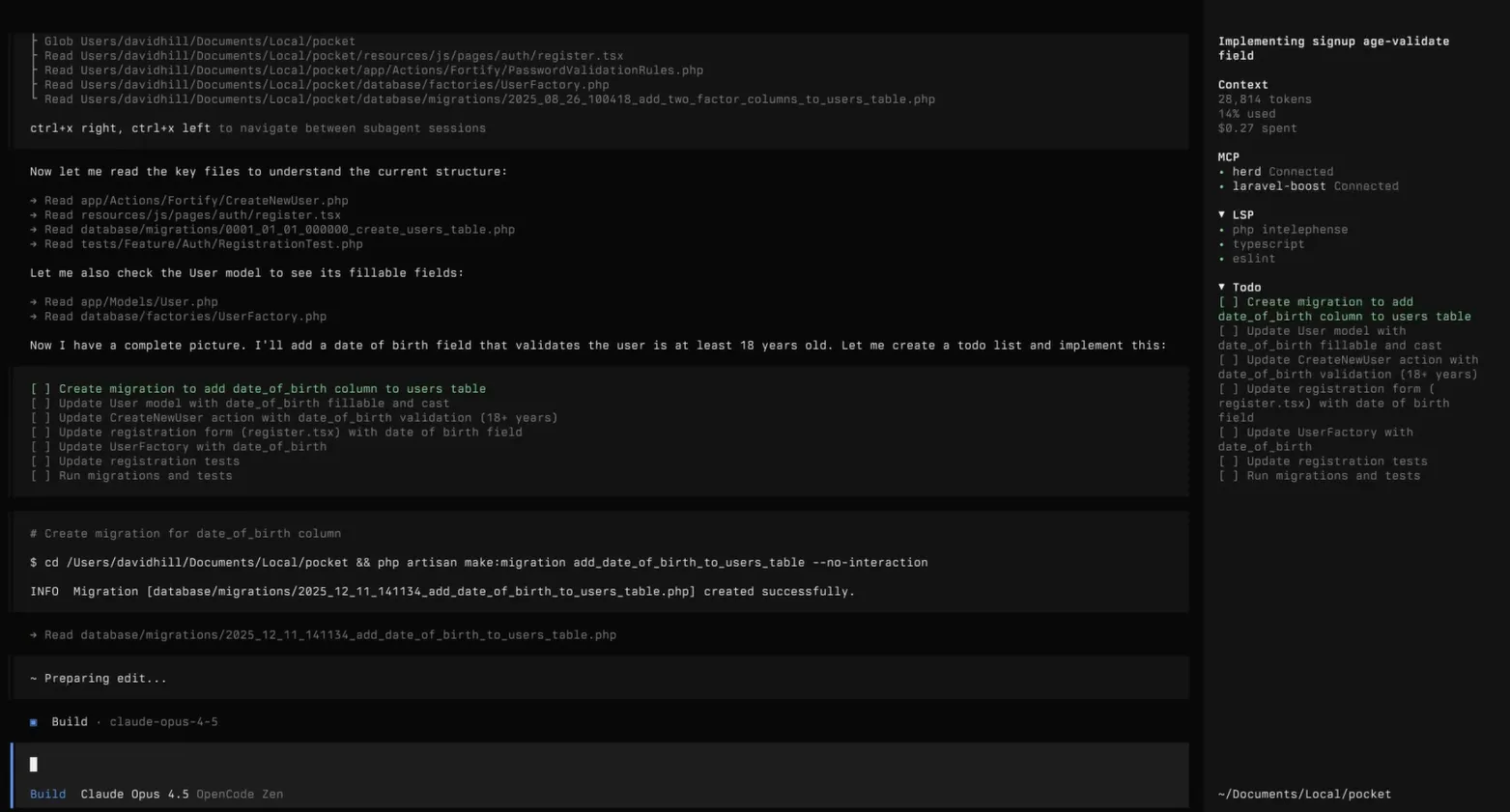
OpenCode automatically loads your project's language server, allowing the AI agent to check type information, definitions, and references in real-time. This ensures AI suggestions reflect the actual state of your codebase rather than simple pattern matching.
Multi-Session Support
You can run multiple agent sessions in parallel on the same project. For example, one session can handle refactoring while another implements new features simultaneously. Each session is independent, and you can manually merge results.
Session Sharing
You can generate links from your AI conversation sessions to share with others. This is useful for documenting problem-solving processes within teams or for collaborative troubleshooting.
3.3 Performance by Real Development Scenario
Based on actual developer experiences, here's how OpenCode performs by scenario:
| Scenario | OpenCode Performance | vs Claude Code |
|---|---|---|
| Complex codebase explanation | Depends on chosen model (equal when using Claude) | Equal |
| Multi-file refactoring | Excellent (improved accuracy via LSP) | Lacks visual diff |
| Quick bug fixes | Very fast when in terminal | Equal |
| New framework learning | Excellent with document lookup integration | Claude's explanation ability is strength |
3.4 Oh My OpenCode: Plugin Ecosystem
OpenCode's true strength lies in the Oh My OpenCode plugin system. This is a collection of extensions that make OpenCode a "complete" tool:
- Sisyphus Agent: Automatically recognizes and optimizes repetitive tasks
- Ultrawork: Work time tracking and productivity analysis
- Context Pruning: Removes unnecessary whitespace and duplicate info to save tokens
- MCP Support: Integration with tools like websearch_exa, context7, grep
4. Detailed Feature Comparison Table 📊
Here's an objective comparison of the two tools by major feature:
| Feature | OpenClaw | OpenCode |
|---|---|---|
| Tool Type | Autonomous AI Agent | AI Coding Assistant |
| Interface | Messenger (WhatsApp, Telegram, etc.) | Terminal/TUI |
| Execution Method | 24/7 background daemon | Command-based (on-demand) |
| Supported Models | Claude, GPT, Gemini, local models | 75+ providers (all major models) |
| Code Generation | Possible (limited) | Core feature (with LSP) |
| File System Access | Full access (sandboxing optional) | Project directory focused |
| Browser Automation | Chromium integration (powerful) | Limited |
| Messenger Integration | 50+ platforms (core feature) | None |
| Git Integration | Basic | Advanced (diff, commit, PR) |
| Memory | Persistent (SOUL.md, MEMORY.md) | Session-based (project context) |
| Open Source | Yes (MIT License) | Yes (active community) |
| GitHub Stars | 100,000+ (rapid growth) | 95,000+ (solid) |
| Installation Difficulty | High (technical knowledge required) | Medium (terminal familiarity) |
| Monthly Users | Estimated 500K+ | 2.5M+ developers |
Key Insight
OpenClaw focuses on "life automation" while OpenCode focuses on "code automation". These tools are not competitors but complements serving different domains.
5. Real User Reviews: Voices from Reddit and Hacker News 💬
Actual user experiences are far more honest and insightful than marketing materials. We analyzed the "Ask HN: Any real OpenClaw users?" thread on Hacker News and various discussions on Reddit.
5.1 OpenClaw User Experience
"This is a product that Apple and Google couldn't build with billions of dollars and thousands of engineers. Because it threatens their business model. This runs on my computer, powered by the latest open-source models (Kimi, etc.). The future is locally hosted and ad-free, and Big Tech can't stop it. Fantastic."
— Hacker News, 150+ upvotes
"As a solo founder, having 6 tireless employees changes everything. Token costs are real, but much less than what I'd pay actual employees monthly."
— SaaS founder
"Installation is unrealistically complex. Many tools require homebrew, authentication setup is complicated, and basic Docker setup doesn't work (github.com/openclaw/openclaw/issues/5559)."
— Early user criticism
"If security settings are inadequate, it can be a disaster. Connected to iMessage and woke up to find Claw replying to all my messages. It even created conversations where it mocked itself."
— Security incident experiencer
5.2 OpenCode User Experience
"OpenCode is just wow, wow. The GL-4.7 model actually writes clean, readable code. Generated an 11,000 line web app and a 700 line README.md."
— LinkedIn user
"Has more features than Claude Code: sub-agents, custom hooks, many configuration options. Very similar to Claude Code in functionality, but with the freedom of open source."
— Developer community
"Rapidly developed so occasionally buggy. But worth enduring some rough edges for the flexibility to swap models."
— Critical user
5.3 Key Community Debates
Recurring themes for both tools:
- Token Cost Management: Both tools incur API usage costs, requiring efficient usage strategies.
- Security vs Convenience: Powerful features require granting system access, which carries potential risks.
- Learning Curve: Technical setup is needed, creating a high barrier for non-developers.
- The Two Faces of Open Source: Freedom to customize and rapid innovation vs stability and ongoing maintenance burden
6. Installation and Setup Guide 🛠️
6.1 OpenCode Installation (Recommended: 5 minutes)
OpenCode has a relatively simple installation process:
# macOS/Linux - Recommended installation
curl -fsSL https://opencode.ai/install | bash

# Or Homebrew (macOS)
brew install opencode

# Verify installation
opencode --version
After installation, simply run the opencode command in your project directory. On first run, a wizard will appear to configure your AI provider (API key).
6.2 OpenClaw Installation (Advanced: 30 min - 2 hours)
OpenClaw requires more complex setup. Docker is recommended:
# Docker Compose method (recommended)
git clone https://github.com/openclaw/openclaw.git
cd openclaw

# Set environment variables
cp .env.example .env
# Edit .env file to input API keys and settings

# Run with Docker
docker-compose up -d
Key configuration items:
ANTHROPIC_API_KEYor other LLM provider keys- Messaging platform tokens (create via Telegram BotFather)
- SOUL.md - Agent personality definition
- Heartbeat schedule configuration
Security Warning
OpenClaw requires extensive system access permissions by default. Always run in a separate account or Docker sandbox environment. Connecting directly to personal messaging accounts can be risky.
7. Cost Analysis and Token Optimization Strategies 💰
Both tools are open-source, but actual usage incurs LLM API costs. Efficient cost management strategies are essential.
7.1 Estimated Monthly Costs (Medium Usage)
| Usage Scenario | OpenClaw (Claude API) | OpenCode (Claude API) |
|---|---|---|
| Light usage (personal projects) | $50 - $100 | $20 - $50 |
| Medium usage (small team) | $200 - $400 | $100 - $200 |
| Intensive usage (startup) | $500 - $1,000+ | $200 - $500 |
OpenClaw is generally more expensive due to 24/7 execution and multi-agent workflows. One user mentioned spending "$400/month = Claude Code 20x plan ($200) + OpenAI similar plan ($200)."
7.2 Cost Reduction Strategies
Free/Low-Cost Options
- Groq/GLM: Free tier available in OpenCode
- Local models: Completely free with Ollama + Llama 3
- Gemini 3: Cost-effective with Google AI Pro account
- Kimi: Cheaper access via OpenRouter
Optimization Tips
- Context pruning to remove unnecessary tokens
- Rate limiting to prevent unexpected overuse
- Supervisor pattern to minimize expensive model calls
- Increase Heartbeat intervals to optimize background tasks
8. Security and Privacy Considerations 🔒
Both tools require powerful permissions, and improper configuration can lead to serious security incidents.
8.1 Major Risk Factors
OpenClaw-Specific Risks
- Prompt Injection: Malicious content can manipulate tools
- Data Exfiltration: With --dangerously-allow-all, can transmit externally via HTTP
- Infinite Loops: Token exhaustion and cost explosion from misconfiguration
- Messenger Exposure: Account takeover risk with WhatsApp/Telegram integration
8.2 Recommended Security Settings
# OpenClaw Docker Compose - Safe configuration example
services:
  openclaw:
    image: openclaw/openclaw:latest
    volumes:
      # Allow only minimal mounts
      - ./workspace:/workspace:rw
      - ./memory:/memory:rw
    environment:
      - SANDBOX_MODE=strict
      - ALLOWED_COMMANDS=git,npm,yarn
      - MAX_TOKEN_PER_HOUR=100000
    # Network isolation
    networks:
      - isolated
    # Resource limits
    deploy:
      resources:
        limits:
          cpus: '2'
          memory: 4G
Security Best Practices
Create separate service accounts, start with read-only permissions, enable all activity logging, and maintain regular backups. Always remember the principle: "Trust but verify."
9. Which Tool for Which User? 🎯
Decision Tree
Q1: What is your primary goal?
- Coding/Development productivity → OpenCode
- Personal work/life automation → OpenClaw
Q2: What is your technical proficiency?
- Familiar with terminal/CLI → Both tools suitable
- Basic development knowledge only → OpenCode (relatively simpler)
- System administration experience → OpenClaw (can handle complex setup)
Q3: What is your budget?
- Want to start free → OpenCode (diverse free model options)
- Can invest $100-200/month → Both tools possible
- Want premium performance → Claude API + both tools
Specific Recommendation Scenarios
| User Type | Recommended Tool | Reason |
|---|---|---|
| Full-stack developer | OpenCode | LSP integration, multi-session, code-centric workflow |
| Solo founder | OpenClaw | Business task automation, multi-agent management |
| DevOps engineer | OpenCode | Infrastructure code writing, terminal integration |
| Content creator | OpenClaw | Social media management, schedule coordination automation |
| Student/Hobbyist developer | OpenCode | Free tier, gentler learning curve |
| AI researcher | Both | Research different AI interaction paradigms |
10. Future Outlook and Conclusion 🔮
10.1 Beyond 2026
Both tools are undergoing rapid evolution. OpenClaw aims for an "AI agent social network" where multiple agents collaborate. OpenCode continues to improve the developer experience through deeper neovim integration and IDE plugin expansion.
Particularly noteworthy is the possibility of convergence between the two tools. An Oh My OpenCode plugin is being developed for OpenClaw, and OpenCode is also adding autonomous execution features, blurring the boundaries between them.
10.2 Key Conclusion
OpenClaw and OpenCode are complements, not competitors. OpenClaw becomes your digital secretary, while OpenCode becomes your coding partner. The ideal setup is to automate daily tasks with OpenClaw and maximize development productivity with OpenCode.
The 2026 AI tool ecosystem is not about choice but about combination. Select the tools that best fit your workflow and experience a new way of working alongside AI.
"The future is already here — it's just not evenly distributed." — William Gibson (adapted)