"The way AI agents use websites is changing from 'guessing' to 'direct conversation'." In February 2026, the Google Chrome team unveiled the WebMCP (Web Model Context Protocol). This is not just a technical update—it's a revolutionary standard that fundamentally redefines the relationship between the web and AI. Until now, AI agents had to wander websites like "tourists who don't know the local language." They captured screens to send to multimodal models, parsed DOMs, and guessed button locations. WebMCP now allows websites to directly tell AI: "Here are the features, use them like this." Just as USB-C connected all devices with one port, WebMCP aims to unify communication between AI agents and the web with one standard.
What is WebMCP?: The Birth of 'Web for Agents' 🌐
The WebMCP (Web Model Context Protocol) is a new web standard jointly developed by Google and Microsoft engineers, incubated through the W3C's Web Machine Learning Community Group. First unveiled as an early preview in Chrome 146 Canary in February 2026, it enables web developers to expose their web application features as "tools" that can be invoked by AI agents, built-in browser assistants, and assistive technologies.
These "tools" are JavaScript functions with natural language descriptions and structured schemas. WebMCP-enabled web pages act as Model Context Protocol servers implementing tools in client-side scripts instead of backend MCP servers.
💡 Key Point: The Essence of WebMCP
WebMCP is a protocol that allows websites to directly tell AI agents "here are the features this page offers" in a structured way. No more AI guessing "this button seems to be the add-to-cart button." The website directly provides an "addToCart({ productId, quantity })" tool.
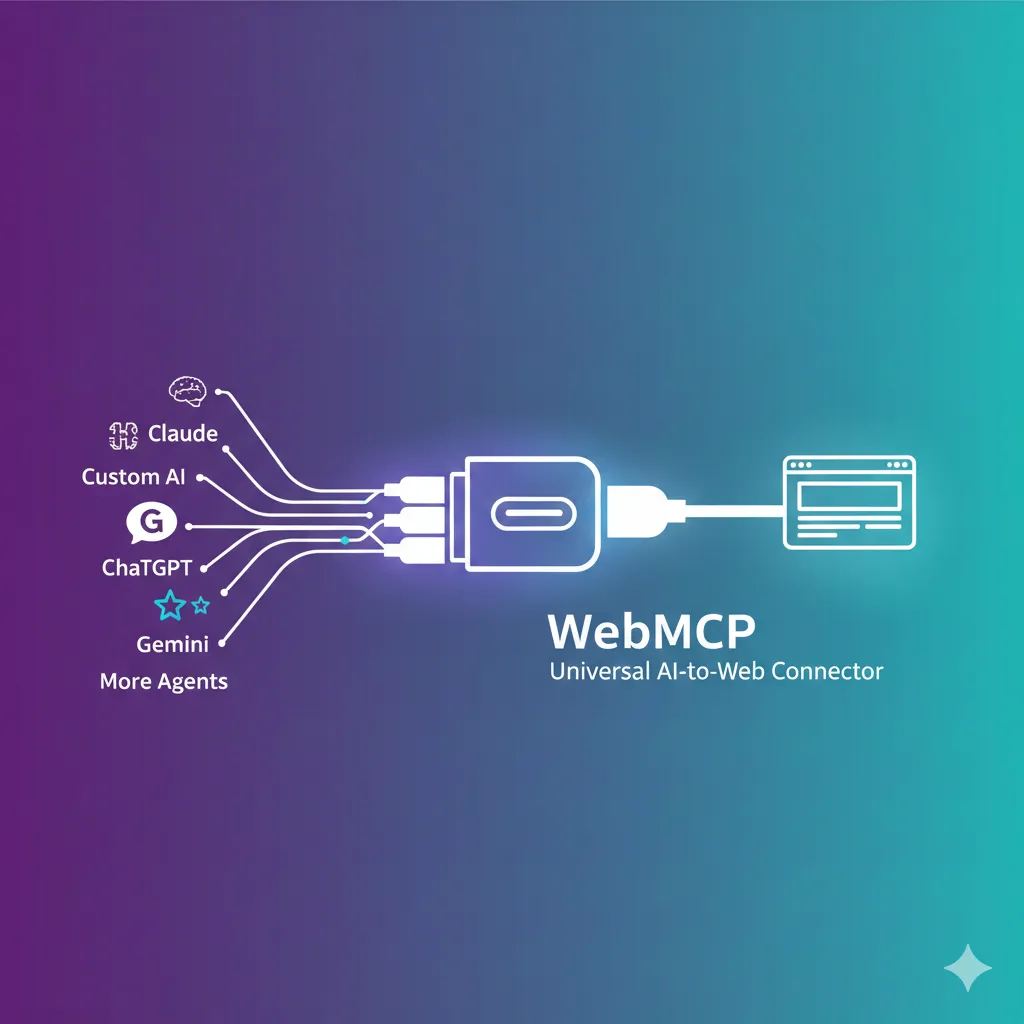
WebMCP's vision is clear. Khushal Sagar from the Chrome team compared it to "the USB-C for AI agent and web interaction". Just as USB-C unified all electronic devices with one standard port, WebMCP aims to standardize communication between diverse AI agents and websites.
3 Core Philosophies of WebMCP
Beyond a technical spec, WebMCP fundamentally designs how users and AI collaborate. The Chrome team presents three core philosophies:
- Context: Providing agents with all data about what users are currently doing, including content not visible on screen
- Capabilities: Clearly defining actions agents can perform on behalf of users—from answering questions to filling forms
- Coordination: Clearly managing handoffs between users and agents when agents cannot autonomously resolve situations
The core of this philosophy is "human-in-the-loop". WebMCP doesn't aim for fully autonomous, unsupervised automation. Instead, it focuses on users collaborating with AI while in the browser. This is an important design decision from security and control perspectives.
Why WebMCP?: Escaping Scraping Hell 🔥
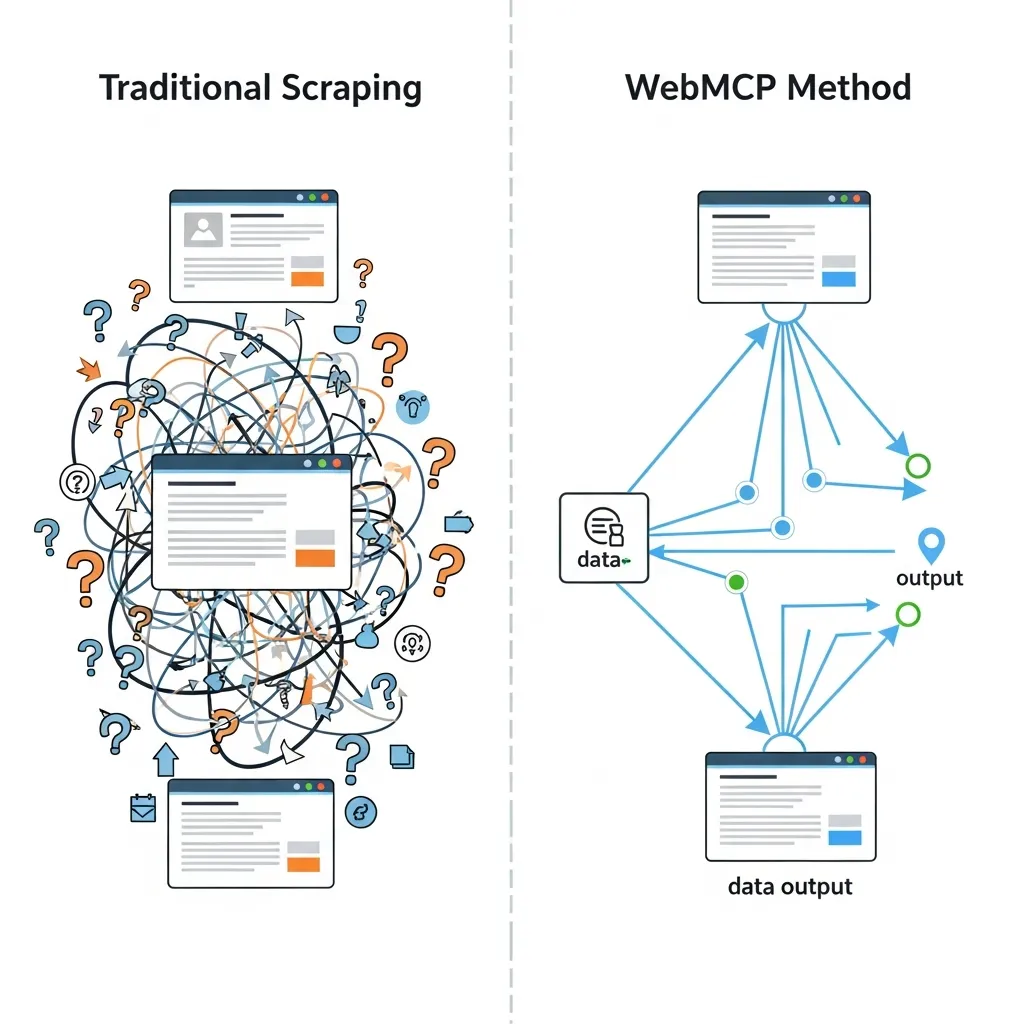
Current methods for AI agents to use websites are highly inefficient and fragile. The two main approaches—visual screen scraping and DOM parsing— both have fundamental limitations.
Problems with Current Approaches
1. Screenshot-Based Approach: Agents capture pages and send them to multimodal models (Claude, Gemini, etc.), then identify which parts are buttons and where search boxes are. Each image consumes thousands of tokens, and latency is significant.
2. DOM Parsing Approach: Agents ingest raw HTML and JavaScript directly. CSS rules, structural markup, and other task-irrelevant information occupy context windows, increasing inference costs.
"When AI agents visit websites, they are like tourists who don't know the local language. Whether LangChain, Claude Code, or OpenClaw frameworks, agents can only guess which buttons to press. They scrape raw HTML, send screenshots to multimodal models, and consume thousands of tokens just to figure out where the search box is." – VentureBeat, WebMCP coverage
The results of these approaches are dismal. A product search that takes users seconds becomes dozens of sequential interactions for agents—filter clicks, page scrolling, result parsing— each an inference call adding cost and latency. The fragility is also a major issue: automation breaks with even slight page design changes.
WebMCP's Solution: Structured Tool Calling
WebMCP ends this "era of guessing" and opens the "era of direct communication." Websites explicitly post a "tool contract":
- Discovery: What tools are available on this page (checkout, filter_results, etc.)
- JSON Schemas: Exactly what inputs/outputs look like (reducing hallucinations)
- State: Shared understanding of what's currently available on the page
Now instead of "clicking around until something works,"
agents directly call book_flight({ origin, destination, outboundDate... }).
Clear, fast, and reliable.
Core Structure: 3 Pillars and 2 APIs 🏗️
WebMCP provides developers with two API approaches: Declarative API and Imperative API. Let's examine each use case and implementation in detail.
1. Declarative API: Converting HTML Forms to Tools
The simplest starting point. Just add special attributes to existing HTML <form> elements
to create structured tools for agents.
<form toolname="searchProducts"
      tooldescription="Search for items in the product catalog"
      toolautosubmit="false">

  <input type="text" name="query"
         placeholder="Enter search term"
         required>

  <select name="category">
    <option value="electronics">Electronics</option>
    <option value="clothing">Clothing</option>
    <option value="books">Books</option>
  </select>

  <input type="number" name="maxPrice"
         placeholder="Maximum price">

  <button type="submit">Search</button>
</form>
Adding toolname, tooldescription, and optionally toolautosubmit attributes
allows the browser to convert form fields into structured tool schemas.
When an agent invokes this tool, the browser focuses the form and pre-fills fields.
By default, users must click the submit button themselves,
but toolautosubmit="true" enables automatic submission.
2. Imperative API: Advanced Tools with JavaScript
For more complex interactions, use the navigator.modelContext API
to register JavaScript functions directly.
// WebMCP tool registration example
navigator.modelContext.provideContext({
  tools: [
    {
      name: "getProductDetails",
      description: "Returns detailed information and stock status for a specific product",
      inputSchema: {
        type: "object",
        properties: {
          productId: {
            type: "string",
            description: "Unique product ID"
          },
          includeReviews: {
            type: "boolean",
            description: "Whether to include user reviews",
            default: false
          }
        },
        required: ["productId"]
      },
      execute: async (inputs, client) => {
        const { productId, includeReviews } = inputs;

        // Fetch product data
        const product = await fetchProduct(productId);

        if (!product) {
          throw new Error(`Product ${productId} not found`);
        }

        // Add reviews if requested
        if (includeReviews) {
          product.reviews = await fetchReviews(productId);
        }

        return {
          name: product.name,
          price: product.price,
          inStock: product.inventory > 0,
          reviews: product.reviews || null
        };
      }
    },
    {
      name: "addToCart",
      description: "Add a product to the shopping cart",
      inputSchema: {
        type: "object",
        properties: {
          productId: { type: "string" },
          quantity: { type: "number", minimum: 1, default: 1 },
          size: { type: "string", enum: ["S", "M", "L", "XL"] }
        },
        required: ["productId", "quantity"]
      },
      execute: async (inputs, client) => {
        const { productId, quantity, size } = inputs;

        // High-risk action: request user confirmation
        const confirmed = await client.requestUserInteraction(() => {
          return showConfirmationDialog(
            `Add ${quantity} items to cart?`
          );
        });

        if (!confirmed) {
          return { success: false, reason: "User cancelled" };
        }

        const result = await cart.addItem(productId, quantity, size);
        return { success: true, cartItemId: result.id };
      }
    }
  ]
});
Key methods summarized:
| Method | Description | When to Use |
|---|---|---|
provideContext(options) |
Registers provided context (tools) with browser. Replaces all existing tools. | Initial setup or replacing entire tool set |
registerTool(tool) |
Adds a single tool to existing set. Errors if tool with same name exists. | Dynamically adding new tools |
unregisterTool(name) |
Removes tool with specified name. | Cleaning up unused tools |
clearContext() |
Removes all context (tools). | Page transitions or reset |
ModelContextClient Interface
The second parameter of the execute function, client,
provides the ModelContextClient interface.
This allows agents to request user interaction during execution:
// User interaction request example
execute: async (inputs, client) => {
  // 1. Simple information gathering
  const userPreference = await client.requestUserInteraction(() => {
    return showDropdown("Select shipping method", [
      { value: "standard", label: "Standard (3-5 days)" },
      { value: "express", label: "Express (1-2 days, +$5)" }
    ]);
  });

  // 2. Complex payment flow
  const paymentResult = await client.requestUserInteraction(async () => {
    const paymentMethod = await selectPaymentMethod();
    const confirmed = await showOrderSummary({
      items: cart.items,
      shipping: userPreference,
      total: calculateTotal()
    });

    if (!confirmed) {
      throw new Error("Payment cancelled");
    }

    return processPayment(paymentMethod);
  });

  return { orderId: paymentResult.orderId, status: "confirmed" };
}
🔒 Security Core: User Consent
WebMCP is designed to require explicit user confirmation for high-risk actions.
The client.requestUserInteraction() API prevents agents from directly processing payments
or changing sensitive data. This is the core implementation of the "human-in-the-loop" philosophy.
Hands-On: Running WebMCP on Chrome 146 Canary 🛠️
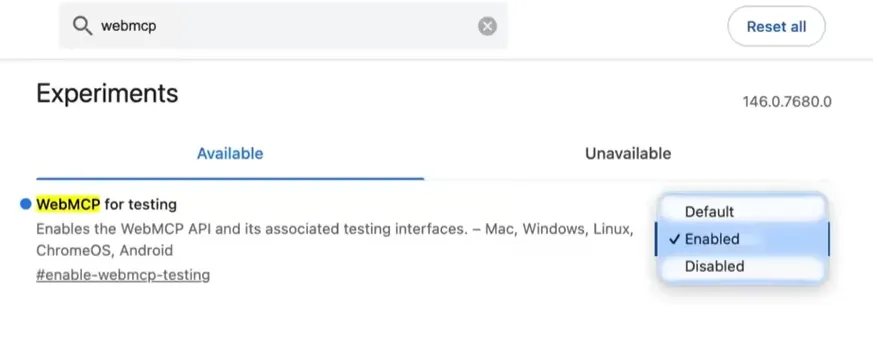
WebMCP is currently available behind the "WebMCP for testing" flag in Chrome 146 Canary. Here's a step-by-step guide to try it yourself.
Step 1: Install Chrome Canary and Enable Flag
First, download Chrome Canary.
After installation, type chrome://flags in the address bar,
search for "WebMCP for testing," and enable it.
Restart the browser and you're ready.
Step 2: Install Model Context Tool Inspector Extension
Google provides the Model Context Tool Inspector extension for debugging. This extension shows registered tools, allows manual tool execution, and enables agent testing through Gemini API integration.
Step 3: Explore Live Demo
The Chrome team operates a travel booking demo site.
Here you can directly execute the searchFlights tool or invoke it with natural language.
Try typing "Find me a flight from Seoul to Tokyo on March 15"
and watch the agent invoke WebMCP tools.
Step 4: Apply to Your Website
Start with a simple search form. Just add toolname and
tooldescription attributes to your existing HTML form for instant WebMCP compatibility.
Gradually add more complex JavaScript tools.
Current Limitations (Early Preview)
As WebMCP is still in early preview, be aware of these limitations:
- No headless mode: Tool calls require a visible browsing context (tab/webview)
- UI synchronization: Apps must reflect state updates from both humans and agents
- Refactoring for complex apps: Some modifications may be needed for clean tool-centric UI updates
- Discoverability unsolved: No way yet for clients to know which sites support tools in advance
These limitations remind us that WebMCP is a "contract," not a "magic wand." Developers must still implement that contract well.
WebMCP vs MCP vs LLMs.txt: Finding Differences in Confusion ⚖️
The 2025-2026 AI ecosystem has seen several similar standards emerge. Understanding the differences between WebMCP, Anthropic's MCP, and LLMs.txt is crucial.
| Feature | WebMCP | MCP (Model Context Protocol) | LLMs.txt |
|---|---|---|---|
| Primary Purpose | Real-time interaction with browser-based agents | Connecting AI apps to external systems (data, tools) | Providing curated static content for LLMs |
| Operation Location | Client-side (within browser tab) | Server-side (backend, local processes) | Static file (website root) |
| Communication | JavaScript API (navigator.modelContext) | JSON-RPC 2.0 (stdio or SSE) | Markdown file (static) |
| Interaction Type | Real-time, state-based, user collaboration | Service-to-service automation, API integration | Content collection, search optimization |
| Implementation Difficulty | Medium (JavaScript/HTML modifications) | High (server setup, protocol implementation) | Low (create Markdown file) |
| Auth/Security | Inherits user session, explicit consent | Server-level auth, OAuth, etc. | Public information, unrestricted |
| Developer | Google + Microsoft (W3C) | Anthropic (open source) | Community (Jeremy Howard et al.) |
Complementary Relationship
These standards are complementary, not competitive. Consider a travel company case:
- Backend MCP server: For direct API integration with AI platforms like ChatGPT, Claude
- WebMCP on consumer website: For browser-based agents to interact with booking flows in user's active session
- LLMs.txt: Static content helping AI crawlers quickly understand company services
Enterprise architects must understand this distinction. Backend MCP integration suits service-to-service automation without browser UI. WebMCP suits interactions where users participate and benefit from shared visual context— describing most consumer-facing web interactions.
🧩 Selection Guide
Choose WebMCP: When users complete tasks in-browser in real-time
Choose MCP: When backend system automation or cloud API integration is needed
Choose LLMs.txt: When you want AI to better understand and discover site content
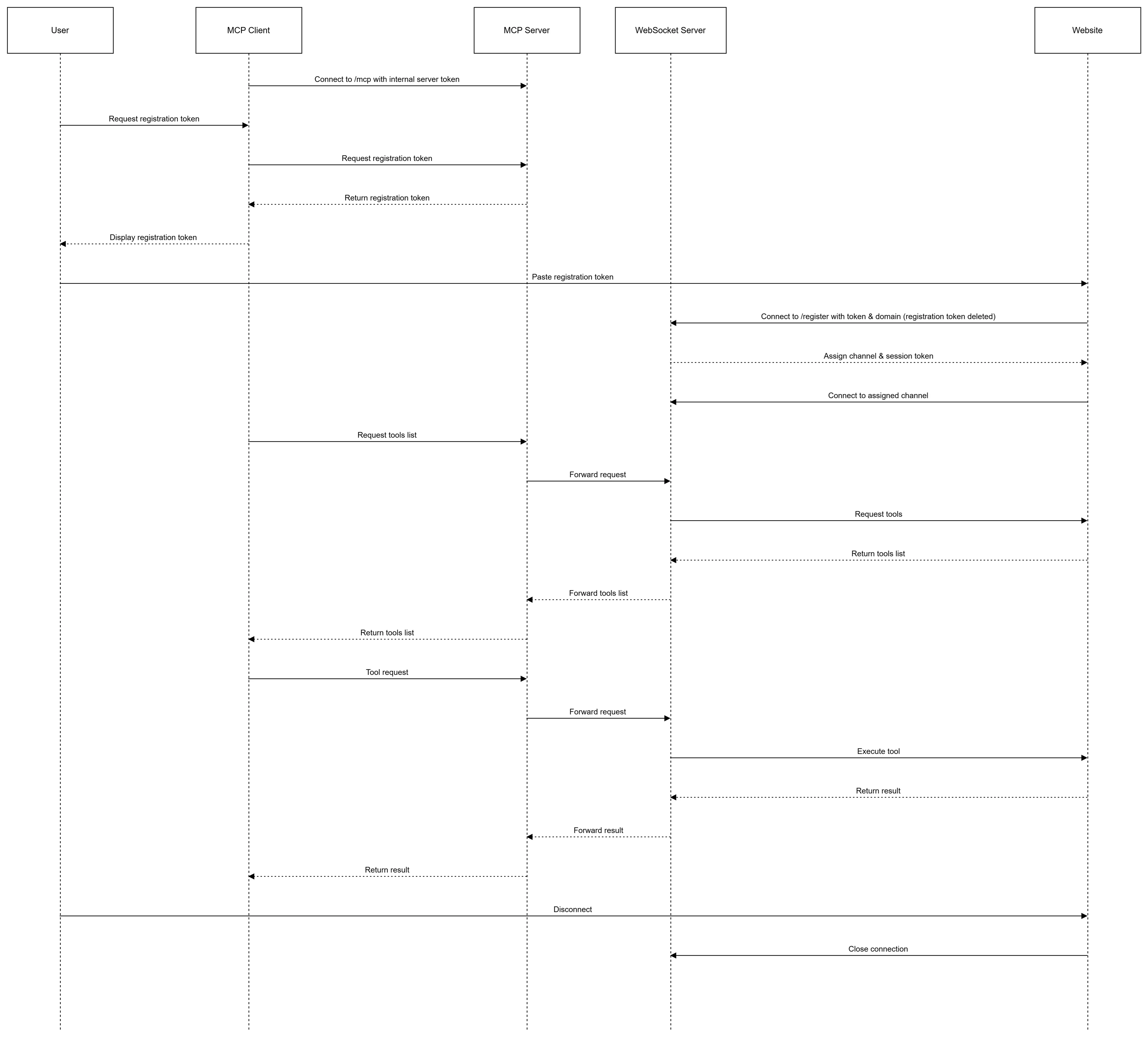
Live Developer Reactions: From Hacker News and Reddit 💬
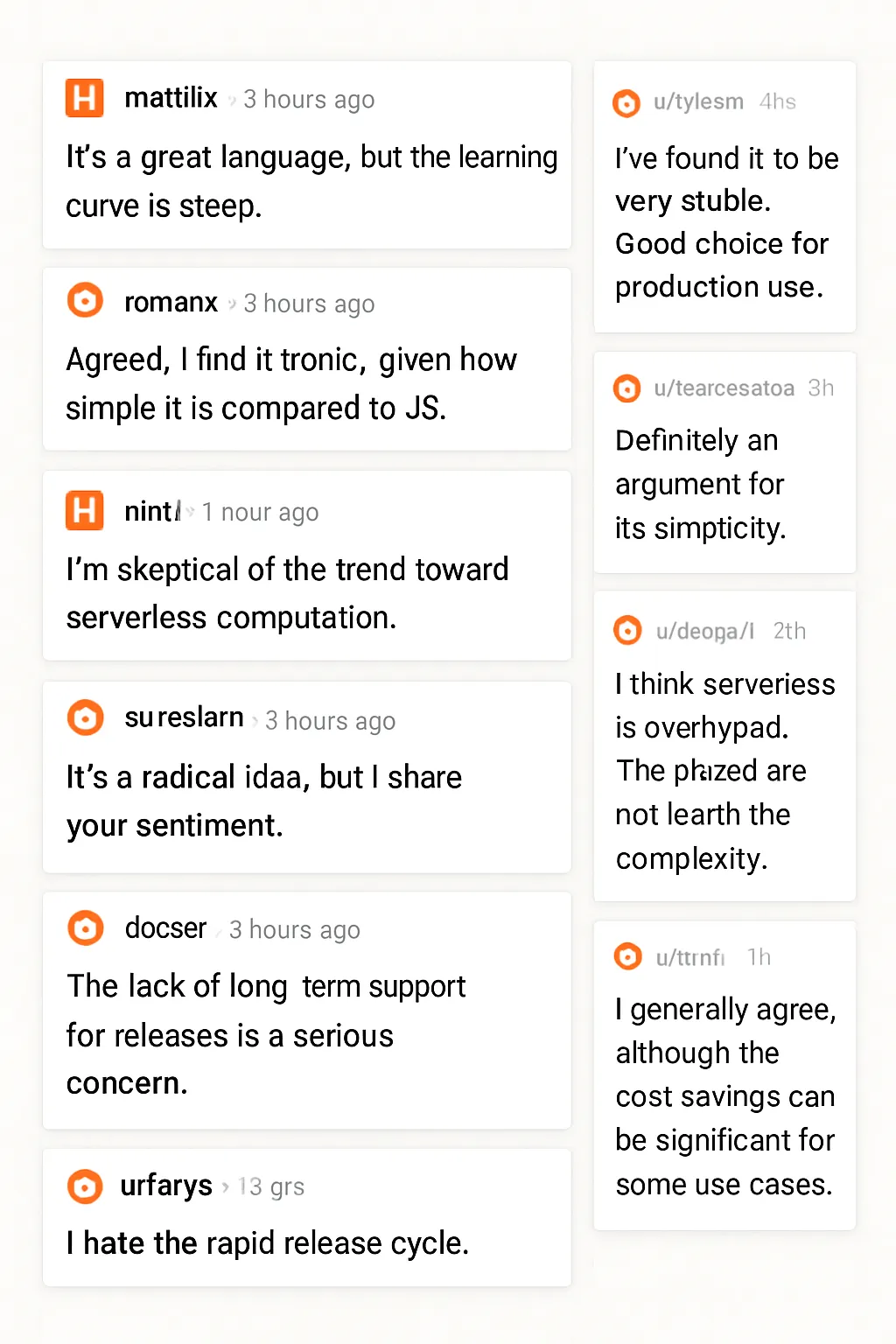
Following the WebMCP announcement, heated discussions erupted on Hacker News, Reddit, and Chrome developer forums. Let's explore diverse developer perspectives.
Positive Reactions: "Finally!"
Many developers praised WebMCP's "human-in-the-loop" design. For developers concerned about security risks of fully autonomous agents, WebMCP's explicit user consent model was reassuring.
Critical Reactions: "Yet Another Standard?"
Some developers worried WebMCP adds "yet another layer of complexity." Especially questioning the need for new protocols when OpenAPI/Swagger already exists. However, others emphasized that MCP is "a standard way to share tools," enabling separation between agent teams and backend teams within organizations.
Practical Application Concerns
This is an important consideration for WebMCP implementation. Instead of "exposing all features as tools," carefully select core workflows that agents actually need.
Security and Privacy: User-Centered Design Philosophy 🛡️
One of WebMCP's most important design features is deep consideration for security and privacy. This is not merely a technical choice but a philosophical foundation of the protocol.
Explicit Exposure
WebMCP exposes nothing by default. Only tools explicitly selected by website operators are accessible to agents. This "opt-in" model prevents accidental exposure of sensitive features.
User Consent
High-risk actions—purchases, account changes, personal information modifications—
require explicit user approval.
The client.requestUserInteraction() API implements these consent flows in a standardized way.
Session-Bound Permissions
Agents inherit logged-in user permissions. Agents cannot do what users cannot do. If users aren't logged in, agents can't access login-required features. This prevents agents from bypassing authentication or having higher privileges than users.
No Headless Mode
WebMCP explicitly excludes headless and fully autonomous scenarios as non-goals. This is a clear distinction from Google's Agent-to-Agent (A2A) protocol. WebMCP is about the browser—where users see, monitor, and collaborate.
🔐 Security Summary
WebMCP follows the philosophy: "Let agents do anything, but not without the user knowing." Everything happens transparently, under user control. This is essential trust infrastructure for enterprise use cases.
Future Outlook: The Agentic Web After 2026 🔮
WebMCP is still in early preview, but its potential is enormous. Let's forecast how the web will change after 2026.
2026 Roadmap
H1 2026: Chrome Stable Integration
Broader rollout expected at Google Cloud Next and Google I/O. Stable version of WebMCP likely to be included in Chrome stable channel.
Mid-2026: Other Browser Support
Given Microsoft's co-author status, Edge support is likely. Safari and Firefox support will depend on W3C standardization progress.
H2 2026: Gemini Integration
Google has announced plans to integrate WebMCP directly with Gemini. This means Gemini will be able to invoke WebMCP tools directly in Chrome browser.
2027: W3C Standardization Complete
Goal is elevation to W3C standard through Web Machine Learning Community Group. This will be the moment WebMCP becomes a fundamental part of the web.
3 Paradigm Shifts of the Agentic Web
WebMCP adoption will bring 3 fundamental changes to the web ecosystem:
- From Search to Action: Instead of users searching "best price," they'll ask AI agents "find the best laptop within my budget and add it to cart." Websites evolve from information providers to task performers.
- Maximized Personalization: Agents consider user preferences, purchase history, and real-time context (location, time, device) to deliver personalized experiences. Requests like "notify me when new products from my favorite brands arrive" become possible.
- Multi-Site Workflows: Agents move between multiple websites to complete complex tasks. For example, flight search (Site A) → hotel booking (Site B) → car rental (Site C) handled in one conversational flow.

Conclusion: Why Prepare for WebMCP Now 🚀
WebMCP is not just a technology trend. It's a paradigm shift redefining the relationship between web and AI. Just as HTTP connected the web in the 1990s and AJAX created the dynamic web in the 2000s, WebMCP will be the foundation of the agentic web in the 2020s.
Checklist for Website Operators
- Right now: Install Chrome Canary, enable WebMCP flag, and experience it firsthand
- Within 1 month: Add declarative attributes to existing HTML forms worth exposing to agents
- Within 3 months: Implement core user workflows as JavaScript tools and test imperative API
- Within 6 months: Develop natural language interface prototype through Gemini API integration
- Within 12 months: Production deployment when WebMCP hits Chrome stable
WebMCP is Google's answer to "how will AI use the web?" And this answer is highly convincing. A world where agents and websites communicate directly through standardized contracts, no more scraping and guessing—an era of structured collaboration is opening.
"WebMCP is the USB-C for AI agent and web interaction. And just as USB-C connected everything, WebMCP will connect the future of AI and the web." – Khushal Sagar, Google Chrome Team
Download Chrome Canary now and experience WebMCP at the travel demo site. The future is already here. Just waiting to be standardized.
🎯 Key Summary
WebMCP is a standard allowing websites to directly tell AI agents "here are the features this page offers." The era of scraping and guessing ends; the era of structured tool calling begins. Co-developed by Google and Microsoft and standardized through W3C, this protocol will be the most important change in web development for 2026.