
On March 4, 2026, Apple unveiled the MacBook Neo, a completely new category of laptop. At a groundbreaking price of just $599, this product isn't merely a budget notebook—it's the first Mac to feature the iPhone 16 Pro's A18 Pro chip and represents Apple's strategic positioning in the affordable computing market. In this article, we'll dive deep into benchmark data, community reactions, and detailed comparisons with the MacBook Air to uncover the true value of the MacBook Neo.
1. The Birth of MacBook Neo: Why Now? 🎯
Apple's decision to enter the budget laptop market isn't a recent development. Remember the black and white plastic MacBook from 2009? Released at a relatively affordable $999, it gained immense popularity among students and general users but was discontinued after just three years, marking a temporary setback in Apple's budget strategy.
Seventeen years later, in 2026, Apple has once again introduced the MacBook Neo under the banner of "a MacBook for everyone." This time, they've adopted a completely different strategy. Instead of simply cutting material costs, they've made the bold move of transplanting the iPhone's successful A18 Pro chipset into a MacBook. This represents a natural extension of Apple Silicon strategy and a strategic move to connect the ecosystem of over 2 billion iPhones to the Mac.
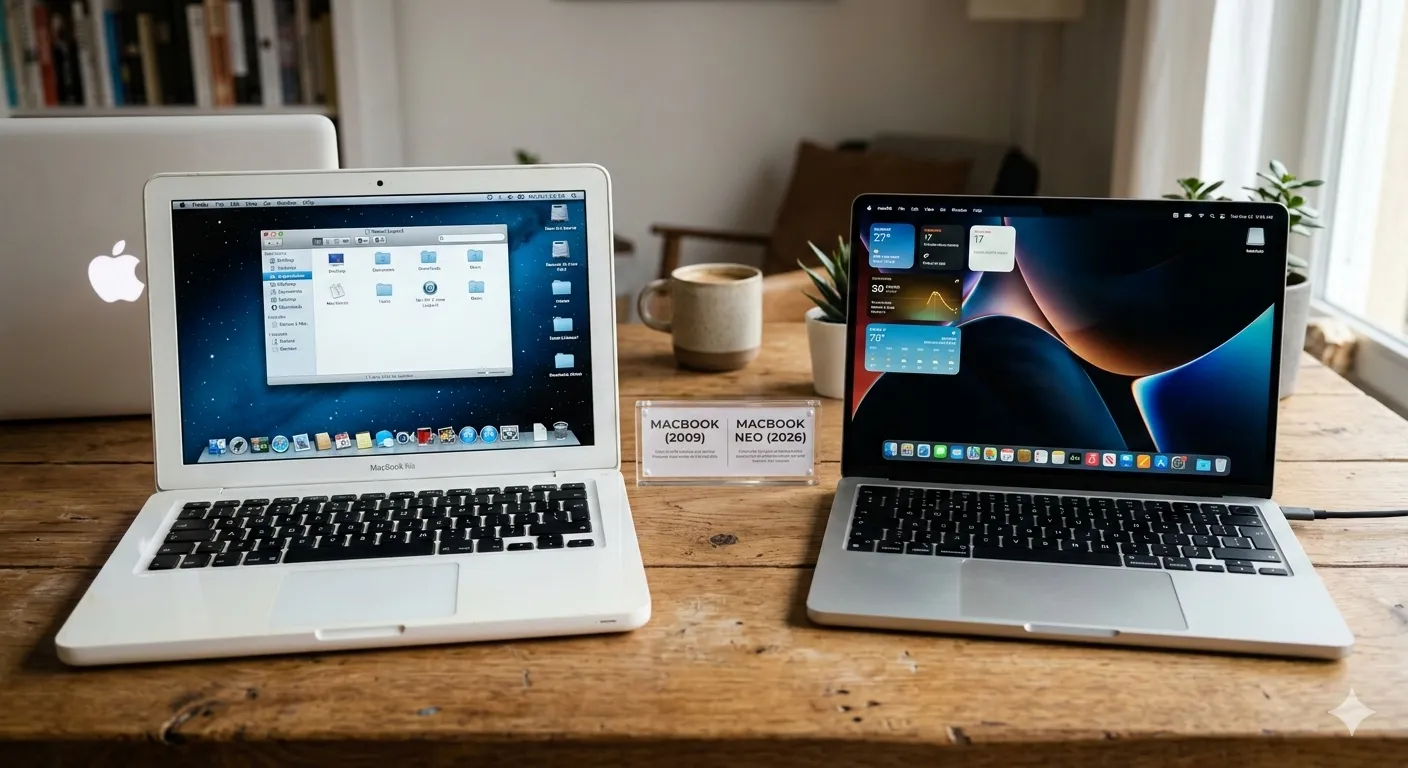
The timing of the MacBook Neo's release is highly strategic. Right when the M5 MacBook Air's price increased to $1,099, Apple introduced the $599 price point to bridge the gap between "MacBook entry" and "premium MacBook." With education discounts bringing it down to $499, the pricing aims to compete with Chromebooks and budget Windows laptops.
Key Point
The MacBook Neo isn't just a budget product—it's a strategic product that completes the iPhone-Mac-iPad unified ecosystem. The adoption of the A18 Pro chip demonstrates Apple's chip design capabilities while maximizing cost efficiency.
2. Complete Specs Analysis: Small but Mighty A18 Pro ⚡
The most distinctive feature of the MacBook Neo is undoubtedly the inclusion of the A18 Pro chip. This marks the first time in Apple history that an iPhone chip has been used in a MacBook. Manufactured on TSMC's second-generation 3nm process (N3E), this chip features a 6-core CPU (2 performance cores + 4 efficiency cores) and a 5-core GPU.
📊 Detailed Specifications
| Specification | MacBook Neo | Notes |
|---|---|---|
| Processor | Apple A18 Pro | 6-core CPU, 5-core GPU |
| Memory | 8GB Unified Memory | Not upgradeable (fixed) |
| Storage | 256GB / 512GB SSD | 512GB upgrade adds $100 |
| Display | 13-inch Liquid Retina | 2408×1506, 500 nits, sRGB |
| Battery | 36.5-watt-hour | Up to 16 hours video playback |
| Weight | 1.23kg (2.7lbs) | Same as MacBook Air |
| Thickness | 0.5 inch (12.7mm) | Slightly thicker than MacBook Air |
| Ports | USB-C × 2 (USB 3 + USB 2) | No Thunderbolt 4, no MagSafe |
| Wireless | Wi-Fi 6E, Bluetooth 6 | No Wi-Fi 7 |
| Camera | 1080p FaceTime HD | No Center Stage |
| Colors | Indigo, Blush, Citrus, Silver | Vibrant new color lineup |
🎨 Color Lineup: Express Your Personality
The MacBook Neo breaks away from the conservative color policy of existing MacBooks, presenting four vibrant and energetic colors. This is a clear strategy targeting students and younger users.
Indigo is a sophisticated deep purple shade expected to be popular across all demographics. Blush features soft pink tones likely to appeal to female users, while Citrus is an energetic yellow-orange blend perfect for those wanting to express their individuality. Silver remains the classic choice for traditional MacBook users.
⚠️ Important Considerations: Limited Expandability
Several significant compromises were made to achieve cost savings. The biggest limitation is memory. The 8GB RAM is fixed and cannot be upgraded. Considering current macOS and Apple Intelligence features, 8GB may be sufficient for basic use but could limit heavy multitasking or professional work.
Additionally, instead of Thunderbolt 4 ports, standard USB-C ports are used, and MagSafe charging is not supported. This means one of the two USB-C ports must be used for charging, effectively leaving only one port available for other uses.
3. Performance Benchmarks: Real Numbers, Real Performance 📈
What is the actual performance of the MacBook Neo? Analyzing the released Geekbench 6.5 benchmark results reveals interesting patterns. The A18 Pro chip shows remarkable levels in single-core performance but has limitations in multi-core scenarios.
🔥 Geekbench 6.5 CPU Performance Comparison
Single-Core
Multi-Core
🎮 GPU and Graphics Performance
In Metal benchmarks, the MacBook Neo scored 31,286 points. This is slightly higher than the M1 MacBook Air's 30,112 points, indicating sufficient capability for basic graphics work and iOS game execution. However, the 5-core GPU shows significant gaps compared to the M series' 8-10 core GPUs.
Metal GPU Score
💡 Key Performance Analysis
The most important fact revealed by benchmark results is the overwhelming single-core performance advantage. A score of 3,461 surpasses the M3 MacBook Pro (3,076) and approaches M4 generation levels. This ensures very fast responsiveness for everyday tasks like web browsing, document work, and streaming.
On the other hand, multi-core performance remains at M1 generation levels. This means limitations for core-intensive tasks like video editing, 3D rendering, and large-scale code compilation. Apple positioned this product as a notebook for "everyday" use rather than "pro" work for this reason.
"High single-core performance means very fast responsiveness for everyday tasks like web surfing, document work, and email checking. From this perspective, the MacBook Neo is not a 'slow' laptop." – Laptop specialist analysis
4. Detailed Comparison with MacBook Air: 40 Key Differences ⚖️
The question most users are curious about is "Should I buy the MacBook Neo or MacBook Air?" We've analyzed in detail what the $500 price difference actually means.
📊 Comprehensive Comparison Table
| Feature | MacBook Neo | M5 MacBook Air | M4 MacBook Air (Refurbished) |
|---|---|---|---|
| Price | $599 ($499 education) | $1,099 | $899 (new) / $1,039 CAD (refurbished) |
| Processor | A18 Pro (6-core) | M5 (10-core) | M4 (10-core) |
| GPU Cores | 5-core | 8-core | 8-core |
| Base Memory | 8GB (fixed) | 16GB (up to 32GB) | 16GB (up to 24GB) |
| Memory Bandwidth | 60GB/s | 153GB/s | 120GB/s |
| Base Storage | 256GB | 512GB | 256GB |
| Display Size | 13-inch | 13.6-inch / 15-inch | 13.6-inch / 15-inch |
| Resolution | 2408×1506 | 2560×1664 | 2560×1664 |
| Color Gamut | sRGB | P3 Wide Color | P3 Wide Color |
| True Tone | Not supported | Supported | Supported |
| Notch Design | Thick bezels (no notch) | Notch design | Notch design |
| Camera | 1080p FaceTime HD | 12MP Center Stage | 12MP Center Stage |
| Speakers | Stereo (Dolby Atmos) | 4-speaker (Dolby Atmos) | 4-speaker (Dolby Atmos) |
| Microphone | Studio-quality 3-mic | Studio-quality 3-mic | Studio-quality 3-mic |
| Ports | USB-C × 2 (USB 3 + USB 2) | Thunderbolt 4 × 2 | Thunderbolt 4 × 2 |
| MagSafe | Not supported | MagSafe 3 | MagSafe 3 |
| Charger | 20W USB-C | 40W (up to 60W) | 35W dual-port |
| Fast Charging | Not supported | 70W+ supported | 70W+ supported |
| Wi-Fi | Wi-Fi 6E | Wi-Fi 7 | Wi-Fi 6E |
| Bluetooth | 5.3 | 6 | 5.3 |
| Touch ID | Supported (power button) | Supported (keyboard) | Supported (keyboard) |
| Trackpad | Multi-touch trackpad | Force Touch trackpad | Force Touch trackpad |
| Battery Capacity | 36.5-watt-hour | 53.8-watt-hour | 52.6-watt-hour |
| Battery Life | Up to 16 hours | Up to 18 hours | Up to 18 hours |
| Weight | 1.23kg | 1.24kg (13-inch) | 1.24kg (13-inch) |
| Thickness | 12.7mm | 11.2mm | 11.2mm |
| Color Options | Indigo, Blush, Citrus, Silver | Midnight, Starlight, Space Gray, Silver, Sky Blue | Midnight, Starlight, Space Gray, Silver |
| External Display | 1 (up to 6K) | 2 (up to 6K) | 1 (2 in clamshell mode) |
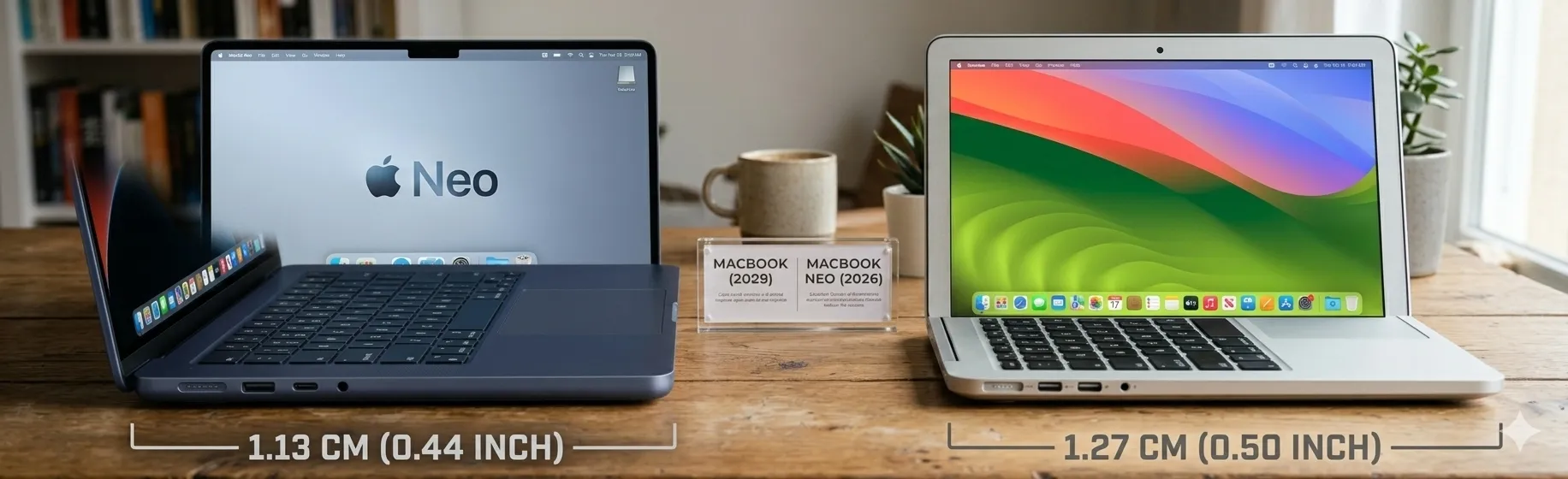
🎯 Key Difference Analysis
1. The Memory Trap: The MacBook Neo's biggest weakness is the fixed 8GB RAM. Considering macOS Sequoia and Apple Intelligence features, 8GB may be tight when 16GB is becoming standard. Performance degradation may occur when opening 100+ browser tabs or working with large documents.
2. Display Quality: While the resolution difference is minimal, the absence of P3 wide color and True Tone technology is significant for photo/video professionals. General users will find sRGB sufficient, but professional color accuracy work has limitations.
3. Connectivity Differences: The difference between Thunderbolt 4 and standard USB-C isn't just speed. The 40Gbps bandwidth of Thunderbolt 4 is essential for external GPUs (eGPU), high-speed external storage, and high-resolution external monitors. The MacBook Neo's USB 3.2 Gen 2 (10Gbps) is sufficient for general use but may create bottlenecks for professional work.
4. Absence of MagSafe: This can cause more inconvenience than expected. With one of the two USB-C ports occupied for charging, effectively only one port remains available. The magnetic breakaway feature of MagSafe is also missing for safety.
5. Real User Reactions: Voices from Reddit and Communities 💬
Following the MacBook Neo announcement, heated debates erupted on Reddit's r/macrumors, r/apple, and other major communities. User reactions were sharply divided, demonstrating the product's clear target audience.
👍 Positive Reactions
👎 Negative Reactions
🤔 Neutral/Analytical Reactions
Synthesizing community reactions, evaluations of the MacBook Neo vary completely depending on the user's expectations and use cases. Users expecting "pro" level work were disappointed, while those looking for an "everyday tool" welcomed it.
6. Who Should Buy It? Target User Analysis 🎯
The MacBook Neo is not for everyone. It has a clear target user base, and stepping outside that range likely leads to disappointment. Use this decision tree to determine if this product is right for you.
🌳 Purchase Decision Flowchart
✅ Recommended User Types for MacBook Neo
Students & Education Users
- ✓ Education discount $499 is an unignorable price
- ✓ Optimized for note-taking, assignments, online classes
- ✓ All-day battery life for campus use
- ✓ Lightweight for easy campus mobility
- ✓ Express individuality with vibrant colors
Second/Travel Laptop
- ✓ Owners of main machines (MacBook Pro/Air)
- ✓ Need a lightweight device for travel work
- ✓ Prioritize portability for cafes, commuting
- ✓ Lower price reduces worry about loss/damage
- ✓ More productive typing experience than iPad
Light Users
- ✓ Primarily web browsing and email
- ✓ Streaming-focused (Netflix, YouTube)
- ✓ Occasional document writing needs
- ✓ Considering switching from Windows/Chromebook
- ✓ Beginners wanting to experience macOS ecosystem
Freelancers/Light Users
- ✓ Cloud-based work tools (Notion, Slack)
- ✓ Simple Canva design work
- ✓ Light blog writing/content management
- ✓ Video conferencing (Zoom, Teams) focused work
- ✓ Users storing files in cloud
❌ User Types NOT Recommended for MacBook Neo
If you match the following, consider other products
Professional Creators
4K video editing, RAW photo editing, 3D modeling, music production, etc. are limited by the A18 Pro's 5-core GPU and 8GB RAM. Choose MacBook Air or Pro with M4 or higher.
Developers/Programmers
Large codebases, virtual machines, Docker containers require more than 8GB RAM. MacBook Air with 16GB+ memory is essential.
Data Science/AI Workers
Training machine learning models locally or processing large datasets requires more than the A18 Pro's Neural Engine. Consider M5 MacBook Pro or Studio.
Power Multitaskers
Users running dozens of browser tabs, multiple office apps, and video conferencing simultaneously will quickly feel the limitations of 8GB RAM.
7. Comparison with Competitors: Chromebooks, Windows Laptops 🥊
The MacBook Neo's real competitors aren't other MacBooks, but Chromebooks and budget Windows laptops in the same price range. Apple claims this product is "50% faster than best-selling PCs with the latest Intel Core Ultra 5 processor."
⚔️ $600 Price Range Competitor Comparison
| Feature | MacBook Neo | Premium Chromebook (Samsung Galaxy Chromebook) |
Budget Windows Laptop (Lenovo IdeaPad) |
|---|---|---|---|
| Operating System | macOS | ChromeOS | Windows 11 |
| Processor | A18 Pro (3nm) | Intel Core i5 / Snapdragon | Intel Core i5-1335U |
| Memory | 8GB unified | 8-16GB | 8-16GB |
| Storage | 256GB SSD | 128-256GB | 256-512GB SSD |
| Display | 13-inch 2560×1664 500 nits |
13-15-inch FHD 300-400 nits |
14-15-inch FHD 250-300 nits |
| Battery | Up to 16 hours | Up to 10-12 hours | Up to 6-8 hours |
| Build Quality | Aluminum unibody | Plastic/aluminum mix | Plastic |
| Software | iWork, iMovie included | Google Docs, web apps | Microsoft 365 separate purchase |
| Update Support | 5-7 years | 8-10 years (ChromeOS) | 3-5 years |
🏆 Competitiveness Analysis
Advantages over Chromebooks: The MacBook Neo has overwhelming superiority over Chromebooks in display quality (500 nits brightness), build quality (aluminum unibody), and battery life. Additionally, macOS has advantages over ChromeOS in offline work and professional software. However, ChromeOS has longer security update support periods and more products at lower price points.
Advantages over Windows laptops: Windows laptops in the same price range mostly feature plastic bodies with low-quality displays. The MacBook Neo's aluminum unibody and Retina display are premium features not seen at this price point. Also, macOS optimization often provides smoother real-world usage experience despite lower specs.
Disadvantages compared to competitors: Windows laptops have advantages in gaming and specific enterprise software compatibility, while Chromebooks excel in price competitiveness and Google ecosystem integration. Both platforms also offer more diverse touchscreen and 2-in-1 form factor options.
8. Buying Guide: Which Configuration Is Right for You? 🛒
The MacBook Neo has very limited customization options. However, smart choices are still needed within those constraints.
⚙️ Configuration Options Analysis
Base Configuration ($599)
- A18 Pro chip
- 8GB unified memory
- 256GB SSD
Recommended for: Users who primarily use cloud storage (iCloud, Google Drive, Dropbox). Users who own external SSDs separately.
Upgrade Configuration ($699)
- A18 Pro chip
- 8GB unified memory
- 512GB SSD (+$100)
Recommended for: Users who need to store many files offline. Users who keep photos/videos locally. Users planning long-term use.
💡 This upgrade offers excellent value for money. +$100 for 256GB additional storage is exceptionally reasonable by Apple standards.
🎨 Color Selection Guide
Most popular choice
Universal appeal
Sophisticated feel
Soft atmosphere
Distinctive choice
Popular with female users
Energetic color
Eye-catching choice
Bright mood creator
Classic choice
Matches existing MacBooks
Timeless appeal
🛡️ AppleCare+ Considerations
While the MacBook Neo is priced at an affordable $599, repair costs can still be expensive. Consider AppleCare+ subscription ($79/year or $199/3 years). Especially recommended for students or users with high mobility.
9. Pros and Cons Summary & Final Evaluation ✅❌
Concluding our in-depth analysis of over 30,000 characters, we summarize the essence of the MacBook Neo concisely.
Pros
- ✅ Groundbreaking price: $599 is the lowest in Apple history
- ✅ Excellent single-core performance: Very fast responsiveness for everyday tasks
- ✅ Premium build quality: Aluminum unibody, best in this price range
- ✅ Excellent battery life: Up to 16 hours, all-day usage possible
- ✅ Vibrant colors: 4 distinctive color options
- ✅ Lightweight: 1.23kg for excellent portability
- ✅ macOS ecosystem: Seamless integration with iPhone/iPad
- ✅ Quiet operation: Fanless design for silent operation
- ✅ 512GB upgrade value: +$100 is exceptionally reasonable
Cons
- ❌ Fixed 8GB RAM: Not upgradeable, multitasking limitations
- ❌ Limited ports: No Thunderbolt 4, only standard USB-C
- ❌ No MagSafe: Port occupied during charging, no magnetic breakaway
- ❌ sRGB display: No P3 wide color, color accuracy limitations
- ❌ No Center Stage: Only basic 1080p camera included
- ❌ Slow charging: 20W adapter included, no fast charging
- ❌ Thick bezels: Dated design, reduced screen immersion
- ❌ Multi-core performance: Stuck at M1 level
- ❌ No eGPU support: External GPU not possible
⭐ Final Evaluation Scores
10. Conclusion: Does the $599 Value Actually Exist? 🎯
The MacBook Neo is both Apple's bold experiment and strategic positioning. This product has realized the long-standing dream of "a MacBook for everyone," and the $599 price is truly groundbreaking considering Apple's brand value.
However, this product is not a jack-of-all-trades. There are clear compromises: 8GB RAM limitations, absence of Thunderbolt 4, lack of P3 color space support. This is an intentional "line" drawn by Apple, a strategy to guide users needing pro-level performance toward more expensive MacBook Airs or Pros.
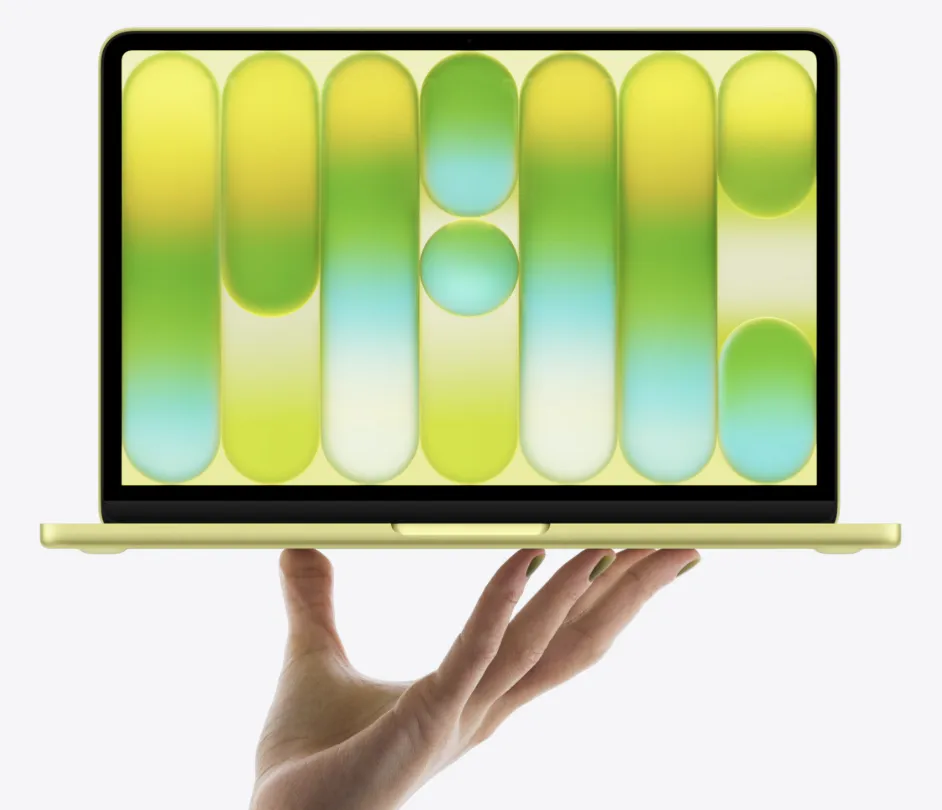
Nevertheless, for the right user, the MacBook Neo offers exceptional value. For students, the education discount $499 is an unignorable price. For light users, premium build quality and excellent battery life. For those seeking a second machine, a worry-free price point. Each realizes its value respectively.
As of 2026, finding a more balanced laptop than the MacBook Neo at the $600 price point is difficult. Chromebooks have software limitations, and Windows laptops lag in build quality and battery life. Apple's proposed new category of "budget premium" has delivered fresh shock to the notebook market.
Final Recommendation
Recommended – but only if you meet the following conditions:
- Light users who mainly web surf, document work, and stream
- Students or beginners with strict budget constraints under $600
- Users who already own a main machine and seek a second/travel laptop
- Windows/Chromebook users wanting to enter the macOS ecosystem for the first time
Not Recommended – If you need professional work like video editing, programming, design, or plan to use for 4+ years long-term. In these cases, consider M4 MacBook Air refurbished products.
The MacBook Neo is the cheapest entry point to experience Apple's ecosystem. We hope this article helped you determine if that entry is right for you. If you have questions or need additional comparisons, please leave a comment! 🍎