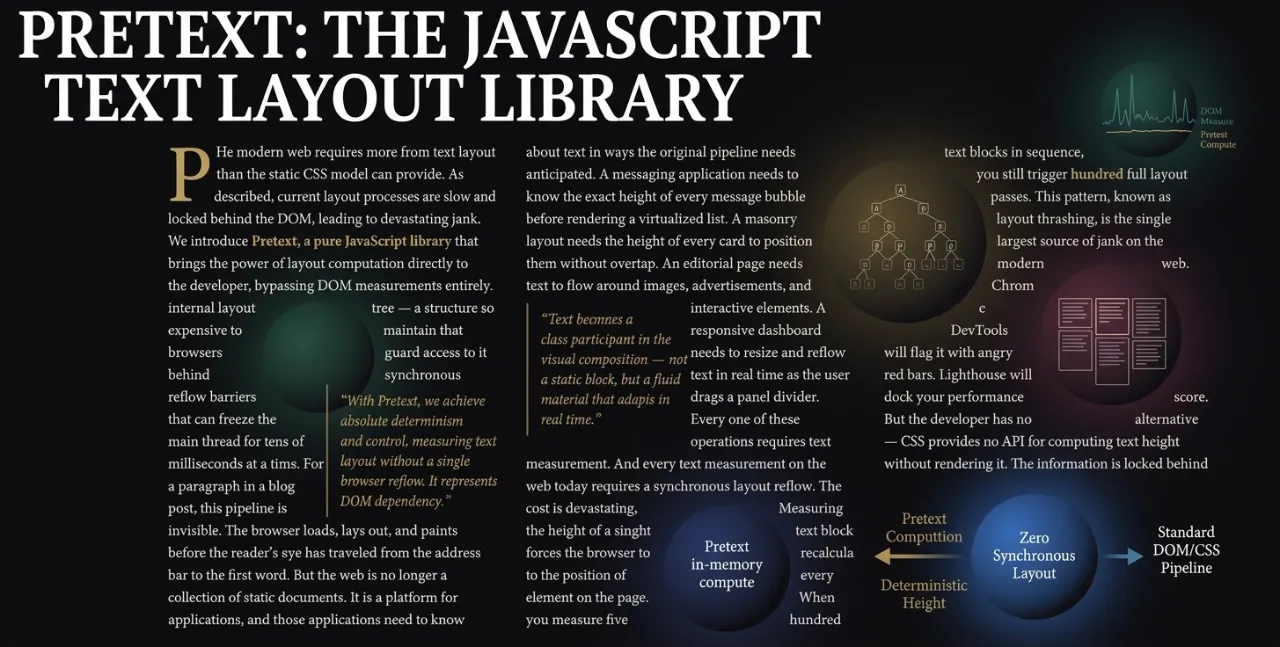
For 30 years, web developers have faced one of the most frustrating problems in web development:
"How tall will this text be when wrapped at 300px width?" The era of manipulating the DOM and
calling getBoundingClientRect() is finally over. Pretext,
created by Cheng Lou (Midjourney engineer and creator of React Motion), is a revolutionary
JavaScript library that enables 300x faster text layout without DOM measurement.
In this article, we dive deep into how Pretext works, practical implementation patterns,
and the community's explosive reaction.
The 30-Year Web Problem: The Text Measurement Dilemma 🎯
Every web developer has faced this problem at some point: "How many lines will this text wrap to at 300px width, and what's the total height?" To answer this seemingly simple question, we've paid the heavy price of DOM manipulation for decades.
🔴 Problems with Traditional Methods
The traditional text measurement approach involves these steps:
- Create an invisible DOM element
- Set styles (font, size, width constraints)
- Insert text
- Call
getBoundingClientRect()oroffsetHeight - Browser triggers full layout reflow
- Return results
The problem is that one measurement forces a recalculation of the entire document layout. Measuring 500 text blocks causes 500 reflows, blocking the main thread and causing UI jank.
According to Google's Chrome DevTools team, a single forced reflow can block the main thread for 10-100ms on mobile devices. Multiply that by 500 text blocks, and you get delays measured in seconds. This becomes critical for dynamic UIs like virtual scrolling or masonry layouts.
"Layout reflow is the #1 cause of jank on the web."
— Google Lighthouse Audit
Enter Pretext: A Revolution That Skips the DOM ⚡
In March 2026, Cheng Lou, senior engineer at Midjourney and creator of React Motion (21,700+ GitHub stars), released Pretext. This 15KB pure JavaScript/TypeScript library is not just a performance improvement—it's a paradigm shift.
Pretext's core insight is remarkably simple: canvas.measureText() uses
the same font engine as DOM rendering but doesn't trigger layout reflow.
Canvas operates in a completely separate context outside the layout tree.
Universal Language Support
Perfect support for English, Korean, Chinese, Arabic, RTL languages, and emojis. Intelligent text segmentation using Intl.Segmenter is the key.
Zero Reflow
No DOM measurement means complete elimination of layout thrashing. Calculate text layout using pure arithmetic operations only.
Multi-Renderer Support
Supports DOM, Canvas, SVG, WebGL, and soon server-side rendering. Layout text anywhere with the same code.
AI-Friendly
Using browser rendering as "ground truth," Claude Code and Codex measured and iterated for weeks to maximize accuracy.
Core Architecture: The Two-Phase prepare() and layout() 🏗️
Pretext's architecture is clearly separated into two phases. This is the essence of a caching strategy: pay once (Prepare) and reuse infinitely (Layout).
Phase 1: prepare() - One-Time Investment
The prepare() function is the "expensive" phase that runs only once when text first appears:
- Intelligent text segmentation using Intl.Segmenter
- Measure each segment's width using Canvas measureText()
- Cache results (reusable for identical text/font)
- Handle bidirectional text (BiDi)
- Adjust for emojis and special characters
import { prepare, layout } from '@chenglou/pretext'

// Phase 1: Run once (~19ms for 500 texts)
const prepared = prepare(
  'AGI 春天到了. بدأت الرحلة 🚀',
  '16px Inter'
)

// Phase 2: Run on every resize (~0.09ms)
const { height, lineCount } = layout(prepared, textWidth, 20)
// Pure arithmetic - ZERO DOM reflow!
Phase 2: layout() - Infinite Reuse
The layout() function performs pure arithmetic operations based on cached width data.
When font size or container width changes, you can instantly calculate a new layout
without touching the DOM.
💡 Key Point
Call prepare() only when text changes, and layout()
only when container size changes. This two-phase separation is Pretext's performance secret.
Advanced API: Manual Line Layout
For more granular control, you can use these APIs with prepareWithSegments:
import { prepareWithSegments, layoutWithLines, walkLineRanges, layoutNextLine } from '@chenglou/pretext'

// Get all line information
const prepared = prepareWithSegments('Text content', '18px "Helvetica Neue"')
const { lines } = layoutWithLines(prepared, 320, 26)

// Check line width and cursor position only (no string creation)
walkLineRanges(prepared, 320, line => {
  console.log(line.width, line.start, line.end)
})

// Dynamic width - text flow around images
let cursor = { segmentIndex: 0, graphemeIndex: 0 }
let y = 0
while (true) {
  const width = y < image.bottom ? columnWidth - image.width : columnWidth
  const line = layoutNextLine(prepared, cursor, width)
  if (line === null) break
  ctx.fillText(line.text, 0, y)
  cursor = line.end
  y += 26
}
Performance Comparison: What 300x Faster Means 📊
Pretext's performance improvement isn't just a number. 300-600x speedup changes what's possible in web UI development.
| Metric | DOM Measurement | Pretext |
|---|---|---|
| 500 texts processing time | 15-30ms + 500 reflows | 0.09ms + 0 reflows |
| Speed ratio | 1x (baseline) | 300-600x faster |
| Reflow events | 500 | 0 |
| Main thread blocking | Synchronous (Yes) | None (No) |
| Dependencies | Full DOM | Canvas context only |
| Bundle size | N/A | 15KB (gzipped: ~5KB) |
🎯 Real-World Impact
To maintain 60fps, each frame must complete within 16.67ms. Traditional DOM measurement alone consumes 15-30ms, leaving no time for rendering. Pretext finishes layout calculation in just 0.09ms, leaving 16.58ms for visual effects.
This is why the dragon demo is possible: recalculating text layout every frame while maintaining 60fps.
Browser-Specific Performance
Pretext is optimized for browser-specific characteristics. Dramatic performance improvements are especially visible in Safari:
- Chrome: layout() 0.09ms vs DOM 43.50ms → 483x faster
- Safari: layout() 0.12ms vs DOM 149.00ms → 1,242x faster
Practical Usage: Code Examples and Patterns 💻
Installation
npm install @chenglou/pretext
# or
bun add @chenglou/pretext
Use Case 1: Virtual Scrolling
When you need to pre-calculate row heights in a table with 100,000 rows:
import { prepare } from '@chenglou/pretext'

// Pre-prepare all row texts
const preparedRows = rows.map(row => ({
  id: row.id,
  prepared: prepare(row.text, '14px Inter')
}))

// Calculate only needed row heights based on scroll position
function getRowHeight(rowId, containerWidth) {
  const row = preparedRows.find(r => r.id === rowId)
  const { height } = layout(row.prepared, containerWidth, 20)
  return height
}
Use Case 2: Masonry Layout
Predict card heights in a Pinterest-style masonry grid:
function calculateMasonryLayout(items, containerWidth, columnCount) {
  const columnHeights = new Array(columnCount).fill(0)
  const positions = []

  items.forEach(item => {
    const { height } = layout(item.prepared,
      containerWidth / columnCount - GAP,
      LINE_HEIGHT
    )

    // Place in shortest column
    const shortestColumn = columnHeights.indexOf(Math.min(...columnHeights))
    positions.push({
      x: shortestColumn * (containerWidth / columnCount),
      y: columnHeights[shortestColumn]
    })
    columnHeights[shortestColumn] += height + GAP
  })

  return positions
}
Use Case 3: Accessible Accordion
When you need to know the exact height of content for expand/collapse animations:
function Accordion({ title, content }) {
  const [isOpen, setIsOpen] = useState(false)
  const prepared = useMemo(() =>
    prepare(content, '16px Inter'),
    [content]
  )

  // Calculate height before DOM rendering!
  const { height } = layout(prepared, containerWidth, 24)

  return (
    <div>
      <button onClick={() => setIsOpen(!isOpen)}>{title}</button>
      <div style={{
        height: isOpen ? height : 0,
        transition: 'height 0.3s ease',
        overflow: 'hidden'
      }}>
        {content}
      </div>
    </div>
  )
}
Use Case 4: Auto-Resizing Textarea
function AutoResizeTextarea() {
  const [value, setValue] = useState('')

  // textarea-style whitespace handling
  const prepared = useMemo(() =>
    prepare(value, '16px Inter', { whiteSpace: 'pre-wrap' }),
    [value]
  )

  const { height } = layout(prepared, textareaWidth, 24)

  return (
    <textarea
      value={value}
      onChange={e => setValue(e.target.value)}
      style={{ height: `${height}px`, resize: 'none' }}
    />
  )
}
Demo Analysis: From Dragons to Editorial Engines 🎨
The demo page at chenglou.me/pretext isn't just a technical showcase— it demonstrates the spectrum of UI patterns that are now possible.
Dragon
Text flows around a dragon composed of 80 segments. Text layout recalculates in real-time as the dragon moves.
60fps maintainedBubbles
Multi-line message bubbles that take minimal space. "Shrink wrap" feature enables layouts impossible in CSS for 30 years.
CSS unsupportedEditorial Engine
Magazine-style multi-column layout. Shows dynamic flow where animated objects push text away.
Professional gradeJustification Comparison
Side-by-side comparison of CSS justification, greedy hyphenation, and Knuth-Plass paragraph layout.
TypographyVariable Typographic ASCII
ASCII art using variable fonts. Compares proportional glyphs with monospace versions.
ArtisticMasonry
Text card virtualization demo. Implements occlusion without DOM measurement.
Practical
"The community has spent three days building dragons.
It should be building chat interfaces."
— Dev.to Community
These demos show that Pretext doesn't just make things faster— it enables UI patterns that were previously impossible. The "shrink wrap" feature (calculating minimum width for multi-line text) is something CSS hasn't supported in 30 years.
Community Response and Future Outlook 🌟
Pretext exploded onto the scene: 14,000 GitHub stars and 19 million X (Twitter) impressions in just 48 hours. It now has over 20,000 stars.
Hacker News Community Response
"This thing is very impressive. The problem it solves is efficiently calculating the height of some wrapped text on a web page, without actually rendering that text to the page first (very expensive)."
"Text layout engines are stupidly hard. You start out thinking 'It's a hard task, but I can do it' and then 3 months later you find yourself in a corner screaming 'Why, Chinese? Why do you need to rotate your punctuation differently when you render in columns??'"
Real Developer Use Cases
- Remotion users: Solving the difficulty of calculating text line counts for dynamic subtitles
- Recharts: Considering Pretext for optimizing chart text labels
- AI agent developers: Perfect for development workflows using Claude Code and Codex
- Accessibility experts: Can improve performance while maintaining screen reader compatibility
Future Roadmap
Cheng Lou has announced plans for the following features:
- Server-side rendering support (works in Node.js without Canvas)
- More CSS property support (letter-spacing, word-spacing, etc.)
- Improved Web Worker compatibility
- More language-specific handling (Korean particle processing, etc.)
⚠️ Important Notes
Pretext defaults to white-space: normal, word-break: normal,
overflow-wrap: break-word, line-break: auto.
On macOS, use explicit font names instead of system-ui for guaranteed accuracy.
Conclusion: A New Standard for Web Development 🎯
Pretext isn't just a library. It's a paradigm shift that releases web developers from constraints they've had to accept for 30 years.
🚀 What Pretext Changes
- Virtual Scrolling: Accurate height prediction for flicker-free scrolling
- Masonry Layouts: Predict card heights without DOM measurement
- Chat Interfaces: Real-time message bubble layout
- Dev Time Validation: Check if button labels wrap without a browser
- Layout Shift Prevention: Re-adjust scroll position when new text loads
- AI-Generated UI: Real-time layout calculation for LLM-generated text
Cheng Lou, who changed the paradigm of animation with React Motion, is once again reshaping the web development landscape. This 15KB engine will become the standard for high-performance text UI for years to come.
"The engine's tiny (few kbs), aware of browser quirks, supports all the languages
you'll need, including Korean mixed with RTL Arabic and platform-specific emojis.
This was achieved through showing Claude Code and Codex the browsers ground truth,
and have them measure & iterate against those at every significant container width,
running over weeks."
— Cheng Lou
Run npm install @chenglou/pretext right now.
Are you ready to break free from DOM reflow constraints and enter the world of pure arithmetic?
The future of text layout is already here. 🚀