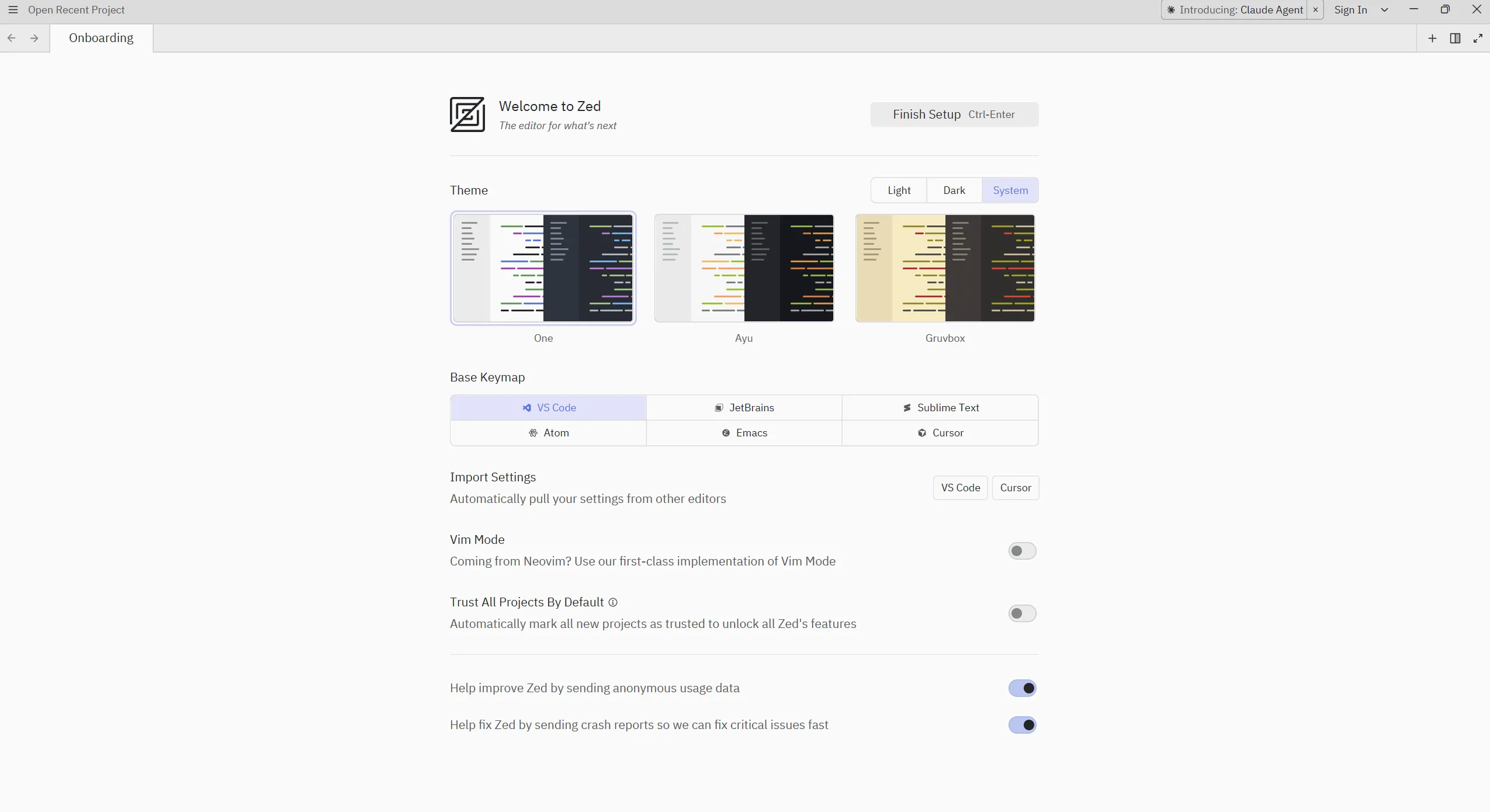
"VS Code is now obsolete." In 2026, this phrase began circulating among developers worldwide. Tired of heavy Electron-based editors, developers are seeking new alternatives. And the name of that alternative is Zed. Created by Nathan Sobo, the founder of Atom editor, this Rust-powered editor is not just fast. It's the first 'Agentic IDE' with built-in AI agents, a new paradigm for real-time collaboration, and a buttery-smooth coding experience at 120fps. In this article, we deeply analyze why Zed is the most talked-about development tool in 2026, and how it can revolutionize your development workflow.
🦀 Birth of Zed: From Atom's Lessons to Rust's Revolution
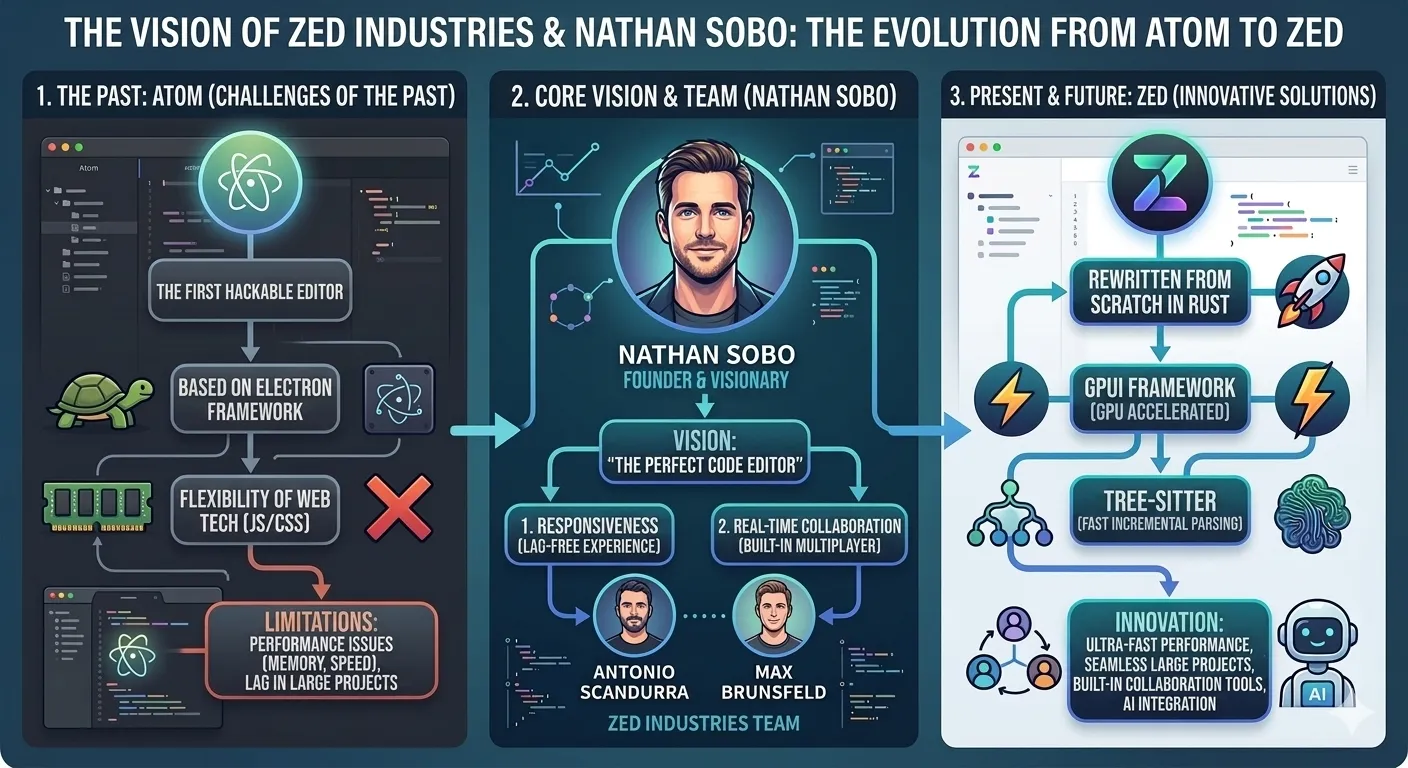
In 2014, GitHub gave developers a great gift. It was an editor called Atom. The innovative Electron-based approach was groundbreaking at the time. However, Atom was eventually discontinued in 2022. The reasons were clear: limitations of Electron, slow performance, and VS Code's overwhelming ecosystem.
Atom's founder Nathan Sobo learned the most important lesson from this failure. "You can't achieve true native performance with web technology." In 2021, he founded Zed Industries and chose a completely new approach: Rust and GPU-accelerated rendering.
Zed Industries founded. Nathan Sobo and Atom's core developers gathered to establish a new vision
First preview version of Zed released. Started with macOS exclusivity
Linux support added. One of the biggest requests from the developer community resolved
Windows support officially launched. Now supports all three major platforms
Dev Containers support, Gemini 3 Flash model addition, significant Agent feature enhancements
Agent Client Protocol (ACP) announced. Collaboration with JetBrains to standardize agent ecosystem
Zed's core philosophy is simple: "Make coding feel alive again". This is not just a marketing slogan. Every design decision in Zed stems from this philosophy. Eliminate slow loading screens, remove latency between keystrokes and screen response, and allow users to continue working while AI writes code.
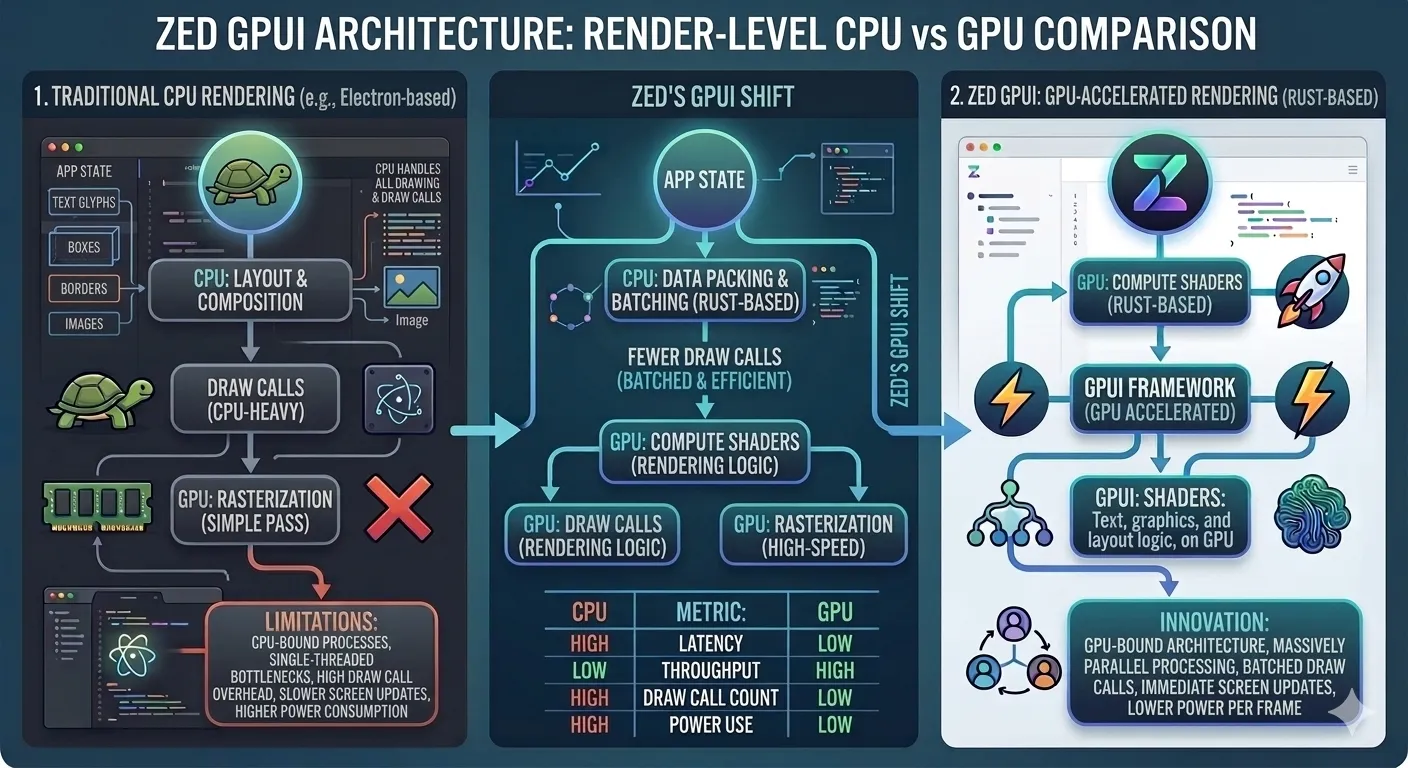
Technically, Zed uses a self-developed GPU-accelerated UI framework called GPUI. This renders text using the GPU's parallel processing capabilities rather than traditional CPU-based rendering. The result is buttery-smooth scrolling at 120fps, immediate keystroke response, and the ability to handle large files without stuttering.
⚡ Performance War: Zed vs VS Code Benchmark Battle
The biggest reason developers are enthusiastic about Zed is undoubtedly performance. "My god, how can it be this fast" - a comment from a developer on Reddit's r/programming. Zed's performance is not just subjective feeling; it's proven by measurable numbers.
Key Performance Metrics
Zed provides 10x faster cold startup than VS Code, with 1/10 the memory usage. It can open large files (50MB+) without stuttering.
📊 Detailed Benchmark Comparison
| Performance Metric | Zed | VS Code | Winner |
|---|---|---|---|
| Cold Startup | 0.12s | 1.2s | Zed (10x faster) |
| Large Project Opening (10,000+ files) | 0.25s | 3.8s | Zed (15x faster) |
| 50MB File Opening | 0.8s | 3.2s | Zed (4x faster) |
| Base Memory Usage | 150-250MB | 300-500MB | Zed (2x less) |
| Memory with Extensions | ~300-500MB | 800MB - 2GB+ | Zed (4-6x less) |
| Keystroke Latency | < 10ms | 15-25ms | Zed (2x lower) |
| Edit Operation Response Time | ~58ms | ~97ms | Zed (1.7x faster) |
This performance difference is not just a numbers game. An Indian developer explained it this way: "For a developer using an 8GB laptop, the difference between 200MB and 2GB is not an academic question but the difference between productive coding and waiting for the machine to respond." Zed's value is maximized especially in resource-constrained environments.
Zed's performance secrets are manifold. First, Rust's memory safety and zero-cost abstractions minimize runtime overhead. Second, GPU-accelerated rendering reduces CPU load and enables smooth UI. Third, thorough optimization of data structures and algorithms ensures all operations are processed efficiently.
🤖 Agentic AI: Paradigm Shift in Code Editors
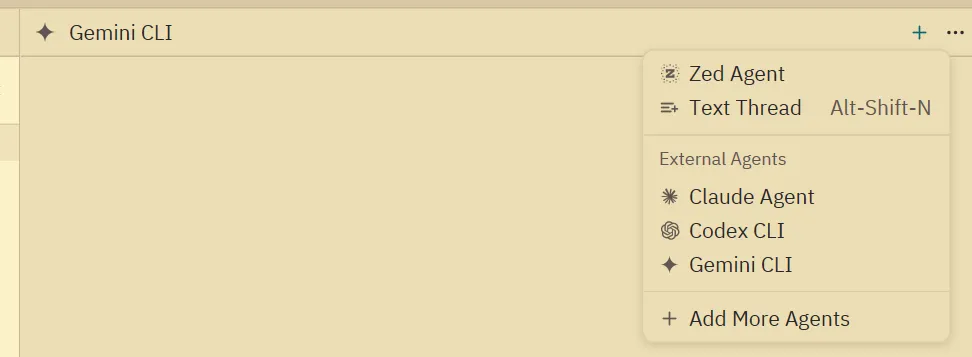
In 2026, AI coding tools have moved beyond simple autocomplete to the era of Agents. Zed stands at the forefront of this change. It's not just AI functionality "added" on top; it's the first Agentic IDE with AI built into the editor's core.
🎯 Zed AI's 4 Core Features
Agentic Editing
Request modifications across the entire project in natural language, and watch AI edit multiple files simultaneously at 120fps in real-time
Edit Prediction
Zed's open-source model 'Zeta' predicts the code you'll write next. Beyond simple autocomplete, it predicts intent
Inline Assistant
Send selected code blocks to AI and modify instantly with responses. Natural interface like an editor
Text Threads
Talk to LLMs through a plain text interface. The familiar editor experience you already know
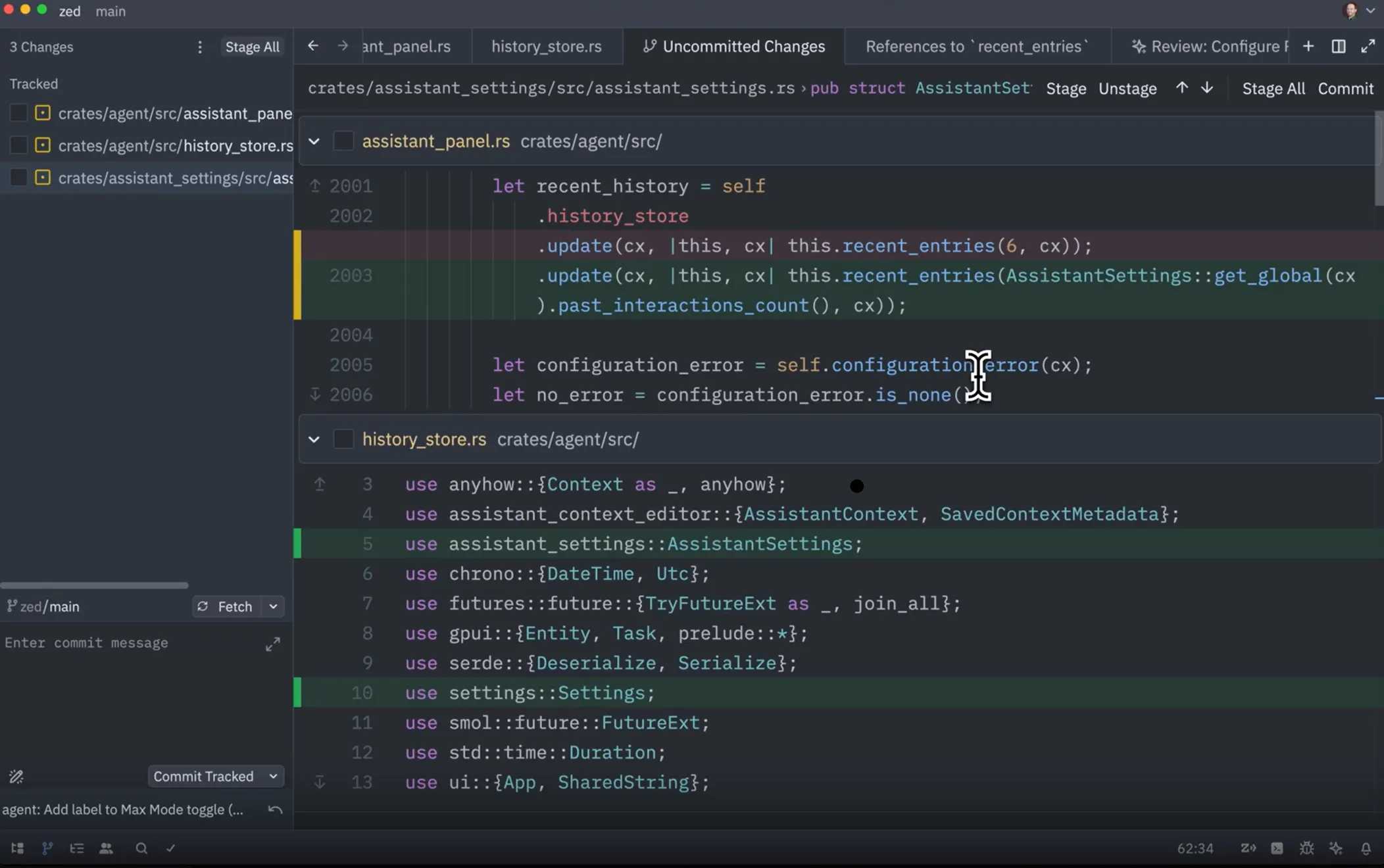
Zed's AI integration is fundamentally different from other editors. First, as a multiplayer IDE, users and AI agents can work simultaneously. Even while AI generates code, users can edit or browse other files, with all changes synchronized in real-time.
🔑 Freedom to Choose AI Providers
Zed allows users to freely choose their preferred AI model. Currently supported providers include:
- Claude Sonnet 4/4.6 - Free with Zed Pro subscription
- OpenAI (GPT-4, GPT-4 Turbo, GPT-3.5) - Use your own API key
- Anthropic (Claude 3 Opus, Sonnet, Haiku) - Use your own API key
- Google Gemini (latest Gemini 3 Flash support)
- DeepSeek - Cost-effective alternative
- Ollama / LM Studio - Run local LLMs for complete privacy
Particularly local LLM support is one of Zed's biggest differentiators. Through Ollama or LM Studio, running open-source models (Llama, Mistral, Phi, etc.) on your own hardware means code never leaks externally. Ideal for enterprise sensitive codebases or security-critical projects.
// settings.json - Zed AI configuration example
{
  "assistant": {
    "default_model": {
      "provider": "anthropic",
      "model": "claude-3-5-sonnet"
    },
    "version": "2"
  },
  "language_models": {
    "ollama": {
      "api_url": "http://localhost:11434",
      "available_models":[
        {
          "provider": "ollama",
          "name": "codellama:13b",
          "max_tokens": 4096
        }
      ]
    }
  }
}
In January 2026, Zed announced the Agent Client Protocol (ACP) and began collaborating with JetBrains. This open protocol enables AI coding agents to work without being tied to specific editors, guaranteeing developers the freedom to choose their preferred agents.
👥 Real-Time Collaboration: Coding Together Like Figma
Another innovation of Zed is its built-in real-time collaboration features. VS Code's Live Share is implemented as an extension, making setup complex and often causing connection issues. In contrast, Zed's collaboration is embedded in the editor's DNA.
Zed's collaboration is based on CRDT (Conflict-free Replicated Data Types) technology. This is the same conflict-free real-time synchronization technology used by Google Docs and Figma. As a result, multiple developers can edit the same file simultaneously without version conflicts, with all changes automatically merged.
🎙️ Collaboration Features in Detail
Features Provided
- Real-time cursor sharing and following
- Built-in voice chat
- Screen sharing
- Shared terminal sessions
- Channel-based project rooms
- Private calls between individuals
- Instant participation with invitation - no signup required
Cautions
- Sharing projects grants access to local file system
- Recommended to collaborate only with trusted people
- Internet connection required (offline not available)
Nathan Sobo describes Zed as "a software collaboration platform disguised as a world-class code editor". This is not just a metaphor. Zed's long-term vision is to transform coding from an individual activity to a social one.
💬 Real User Reviews from Communities
Community reactions to Zed are generally positive, but not everyone thinks it's perfect. We've compiled diverse opinions from actual users gathered from Reddit, Hacker News, Discord, and more.
👍 Positive Reactions
⚠️ Critical Opinions
General user opinions summarized:
- Performance: Overwhelmingly positive. Especially noticeable difference on lower-spec devices
- AI Features: Fast and well-integrated, but finer control than Cursor or Claude Code is difficult
- Collaboration: Very convenient as a built-in feature, though not yet widely used by many teams
- Learning Curve: VS Code users need adaptation time. Especially for configuration
- Extensibility: Ecosystem growing but not matching VS Code's vastness
⚠️ Drawbacks and Limitations: What's Still Missing
While Zed is innovative, it's not yet perfect. Here are limitations that developers considering a switch must know.
🚫 Major Drawbacks
Current Limitations
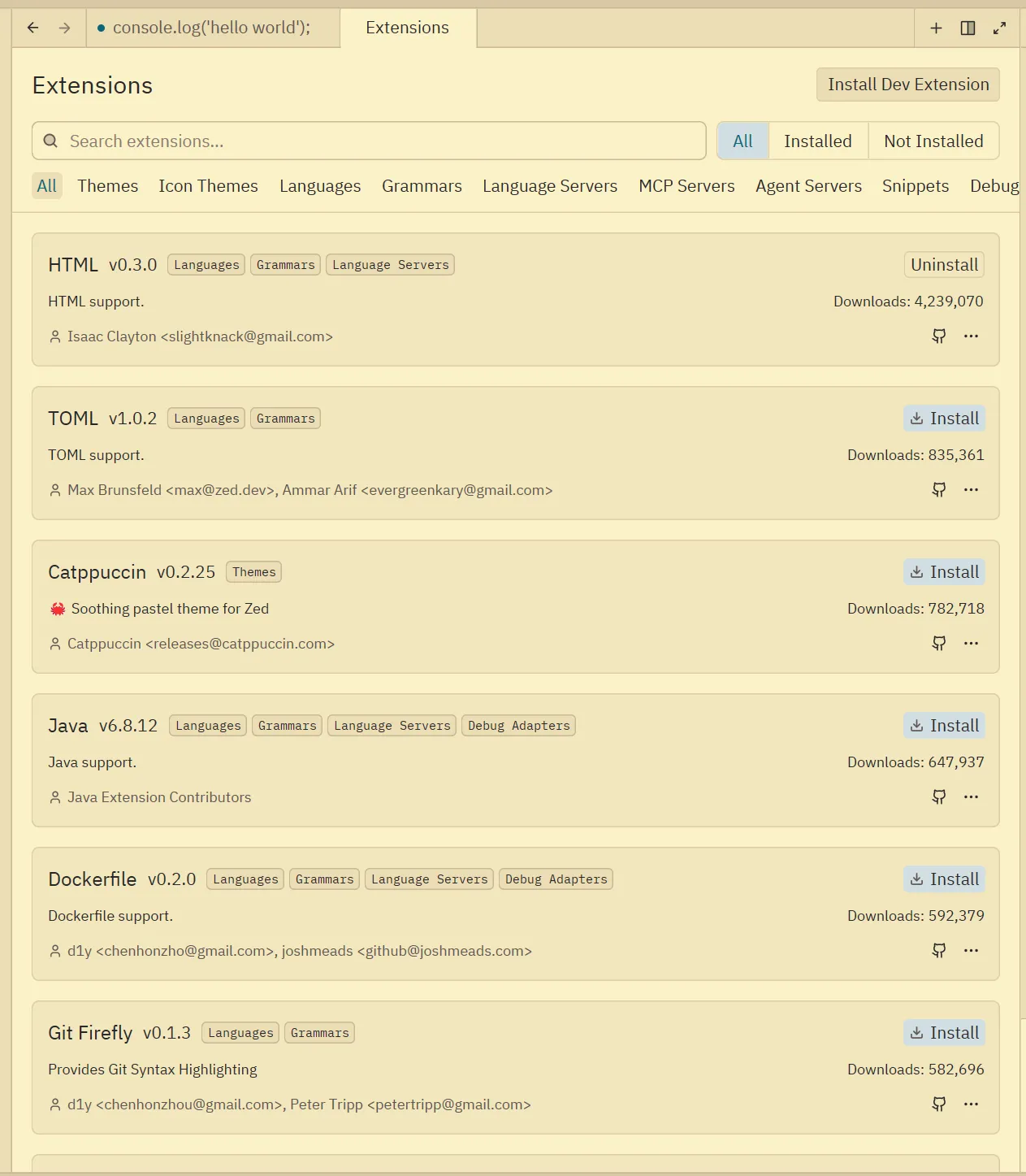
Compared to VS Code's thousands of extensions, Zed is at 500+ level. Special frameworks or tools may not yet be supported
VS Code's Pylance works immediately, but Zed requires manual basedpyright and Ruff setup. Auto-import completion recommended to be disabled for performance
DAP debugging added in 2025, but watch windows, stack trace viewing, data breakpoints are more limited than VS Code
Unlike VS Code's Microsoft account sync, Zed has no official settings sync solution
Advanced autocomplete features moved to paid plan, drawing criticism. Basic IntelliSense remains free
Git integration is more basic compared to VS Code's source control panel. Tree view added in December 2025 but still evolving
These limitations reflect that Zed is still a young project. However, the development team's update speed is very positive. During 2025 alone, Dev Containers support, Gemini 3 Flash model addition, Windows support, and enhanced terminal features were quickly added.
🚀 2026 Zed Adoption Guide: Getting Started Today
If you want to experience Zed yourself, follow this step-by-step guide. From installation methods for each platform to optimal settings, we provide detailed instructions.
📥 Installation Methods
# macOS
curl -f https://zed.dev/install.sh | sh

# Linux (Ubuntu/Debian)
curl -f https://zed.dev/install.sh | sh
# Or AUR (Arch Linux)
yay -S zed-editor

# Windows
# Download installer from official website
# https://zed.dev/download
⚙️ Recommended Initial Settings
// ~/.config/zed/settings.json
{
  "theme": "One Dark",
  "buffer_font_size": 14,
  "buffer_font_family": "JetBrains Mono",
  "tab_size": 2,
  "hard_tabs": false,
  "ensure_final_newline_on_save": true,
  "remove_trailing_whitespace_on_save": true,
  "format_on_save": "on",
  "vim_mode": true,
  "assistant": {
    "default_model": {
      "provider": "zed",
      "model": "claude-3-5-sonnet"
    },
    "version": "2"
  },
  "languages": {
    "Python": {
      "language_servers":["ruff", "!basedpyright", "!pyright"]
    }
  }
}
🛠️ Troubleshooting: Windows "Unsupported GPU" Error
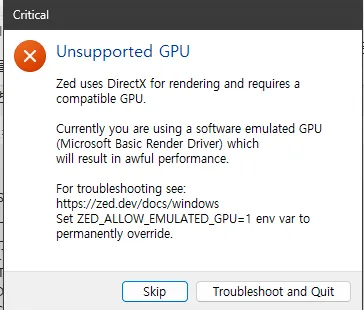
Since Zed heavily relies on GPU acceleration, Windows users in virtual machines or using older integrated graphics may encounter a persistent "Unsupported GPU" popup (often mentioning Microsoft Basic Render Driver). You can permanently hide this by setting an environment variable.
How to Fix
- Search for "Environment Variables" in the Start Menu and open "Edit the system environment variables".
- Click the "Environment Variables..." button.
- Click "New..." under User variables or System variables.
- Variable name:
ZED_ALLOW_EMULATED_GPU - Variable value:
1 - Click OK to close all windows and restart Zed.
🎯 Migration Tips from VS Code
- Keymap: VS Code keymap not provided by default, but create custom keymap referencing community settings
- Extensions: Check essential extension list and search for Zed alternatives
- Snippets: Convert VS Code snippets to Zed format
- Themes: Check if preferred theme exists in Zed, or choose similar alternatives
Pre-Switch Checklist
Before switching, definitely check: 1) LSP support for your primary language 2) Whether alternatives for essential extensions exist 3) Need for integration with team's collaboration tools
🔮 Future Outlook: How Zed Will Change the Development World
Zed's emergence is not just another code editor being created. It's part of a movement transforming the paradigm of development tools themselves.
As of 2026, Zed is evolving in the following directions:
- Agent Client Protocol (ACP) Standardization: Collaboration with JetBrains to establish universal protocols for AI agents
- Enhanced Local AI: More optimized support for various open-source models
- Extension Ecosystem Growth: Development of WASM-based extension system
- Enterprise Features: Team management, advanced security, SSO integration
- Cloud Development Environment: Deeper integration with remote development
The competition between VS Code and Zed benefits the entire developer community. Zed's pressure makes Microsoft invest more in VS Code's performance improvements, and Zed learns from VS Code's innovative extension ecosystem.
Ultimately, the best code editor is the one that supports your productivity and creative flow. If VS Code does that - as it does for millions - there's no need to change. But if you're curious about performance improvements and modern development experiences, Zed is an option worth serious consideration.
In 2026, the future of development tools is faster, more AI-centric, and more collaborative. And Zed is one of the key players leading that future.