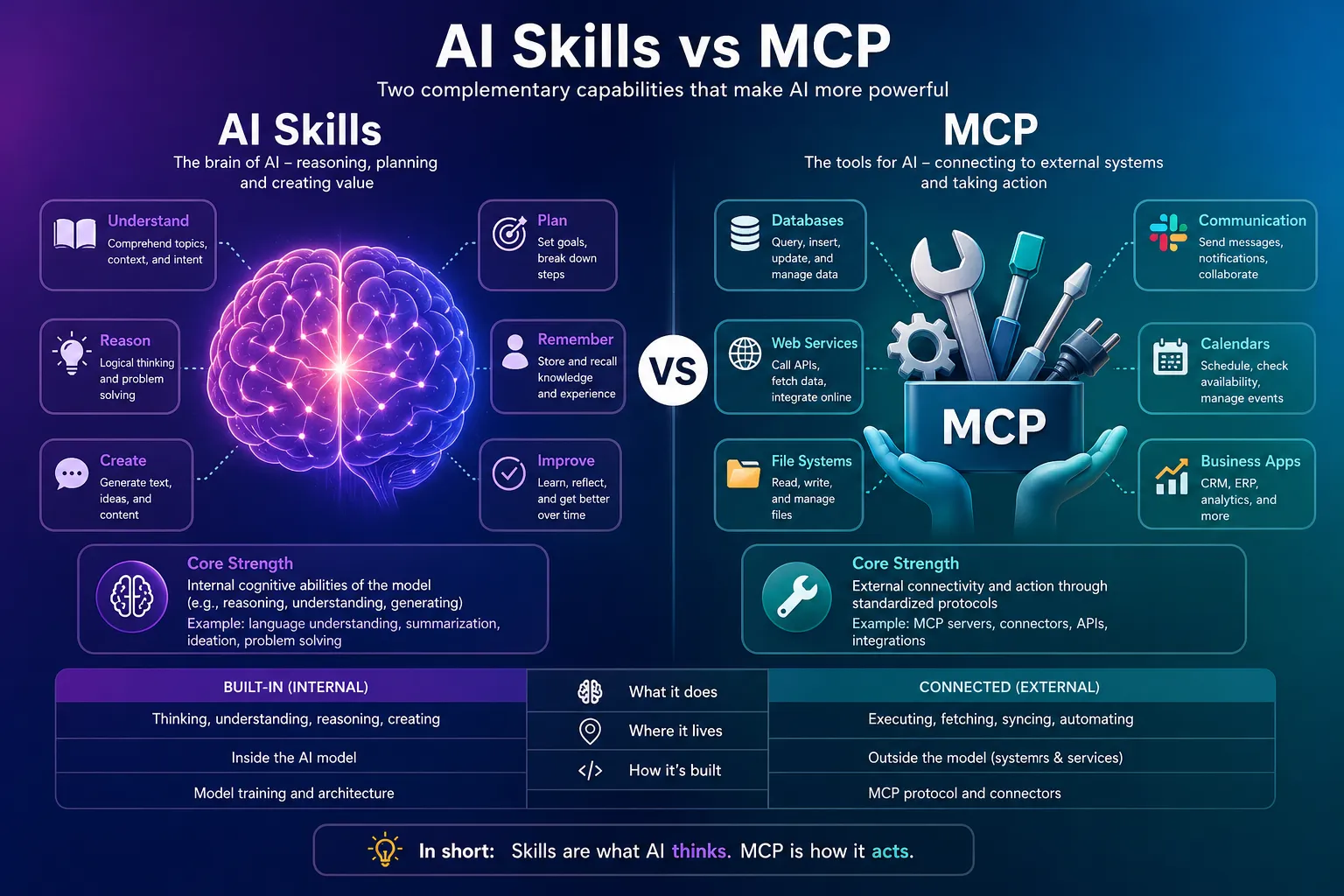
When building AI agents, there's an inevitable question: "Should I use Skills or MCP?" While both are described as expanding AI capabilities, these two technologies actually operate at completely different layers. This article provides a clear guide on the core differences between Skills and MCP based on the latest 2026 trends, and when to use each.
One-Line Summary
Skills expand the AI's 'brain', while MCP expands its 'hands'.
Skills are recipes (behavior patterns), MCP are kitchen tools (execution capabilities).
1. Why Do Skills and MCP Get Confused? 🤔
When you start configuring AI agents, you'll inevitably encounter two concepts: Skills and MCP (Model Context Protocol). Both are described as "expanding AI capabilities," which can make them seem similar at first glance. However, they actually operate at completely different layers.
User
LLM
📄 Skills
Behavior Definition
🔌 MCP Server
External System Connection
GitHub
Filesystem
Core Analogy
"Skills are like a recipe book, while MCP is like kitchen equipment. No matter how detailed the recipe, you can't chop ingredients without a knife. And having just a knife doesn't tell you what to cook."
The confusion arises because their surface-level goals appear similar. Both are described as "adding something the basic AI doesn't have." But what they add is fundamentally different. Skills define how the AI should think and behave, while MCP provides what the AI can actually execute by connecting to external servers.
2. What Are Skills? Teaching AI How to Behave 📚
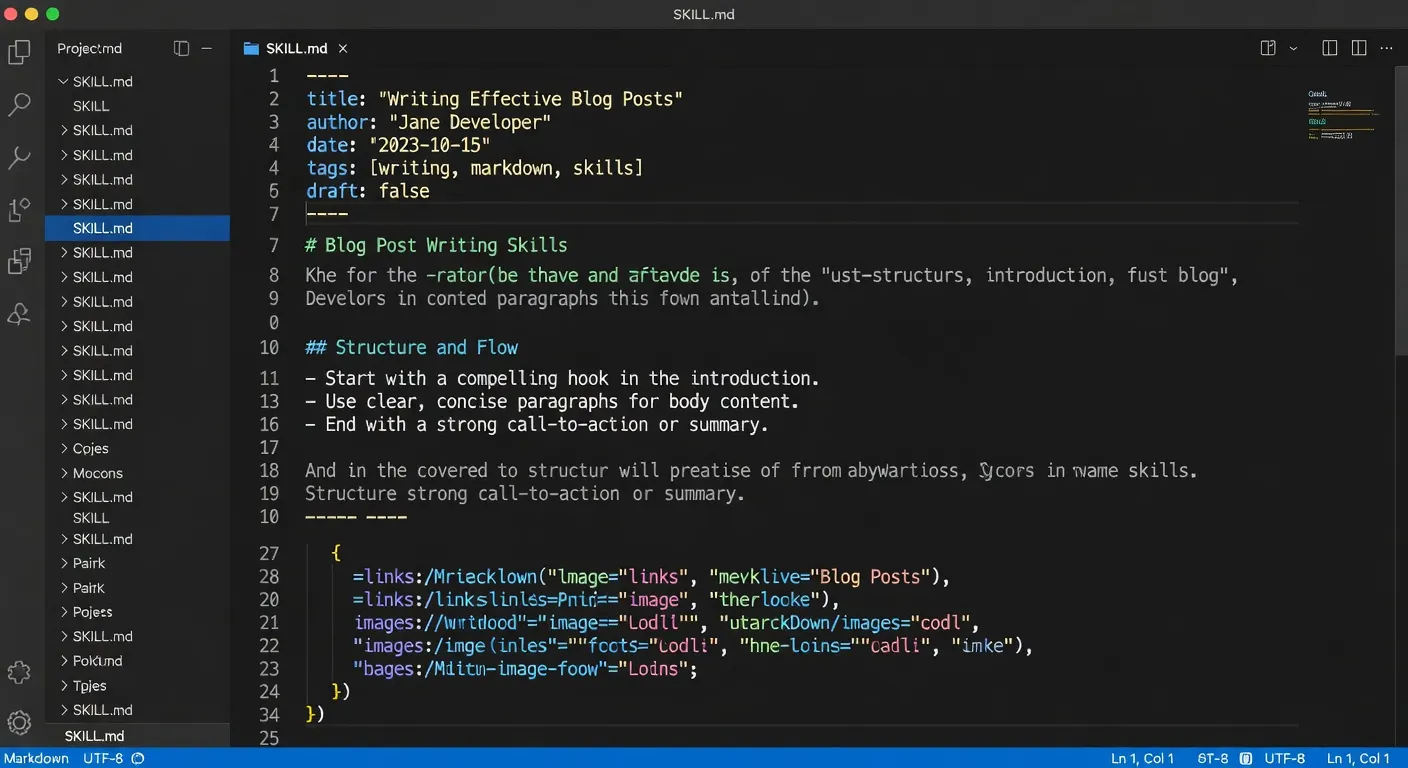
Skills are Markdown text files that teach AI "do this task this way." They don't involve code execution. Instead, they're loaded into the AI's context window to modify behavior patterns — a form of structured prompt extension.
SKILL.md: The Most Concrete Form
In AI agent environments like Claude Code or OpenClaw,
skills exist in an official form called SKILL.md files. The structure is simple:
a YAML frontmatter block at the top declares when this skill should activate, followed by
actual behavior instructions written in Markdown.
# Blog Post Writing Skill
name: "blog-post-writer"
description: "Write SEO-optimized technical blog posts"
triggers:
  - "write blog"
  - "tech article"
version: "1.0"

---

## Writing Guidelines

### 1. Title Rules
- Keep under 60 characters
- Place keywords at the beginning
- Use numbers (e.g., "5 Ways to...")

### 2. Structure
1. **Introduction**: Problem statement
2. **Body**: 3-5 sections
3. **Conclusion**: Key summary

### 3. SEO Optimization
- Include meta description
- Use H2, H3 tags appropriately
- Add 3+ internal links
Git Version Control Compatible
Skill files can be version-controlled with Git. Share with your team to instantly reproduce identical AI behavior patterns across the organization.
Implementations on Other Platforms
Claude Projects
Project-specific Custom Instructions. Written in Markdown and automatically applied to all conversations in that project.
CLAUDE.md
A file placed in the project root that conveys project context and guidelines to the AI.
ChatGPT Custom Instructions
OpenAI's equivalent concept. Text-based instructions stored and inserted like system prompts in all conversations.
The common thread: a single text file changes the AI's behavior pattern. Adding a new skill is as simple as adding one Markdown file.
3. What Is MCP? Protocol for Connecting AI to the Outside World 🔌
MCP (Model Context Protocol) is an open-source standard protocol announced by Anthropic in November 2024. It's designed to let AI agents connect to external systems in a standardized way. The core is actual code execution. Tasks the LLM itself can't do (file access, database queries, API calls, web search) are delegated to external servers.
AI's USB-C
MCP is likened to "USB-C for AI applications." Instead of building custom integrations for every data source, you build once to a single protocol.
Host / Client / Server Architecture
MCP Host
(Claude Desktop)
Client A
Client B
MCP Server
(GitHub)
MCP Server
(Filesystem)
MCP Host
The AI application itself (Claude Desktop, Claude Code, etc.). Manages connections and coordinates which servers to use.
MCP Client
Created by the Host for each MCP Server connection. One Client per Server. Handles protocol-level message exchange.
MCP Server
External services that provide actual functionality (GitHub, Slack, PostgreSQL, filesystem, etc.).
3 Primitives: Tools, Resources, Prompts
| Primitive | Role | Example |
|---|---|---|
| Tools | Executable functions the AI can call | Read/write files, API calls, DB queries |
| Resources | Data sources injected into AI context | File contents, DB records |
| Prompts | Reusable prompt templates | Few-shot examples, system prompts |
MCP Tool Schema Example
[
  {
    "name": "read_file",
    "description": "Read file contents from the filesystem.",
    "inputSchema": {
      "type": "object",
      "properties": {
        "path": {
          "type": "string",
          "description": "Absolute path to the file"
        }
      },
      "required": ["path"]
    }
  },
  {
    "name": "write_file",
    "description": "Write content to a file.",
    "inputSchema": { "...": "..." }
  }
]
4. Core Differences: Complete Comparison 📊
| Item | Skills (SKILL.md) | MCP (Model Context Protocol) |
|---|---|---|
| Essence | Text instruction file | Standard external connection protocol |
| Role | Expand AI's brain | Expand AI's hands |
| Code Execution | None | Yes (on external server) |
| Add New Feature | One Markdown file | Connect MCP Server |
| Operating Layer | Prompt/Context | Network/Process |
| Transmission Format | N/A (plain text) | JSON-RPC 2.0 |
| Components | YAML frontmatter + Markdown | Host / Client / Server |
| Analogy | Recipe book | Kitchen equipment |
| Persistence | Filesystem (Git-manageable) | Server process (must be running) |
| Entry Barrier | Markdown writing skill | Server implementation/connection setup |
Key Takeaway
Skills' 3-Tier Progressive Disclosure (name/description first → full load on use) is far more context-efficient than MCP's flat schema approach. Connecting 50+ MCP tools can reduce accuracy to as low as 49%.
Difference in Context Loading Strategy
MCP: Flat, Static Schema
When you connect to an MCP server, it calls tools/list to discover
all tools immediately. Connect three servers — filesystem, GitHub, database — and
the model receives ~40 tool schemas on every turn.
Problem: According to Anthropic's engineering team research, accuracy drops to 49% with more than 50 function tools. The attention cost of parsing many schemas degrades the model's reasoning ability.
Skills: 3-Tier Progressive Disclosure
- Tier 1 (Always in context): Only the skill's
nameanddescriptionload at session start - Tier 2 (Load on call): Full
SKILL.mdbody injected only when actually used - Tier 3 (Explicit request): Support files in
references/load only when explicitly requested
Advantage: Context cost scales with the number of skill descriptions, not with the size of the full instruction bodies.
5. When to Use Which? 🎯
Decision Tree
Question 1: Is this a task the AI can already do?
Yes → Use Skills (define behavior pattern)
No → Next question
Question 2: Does it need external data/tool access?
Yes → Use MCP (provide connection)
No → Use Skills (define logic)
Question 3: Do you need both?
Yes → Combine Skills + MCP (best results)
Use Skills When
- You want output in a specific format
- You need consistent tone/voice
- You want to store complex judgment criteria
- You don't want to repeat instructions
- Applying company/project guidelines
Use MCP When
- You need database queries
- You need external API calls
- You need real-time data
- You need filesystem access
- "I know how but can't execute"
Core Question
"Are you changing how the AI does something it can already do,
or enabling something it can't do at all?"
Former: Skills
Latter: MCP
6. Real-World Example: Automated GitHub Issue Triage 🚀
Enough theory. Let's see how Skills and MCP work together in a real case. We'll build an agent that automatically classifies GitHub issues.
Step 1: Connect GitHub via MCP
// GitHub MCP server connection
const githubServer = new MCPServer({
  name: "github",
  tools: [
    "list_issues",
    "add_label",
    "create_comment",
    "get_repository"
  ]
});
Step 2: Define Classification Logic with Skills
name: "github-issue-triage"
description: "Automatically classify and label GitHub issues"
triggers:
  - "classify issues"
  - "triage issues"

---

## Classification Criteria

### 1. Bug
- **Keywords**: "broken", "error", "crash", "fail"
- **Labels**: `bug`, `priority-high`

### 2. Feature Request
- **Keywords**: "add", "support", "feature", "enhancement"
- **Labels**: `enhancement`, `feature-request`

### 3. Question
- **Keywords**: "how to", "question", "help"
- **Labels**: `question`

## Response Tone
- Polite and professional
- State next steps clearly
- Understandable for beginners
Result
MCP connects to GitHub to fetch issues and apply labels,
Skills provides guidance on how to classify which issues.
Both are needed.
7. Community Reactions: What Reddit Developers Say 💬
Reddit Reactions
Hacker News Reactions
Community Consensus
Most developers say "Skills vs MCP" is a false dichotomy. In practice, both are needed and solve different problems. You need the Recipe (Skills) to know what to do, and the Tools (MCP) to actually execute it for things to work properly.
🎯 Conclusion: You Need Both
Skills and MCP are not competitors. They're complementary.
Skills teach the AI what to do and how,
MCP provides the AI with actual execution capabilities.
Only when you have both the Recipe (Skills) and the Tools (MCP)
do you get a true AI Agent. 🚀
"Recipe + Tools = Complete AI Agent"