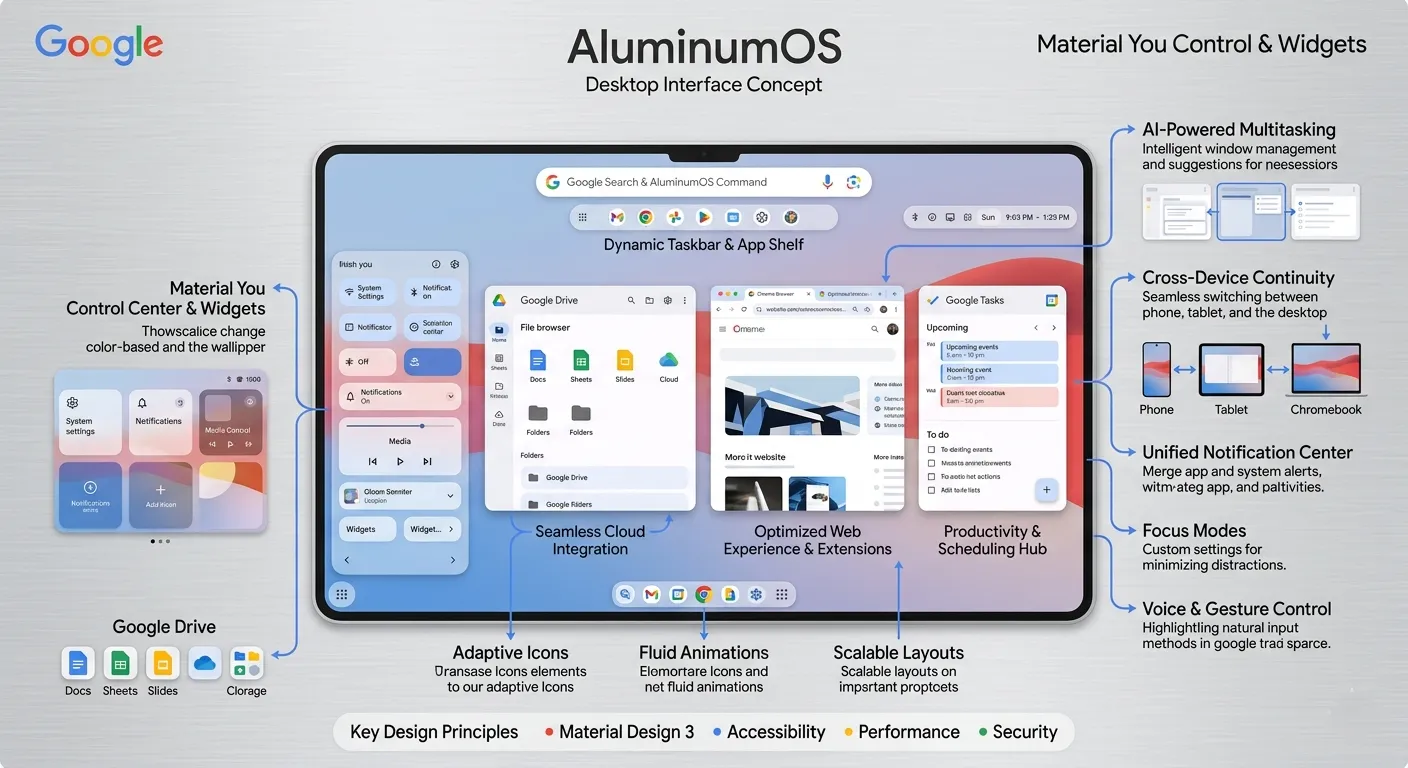
Google has finally unveiled 'AluminumOS' – a groundbreaking operating system that blurs the line between Android and ChromeOS, with AI at its core. This new platform is ready to reshape the PC landscape in 2026. Beyond a simple OS merger, experience the next-generation computing environment where Gemini AI permeates every layer of the system.
🚀 1. What is AluminumOS?
First revealed through Google job postings in November 2025, AluminumOS (codename: ALOS) is Google's ambitious Android-based desktop operating system. This isn't just a ChromeOS upgrade – it's a completely new platform fusing Android and ChromeOS, with AI positioned at the system's core as an 'AI-first' operating system.
💡 Key Takeaways
- Full desktop OS built on Android foundation
- System-level Gemini AI integration
- Next-gen platform gradually replacing ChromeOS
- Expected launch: 2026
Sameer Samat, Google's VP of Android Ecosystem, officially confirmed in a March 2026 interview that "AluminumOS is progressing smoothly with a late 2026 launch target." This isn't mere rumor – it's a project on Google's official roadmap.
🔍 2. Why 'Aluminum'? The Name's Secret
The codename 'Aluminum' carries strategic intent from Google. Aluminum is lightweight yet strong, flexible yet durable – qualities that align perfectly with AluminumOS's direction.
⚡ Lightweight Yet Powerful
Like aluminum's lightness, AluminumOS maintains ChromeOS's efficiency while combining Android's robust app ecosystem.
🔄 Flexible Compatibility
Like aluminum's flexibility, it features a versatile architecture that runs across diverse devices (laptops, tablets, mini PCs).
🛡️ Durability & Stability
Combining Android's mature ecosystem with ChromeOS's stability ensures long-term support.
✨ Premium Focus
Just as aluminum is perceived as a premium material, AluminumOS targets the high-end PC market, moving beyond the budget education segment.
Additionally, 'Aluminum' connects to Chromium. Just as Chromium underpins Chrome browser and ChromeOS, Aluminum – another metallic element – symbolizes Google's new OS philosophy.
⚙️ 3. Core Features & Technical Highlights
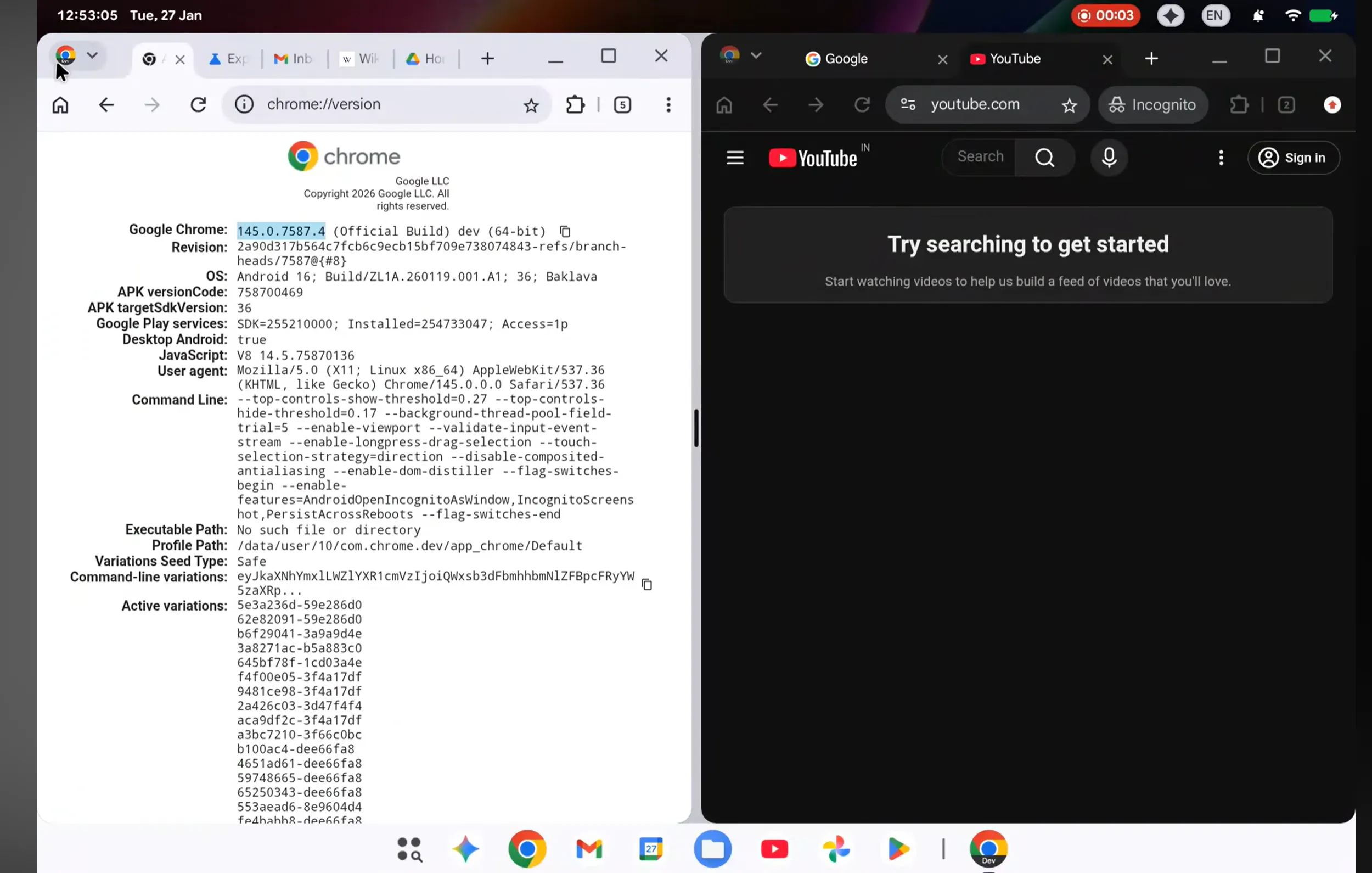
AluminumOS delivers diverse features surpassing ChromeOS limitations. Here are the key capabilities confirmed through leaked screenshots, Google job postings, and related materials.
3.1 Desktop-Class Multitasking
AluminumOS supports true desktop-class multitasking beyond Android's mobile interface.
- Complete Window Management: Freely resizable windows, snap functionality, virtual desktop support
- Advanced Taskbar: System similar to Windows taskbar or macOS Dock
- Split View & Snap: Screen splitting and app snapping for maximized productivity
- External Monitor Support: Independent workspaces on multiple monitors
3.2 Local-First Storage Architecture
While ChromeOS was cloud-centric, AluminumOS prioritizes local storage – aligning with modern workflows where offline work matters.
3.3 Desktop-Class Chrome Browser
AluminumOS integrates a desktop-class Chrome browser within the Android framework. This isn't merely an expanded mobile browser – it provides a complete desktop web experience.
- Desktop site display by default
- Chrome extension support
- Full developer tools support
- PWA (Progressive Web Apps) optimization
3.4 Diverse Hardware Support
AluminumOS supports various hardware platforms.
| Processor | Support Status | Key Devices |
|---|---|---|
| Intel Alder Lake | Official support (12th gen+) | Premium Chromebooks, laptops |
| AMD Ryzen | Planned support | High-performance laptops |
| Qualcomm Snapdragon X Elite | Official support | ARM-based laptops, tablets |
| MediaTek Kompanio 520 | Official support | Budget tablets, Chromebooks |
🤖 4. Gemini AI: System-Level Integration
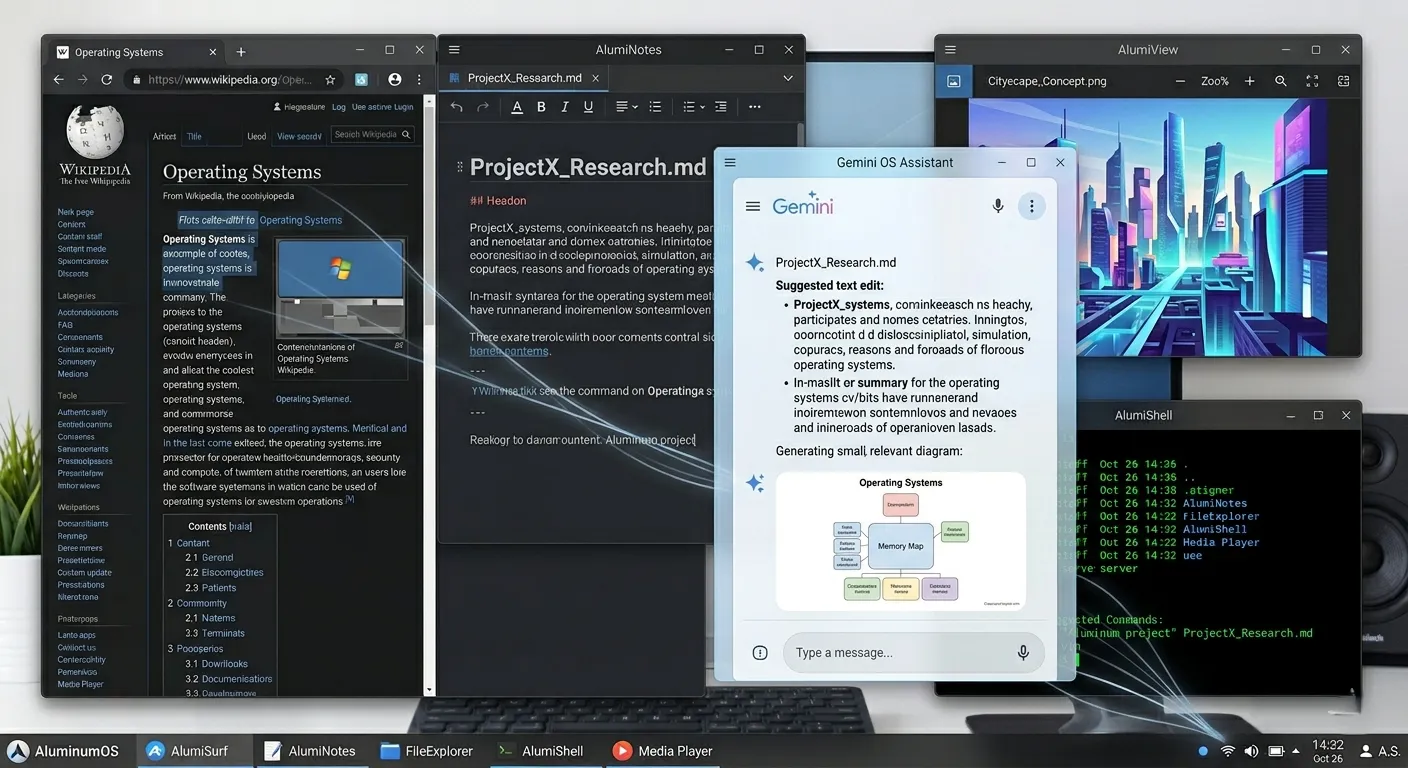
AluminumOS's most innovative feature is the deep integration of Google's generative AI, Gemini, into the system core. This goes beyond a simple AI assistant – it means OS-wide intelligence.
4.1 Gemini's Core Capabilities
🧠 Context Awareness
Gemini analyzes currently open documents, emails, and browser tabs in real-time to provide situationally appropriate assistance. For example, while editing a presentation, it automatically suggests relevant materials or design advice.
⌨️ Keyboard Shortcut Integration
Call Gemini anytime via new keyboard shortcuts. Visual indicators in the status bar show when AI is active.
🎯 NPU-Based Local Processing
Possible tasks are processed locally via NPU (Neural Processing Unit), achieving both fast response times and privacy protection.
🔗 Cross-App Integration
Gemini integrates and analyzes data across multiple apps. For instance, it can synthesize Gmail schedules, Google Calendar events, and Docs content to auto-generate reports.
4.2 Real-World Usage Scenarios
Morning: Smart Day Start
When you power on AluminumOS, Gemini automatically summarizes today's schedule, important emails, and pending tasks.
During Work: Context-Aware Assistance
While writing documents, it automatically searches related materials; while coding, it provides real-time debugging help.
Meetings: Real-Time Translation & Notes
Supports real-time caption generation, multilingual translation, and automatic meeting minutes during video calls.
End of Day: Auto-Summarization
Automatically organizes the day's work and presents tomorrow's tasks prioritized.
4.3 AI Privacy Protection
Google is working to balance AI capabilities with privacy protection in AluminumOS.
- Local Processing First: Sensitive data is processed locally on NPU when possible
- Transparent Data Usage: Clear indication of what data is used for AI processing
- User Control: Granular control over AI feature activation/deactivation
- Encryption: End-to-end encryption for cloud transmissions
📊 5. ChromeOS vs AluminumOS Comparison
Let's compare how AluminumOS differs from existing ChromeOS in detail.
| Feature | ChromeOS | AluminumOS |
|---|---|---|
| Base Platform | Linux kernel + Chrome browser | Android framework |
| App Ecosystem | PWAs, limited Android apps | Native Android apps + PWAs + Linux apps |
| AI Integration | Limited (Gemini web app) | System-level Gemini integration |
| Storage | Cloud-first | Local-first + cloud sync |
| Multitasking | Basic (Split view) | Advanced (Window management, virtual desktops) |
| Offline Capability | Limited | Full offline support |
| Hardware Requirements | Low-spec support | Mid-to-high spec (for AI features) |
| Target Market | Education, budget | Premium, business |
| Update Cycle | 4 weeks | TBD (potentially more frequent) |
| Support Duration | 5-8 years (AUE) | TBD (potentially longer) |
5.1 The Fate of ChromeOS Classic
Google won't immediately discontinue existing ChromeOS after AluminumOS launches. Instead, it plans parallel support under the name 'ChromeOS Classic' for the time being.
Migration policy details:
- Latest Devices: Premium Chromebooks released 2024+ eligible for AluminumOS updates
- Mid-Range Devices: Selective updates based on hardware specs
- Legacy Devices: Remain on ChromeOS Classic with support until AUE (Auto Update Expiration)
- Education Devices: ChromeOS Classic maintained for now (cost and stability considerations)
📅 6. Release Timeline & Compatibility
Here's the latest information on AluminumOS release schedule and compatibility.
6.1 Official Release Timeline
🎯 Expected Launch Window
Fall 2026 (September-November)
Google executive Sameer Samat confirmed in a March 2026 interview that development is "progressing smoothly with a late 2026 launch target." Industry observers expect the first AluminumOS devices to be unveiled at Google's hardware event (new Pixel and Chromebook announcement) around October 2026.
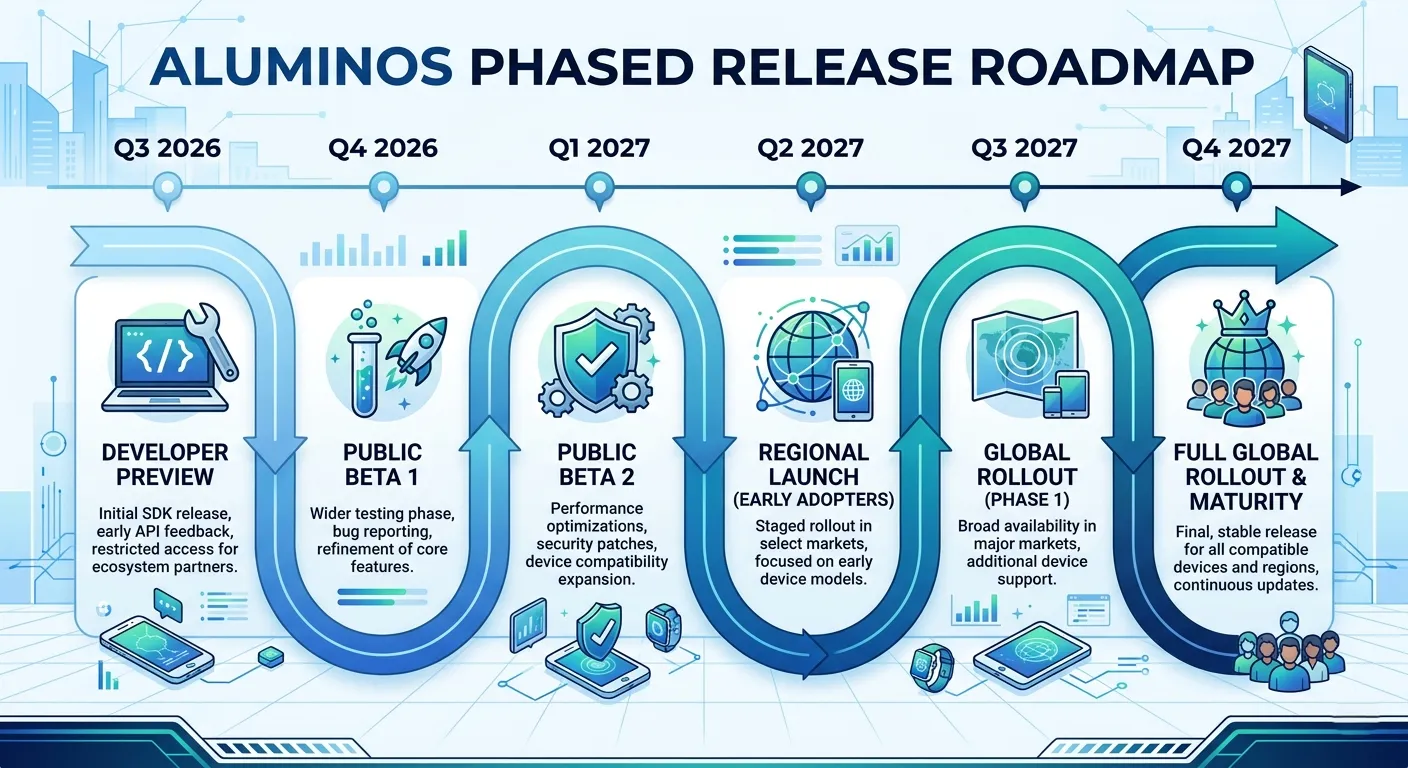
6.2 Phased Rollout Plan
Q3 2026: Developer Preview
Preview version for developers and early adopters. Testing key features and gathering feedback.
Q4 2026: First Commercial Devices
Premium Chromebooks and laptops shipping with AluminumOS pre-installed.
Q1 2027: Beta Program
Beta updates offered to select existing Chromebooks.
Q2 2027+: Gradual Expansion
AluminumOS updates expanded to more devices. Parallel support with ChromeOS Classic continues.
6.3 Compatibility Considerations
Not all Chromebooks can upgrade to AluminumOS.
| Device Type | AluminumOS Upgrade | Reason |
|---|---|---|
| 2024-2026 Premium Chromebooks | ✅ Possible (planned) | Sufficient hardware specs (NPU, 8GB+ RAM) |
| 2022-2023 Mid-Range Chromebooks | ⚠️ Limited | Depends on hardware specifications |
| Pre-2021 Legacy Chromebooks | ❌ Not possible | Hardware requirements not met; remain on ChromeOS Classic |
| Budget Education Chromebooks | ❌ Not possible | Cost and stability reasons; remain on ChromeOS Classic |
💻 7. Hardware Requirements
AluminumOS requires relatively higher hardware specifications to run AI features smoothly.
7.1 Minimum Requirements (Estimated)
- Processor: Intel 12th gen (Alder Lake)+, AMD Ryzen 5000 series+, or Qualcomm Snapdragon X series
- RAM: 8GB+ (16GB recommended for AI features)
- Storage: 128GB SSD+ (256GB+ recommended)
- NPU: Neural Processing Unit recommended for AI acceleration (local Gemini processing)
- Display: 1920x1080 (Full HD)+
- Connectivity: Wi-Fi 6, Bluetooth 5.0+
7.2 Recommended Specs (Premium Experience)
- Processor: Intel Core i7 (13th gen+) or AMD Ryzen 7 7000 series+
- RAM: 16GB+
- Storage: 512GB NVMe SSD+
- NPU: Dedicated AI accelerator (Intel Movidius, Qualcomm Hexagon, etc.)
- Display: 2560x1440 (QHD)+, touchscreen support
- Extras: Fingerprint or face recognition, backlit keyboard
7.3 Expected Device Lineup
The first AluminumOS devices are expected to launch in 2026.
🎓 Pixelbook Go 2
Google's flagship Chromebook. Expected to be AluminumOS's reference device with premium design and high-end hardware.
💼 Pixel Tablet Pro
Tablet supporting desktop mode. Showcases AluminumOS's flexibility.
🖥️ Chromebox Mini (Aluminum)
AluminumOS-based mini PC. Compact solution for desktop users.
🏢 Enterprise Chromebook
Model with advanced security features and management tools for business users.
💬 8. Community Reactions
Since AluminumOS's announcement, diverse reactions have poured in from tech communities worldwide. Here are key opinions from Reddit, X (Twitter), and various tech forums.
8.1 Positive Reactions
"Finally, Google is unifying Android and ChromeOS into one! This is exciting. Now we can run Android apps natively while enjoying desktop-class productivity. It feels like a genuine alternative to Windows and macOS is emerging."
"The system-level Gemini integration is what excites me most. If AI permeates the entire OS rather than just being a chatbot, we could truly experience 'smart' computing. As a Linux developer, I'm looking forward to this! 🚀"
"I love ChromeOS's fast boot and simplicity, but always felt limited by offline capabilities. Hearing that AluminumOS adopts a local-first architecture makes me thrilled. Finally, I can work properly on airplanes!"
8.2 Concerns & Criticisms
"Doesn't AI integrated into the OS core mean even more personal data collection? They say 'local processing,' but data will still go to Google servers eventually. We need clear privacy protection policies."
"It's disappointing that ChromeOS's simplicity might disappear. Is AluminumOS abandoning the budget education market by targeting 'premium'? Google's social responsibility feels lacking."
"So my 2020 Chromebook won't get the AluminumOS update... Is this planned obsolescence? Please clarify how long ChromeOS Classic will be supported. 😤"
8.3 Developer Community Response
Open-source projects related to AluminumOS are already emerging on GitHub, and code analysis of AluminumOS's AOSP (Android Open Source Project) foundation is actively underway on XDA Developers forums.
8.4 Industry Expert Opinions
| Expert | Opinion |
|---|---|
| Mishaal Rahman (Android Authority) |
"AluminumOS is Google's 'last chance.' Success of this OS is essential if Google wants to seriously compete in the desktop market." |
| Dieter Bohn (The Verge) |
"Gemini integration is intriguing, but whether AI features will truly be useful remains to be seen with actual users. Excessive AI could become a hindrance." |
| Arstechnica Editor | "Hardware compatibility is the biggest hurdle. If not all Chromebooks can upgrade, it could fragment Google's ecosystem." |

🌍 9. Market Impact & Competitive Landscape
AluminumOS's emergence is expected to create significant ripples across the entire PC market.
9.1 Competition with Windows
AluminumOS clearly targets Windows 11.
✅ AluminumOS Strengths
- Faster boot times
- Deep AI integration
- Android app ecosystem
- Google services integration
- Lower system requirements
⚠️ Windows Strengths
- Overwhelming software compatibility
- Enterprise market dominance
- Gaming ecosystem
- Legacy system support
- Hardware diversity
9.2 Competition with macOS
Competition with Apple Silicon Macs is also inevitable.
- Price Competitiveness: AluminumOS devices will likely be significantly cheaper than Macs
- AI Features: Apple Intelligence vs Gemini – AI war intensifies
- Ecosystem: Apple's closed system vs Google's openness
- Creative Work: macOS still leads, but gap expected to narrow
9.3 ChromeOS Market Reshaping
AluminumOS will reshape the ChromeOS market itself.
📈 Expected Market Shifts
- Education market: ChromeOS Classic maintained (cost-sensitive)
- Consumer market: Gradual shift to AluminumOS
- Business market: Preference for AluminumOS Premium models
- Emerging markets: Budget ChromeOS continues growing
9.4 Impact on Linux Distributions
Linux distributions like Ubuntu and Fedora may also be affected.
🔮 10. Future Outlook & Conclusion
AluminumOS represents more than just an OS update in Google's PC strategy – it signifies a directional shift for the entire ecosystem.
10.1 Short-Term Outlook (2026-2027)
- Initial Launch: Limited release focused on premium devices
- Ecosystem Building: Accelerated desktop optimization of Android apps
- AI Feature Enhancement: Continuous Gemini improvements and new feature additions
- Partner Acquisition: Major OEMs like ASUS, Acer, Lenovo launching AluminumOS devices
10.2 Mid-to-Long-Term Outlook (2028-2030)
- Full ChromeOS Integration: Phased end of ChromeOS Classic by 2030
- Market Share: Targeting 10-15% of desktop OS market
- AI Platform: Cultivating AluminumOS as Google AI's core platform
- Enterprise Expansion: Full-scale business market push
10.3 Potential Challenges
| Challenge | Solution Approach |
|---|---|
| Hardware Fragmentation | Reference devices, strict certification program |
| App Compatibility | Android app desktop optimization tools |
| User Resistance | Parallel ChromeOS Classic support, gradual migration |
| AI Privacy | Local processing priority, transparent data policies |
| Competing OSes | AI feature differentiation, price competitiveness |
10.4 Conclusion: Google's AI-First Desktop Vision
AluminumOS isn't just an operating system. It's the embodiment of Google's vision for 'AI-first computing'.
AluminumOS's success depends on several factors:
- ✅ Hardware Partnerships: How many OEMs will launch AluminumOS devices?
- ✅ AI Practicality: Will Gemini truly enhance productivity?
- ✅ Ecosystem Expansion: How well will Android apps be optimized for desktop?
- ✅ User Adoption: Will existing ChromeOS users embrace AluminumOS?
- Competitive Response: How will Windows and macOS respond?
2026 will mark the opening of a new chapter in the PC market. The world is watching to see if AluminumOS can realize Google's ambitious vision.