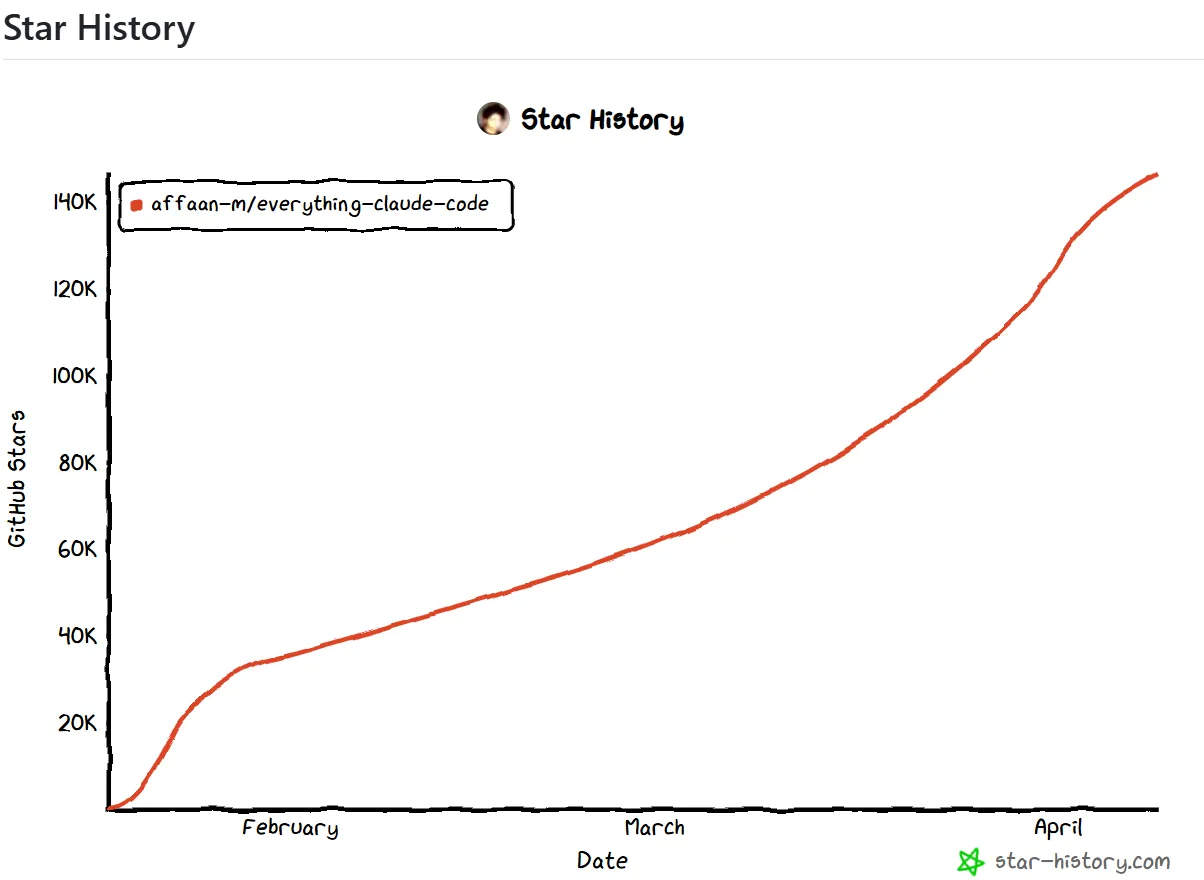
Going beyond just "using" Claude Code, there's a system that transforms it into a professional development engine. Everything Claude Code (ECC), with over 140,000 GitHub stars, is an Anthropic Hackathon winner equipped with 47 specialized agents and 181 skills—a productivity explosion tool.
What is Everything Claude Code? 🤔
Everything Claude Code (ECC) isn't just another plugin. It's a comprehensive system that transforms Claude Code from a "usable tool" into a "professional development engine". This project, winner of the 2025 Anthropic Hackathon, has evolved based on over 10 months of real-world development experience.
ECC supports 12+ programming language ecosystems including TypeScript, Python, Go, Swift, and PHP, and is compatible with various AI agent frameworks like Claude Code, Codex, Cursor, OpenCode, and Gemini.
Why Do You Need ECC? 💡
Claude Code is a powerful AI coding assistant, but there are limits to "just using it." It's like buying a Ferrari and riding it like a motorcycle. ECC is the tuning kit that lets you harness 100% of that Ferrari's capabilities.
Core Features Deep Dive 🔍
Specialized Agent System
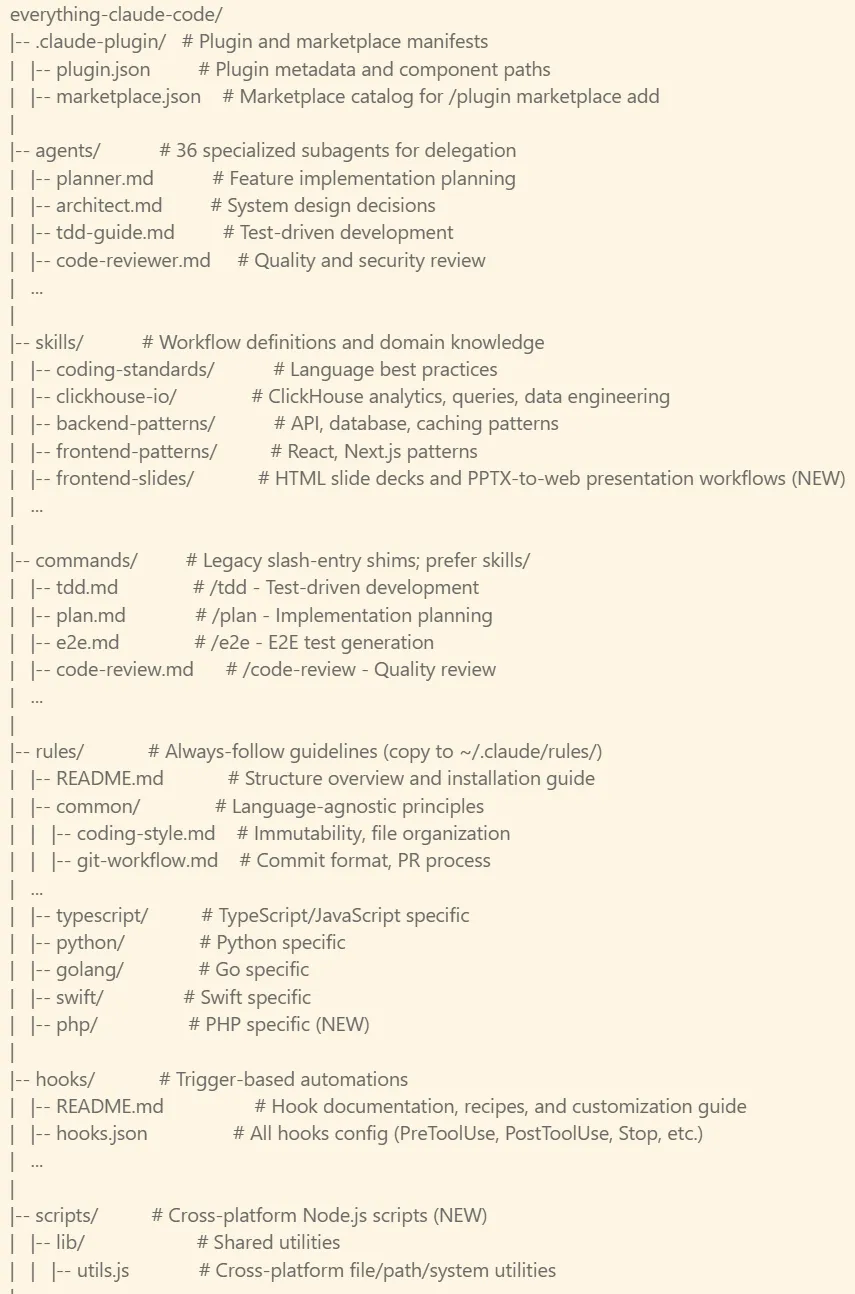
ECC's core is its 47 specialized sub-agents. Each agent is optimized for specific tasks, efficiently dividing and handling complex development work.
Skill-Based Workflows
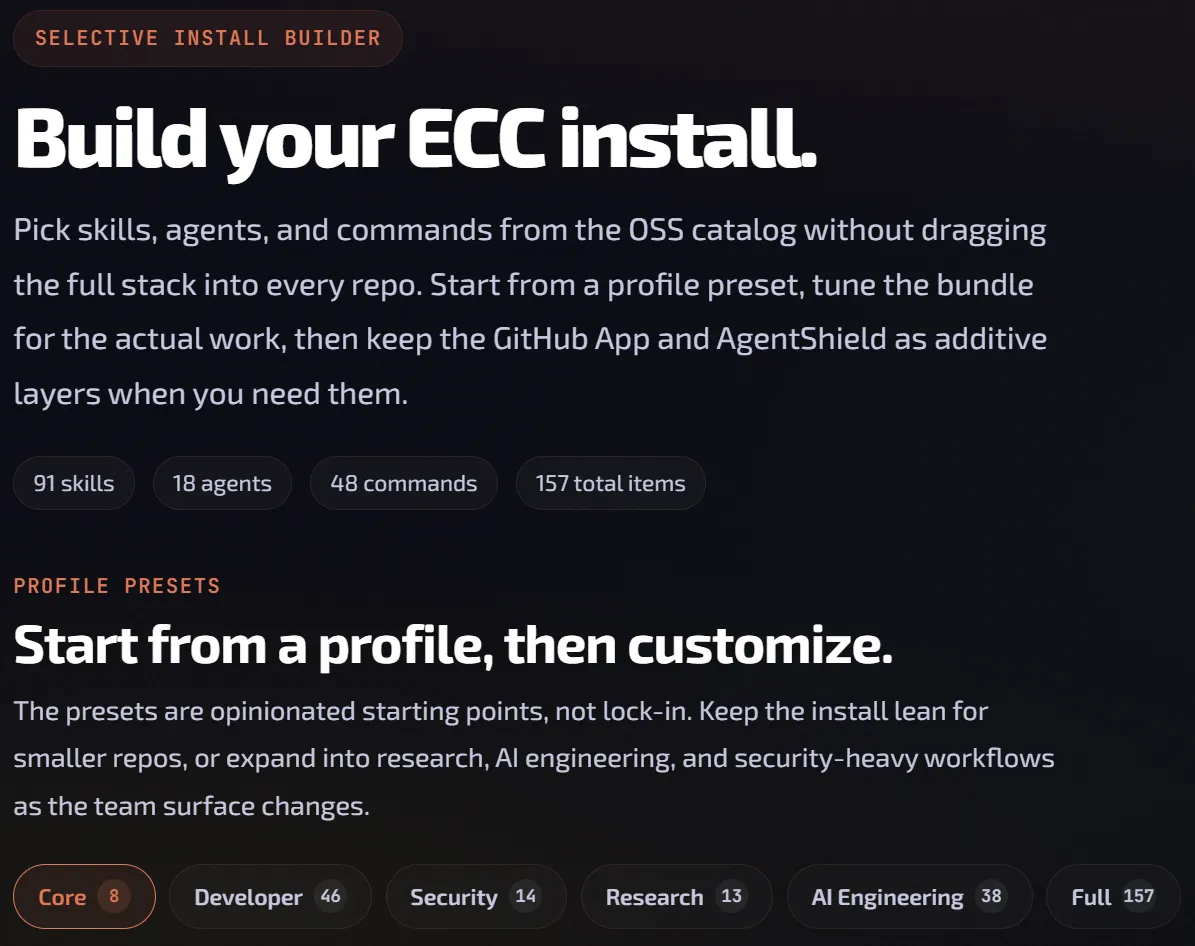
181 skills contain verified development workflows. Best practices used in real production environments—TDD, code reviews, E2E test generation, refactoring—are systematically organized.
Intelligent Hook System
ECC's hook system automatically manages context between sessions. At session start, it automatically loads summary info from the previous session; at session end, it saves the current state to continue work in the next session.
MCP (Model Context Protocol) Integration
Integrated with various MCP servers for secure access to external resources like databases, file systems, and APIs.
Language-Specific Coding Standards
Best practices and coding standards for 12+ programming languages including TypeScript, Python, Go, Swift, and PHP are built-in, allowing automatic application of language-specific best practices.
Installation & Setup Guide 🚀
ECC can be installed and used within 2 minutes. Follow these steps.
Add Plugin Marketplace
# Add ECC marketplace
/plugin marketplace add https://github.com/affaan-m/everything-claude-code

# Install plugin
/plugin install ecc@eccClaude Code plugins cannot automatically deploy rules. You'll need to install them manually in the next step.
Clone Repo & Install Dependencies
# Clone repository
git clone https://github.com/affaan-m/everything-claude-code.git
cd everything-claude-code

# Install dependencies (choose your package manager)
npm install
# or
pnpm install
# or
yarn install
# or
bun installInstall Rules (Required)
# macOS/Linux - Full install (recommended)
./install.sh --profile full

# Install specific languages only
./install.sh typescript
./install.sh typescript python golang

# Install for other AI tools
./install.sh --target cursor typescript
./install.sh --target antigravity typescript
./install.sh --target gemini --profile fullStart Using
# Use skills (recommended)
/ecc:plan "Add user authentication system"

# Legacy commands also work
/plan "Add user authentication system"

# List available commands
/plugin list ecc@ecc
47 Agents & 181 Skills 👥
ECC's true power comes from its diverse specialized agents and skills. Each agent performs expert-level work in its specific domain.
Key Agents
| Agent | Role | Key Functions |
|---|---|---|
| Planner | Feature implementation planning | Requirements analysis, task decomposition, priority setting |
| Architect | System design | Architecture design, tech stack selection, scalability considerations |
| CodeReviewer | Code quality inspection | Bug detection, performance optimization, coding standards compliance |
| SecurityExpert | Security auditing | Vulnerability scanning, security best practices application |
| TestEngineer | Test writing | Unit tests, integration tests, E2E test generation |
| DevOpsEngineer | Infrastructure management | CI/CD pipelines, deployment automation, monitoring |
| DatabaseExpert | Database design | Schema design, query optimization, indexing strategies |
| UIUXDesigner | User interface | Component design, accessibility, responsive layouts |
Popular Skill Categories
Coding Standards
Best practices and conventions for 12 languages
Backend Patterns
API design, databases, caching strategies
Frontend Patterns
React, Next.js, modern UI development
ClickHouse & Data
Data engineering, analytical queries
Real-World Use Cases 🎯
Let's explore concrete examples of how to actually use ECC.
Scenario 1: New Feature Development
Situation: You need to add a user authentication system.
# 1. Ask Planner agent to decompose task
/ecc:plan "Implement OAuth 2.0-based social login"

# 2. Have Architect review design
/ecc:architect "Design JWT-based authentication system"

# 3. Develop (relevant skills applied automatically)
"Implement Express-based auth middleware in TypeScript"

# 4. Code review
/ecc:code-review "Review auth.middleware.ts file"

# 5. Generate tests
/ecc:tdd "Write unit tests for auth middleware"
Scenario 2: Legacy Code Refactoring
Situation: You need to modernize 3-year-old legacy code.
# 1. Analyze codebase
/ecc:analyze "Analyze src/legacy/ directory and identify issues"

# 2. Plan refactoring
/ecc:refactor "Plan conversion of class components to functional"

# 3. Step-by-step refactoring
"Proceed with refactoring first module sequentially"

# 4. Performance optimization
/ecc:optimize "Analyze performance bottlenecks in refactored code"

# 5. Documentation
/ecc:document "Add JSDoc to refactored code"
Scenario 3: Security Audit
Situation: You need a security check before production deployment.
# 1. Security scan
/ecc:security "Scan entire codebase for security vulnerabilities"

# 2. Dependency check
/ecc:audit "Check package.json dependencies for vulnerabilities"

# 3. Apply recommended fixes
"Apply patches for discovered vulnerabilities"

# 4. Re-scan
/ecc:security "Re-scan after applying patches"
Comparison with Other Tools 📊
Let's objectively compare ECC with similar tools to understand its strengths and weaknesses.
| Feature | ECC | Superpowers | Vanilla Claude |
|---|---|---|---|
| Number of Agents | 47 | 15 | 1 |
| Skills/Commands | 181 | 50+ | Basic 10 |
| Supported Languages | 12+ | 5 | Limited |
| Memory Management | Auto session persist | Manual | None |
| Security Scanning | ✅ Built-in | ⚠️ Plugin needed | ❌ |
| MCP Integration | ✅ Full support | ✅ Supported | ⚠️ Manual setup |
| Learning Curve | Medium | Easy | Very Easy |
| Productivity Gain | 300%+ | 200% | 100% |
| GitHub Stars | 140K+ | 35K+ | N/A |
Analysis
ECC is like a "Swiss Army knife"—comprehensive but feature-rich. Superpowers is lighter and easier to learn, but ECC offers more features and specialization. Choose based on your project complexity and team requirements.
Community Reactions 💬
Let's see real feedback from developers worldwide using ECC.
Pro Tips & Best Practices 🌟
Here are expert tips for getting 200% out of ECC.
Gradual Learning
Don't try to memorize all skills at once. Start with the 10-15 most frequently used skills and gradually expand.
Create Custom Skills
ECC is extensible. Create and share skills for your team's unique workflows to boost overall productivity.
Regular Updates
ECC is actively developed. Check for updates weekly and apply new features and improvements.
Agent Collaboration
For complex tasks, use multiple agents sequentially. The Planner → Architect → Developer → Reviewer flow is effective.
Project-Specific Settings
Use different rules per project. ECC supports project-level settings to prevent context confusion.
Always Code Review
Even AI-generated code should pass through the CodeReviewer agent. It catches bugs or security issues you might miss.
Use Command Shortcuts: Register shortcuts for frequently used skills in Claude Code's custom instructions. For example, set "/cr" to automatically execute "/ecc:code-review".
Future Roadmap 🚀
The ECC team has announced features planned for release in the second half of 2026.
Q3 2026
- AI Learning: Learns usage patterns to automatically recommend optimal agents
- Team Collaboration: Feature for multiple developers to share ECC settings and skills
- VS Code Integration: Use directly within IDE, not just terminal
Q4 2026
- Multi-Model Support: Simultaneous use of GPT-4o, Gemini, Claude 3.5
- Auto Test Generation: Automatically update tests when code changes are detected
- Performance Monitoring: Real-time tracking of runtime performance for generated code
Q1 2027
- Enterprise Features: SSO, audit logs, compliance tools
- On-Premises Deployment: Self-hosting option for security-conscious enterprises
- AI Code Refactoring: Automatically modernize legacy code
Conclusion: ECC Is Not Optional—It's Essential 🎯
Everything Claude Code isn't just a collection of plugins. It's a comprehensive solution presenting a new paradigm for AI-powered development. Over 140,000 GitHub stars and an Anthropic Hackathon win have already proven its value.
Are you just "using" Claude Code, or are you truly "harnessing" it? ECC makes that difference. Two minutes of installation time will save you hundreds of hours ahead.