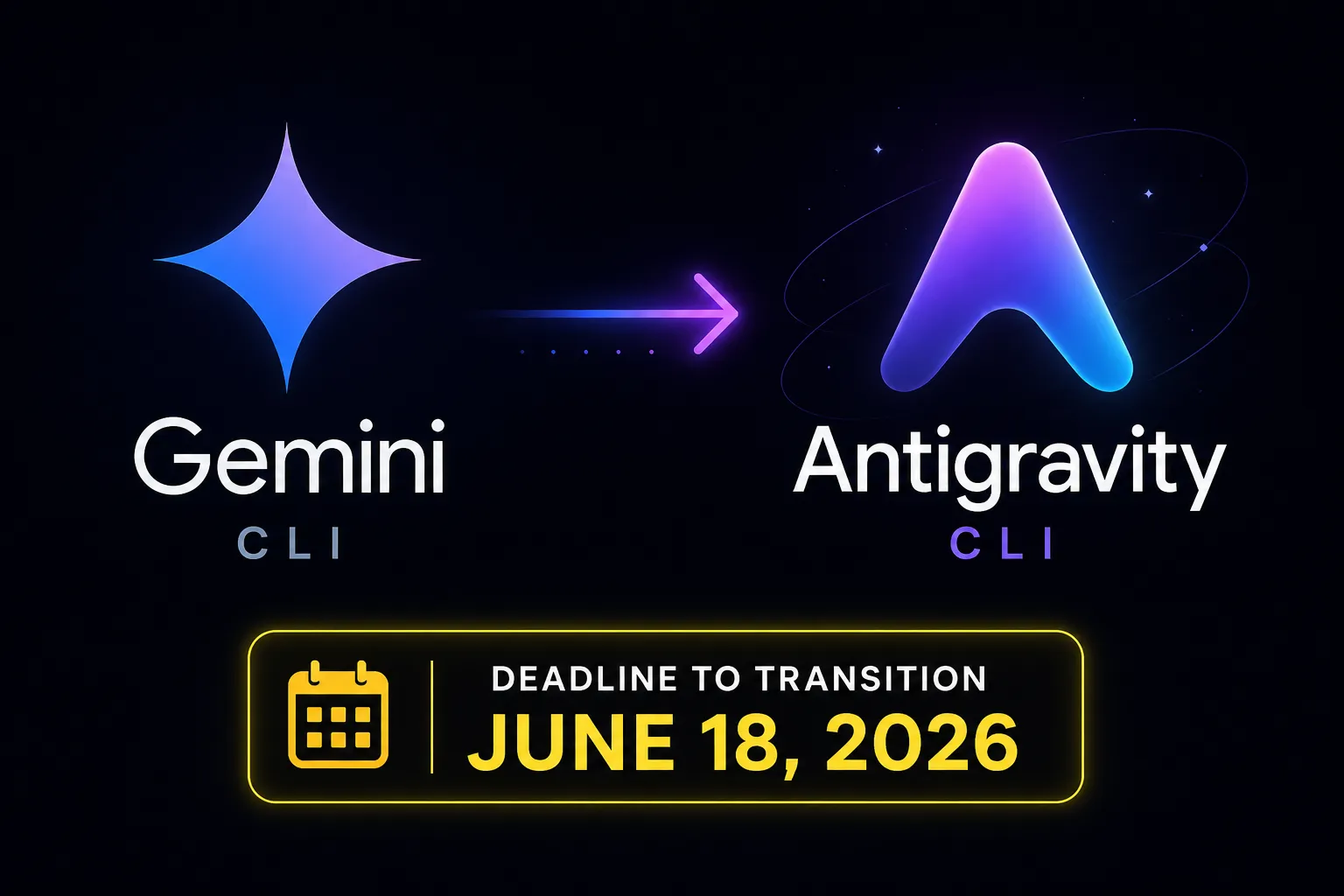
On May 19, 2026, Google dropped a bombshell at Google I/O: Gemini CLI — the open-source terminal agent with 100,000+ GitHub stars and 6,000 merged pull requests — is being shut down for individual users on June 18, 2026. Its replacement is Antigravity CLI, invoked with a single command: agy. This guide walks you through everything you need — from completely removing Gemini CLI to installing, authenticating, and getting productive with Antigravity CLI on any platform.
1 Why Is Gemini CLI Being Discontinued? — Background & Timeline
When Google open-sourced Gemini CLI in mid-2025, it was an instant hit. The repository climbed to over 100,000 GitHub stars in months, accumulated more than 6,000 merged pull requests from hundreds of contributors, and became a fixture of many developers' daily workflows. With its intuitive gemini command, free Google OAuth authentication, and Node.js-based TUI, it was the first serious terminal-native AI coding agent from a major cloud provider.
But by 2026, the landscape had shifted. Developers weren't satisfied with a single-agent chat loop. They needed multiple agents communicating with one another to split up work and tackle complex problems in parallel. Rather than retrofitting Gemini CLI — a Node.js codebase with architectural limitations around concurrency — Google made a strategic decision: rebuild from scratch in Go with a fully async, multi-agent-first architecture, and unify everything under the Google Antigravity platform.
Google's official announcement on May 19 framed it clearly:
"Gemini CLI proved the terminal could be an incredible interface for agentic tasks, but your needs shifted. You now require multiple agents communicating with each other to split up the work and solve complex problems. This means your terminal tools need to share a unified backend with the rest of your workflow." — Dmitry Lyalin & Taylor Mullen, Google Developers Blog, May 19, 2026
📅 Official Timeline
Gemini CLI Open-Sourced
Released under Apache 2.0. Reached 100K+ GitHub stars, 6,000+ PRs, hundreds of contributors. Free via Google OAuth with Node.js 20+ requirement.
Google Antigravity IDE — Public Preview
Launched alongside Gemini 3 as an agent-first IDE. Free for personal Gmail accounts. Introduced the "Antigravity" brand and agent-first development paradigm.
Google I/O 2026 — Antigravity CLI Announced & Gemini CLI Sunset
Antigravity 2.0 ecosystem (desktop app + CLI + SDK) launched. Antigravity CLI made generally available. Official sunset date for Gemini CLI announced.
Gemini CLI Stops Serving Individual Users
Google AI Pro, Ultra, and free-tier users lose access. Gemini Code Assist for GitHub blocks new installations; requests stop being served in the weeks following. Existing scripts, GitHub Actions, and cron jobs will break.
Enterprise Stays on Gemini CLI (If Needed)
Code Assist Standard/Enterprise license holders keep access to Gemini CLI and latest Gemini models. Paid Gemini API keys also retain access indefinitely.
Every free, Pro, and Ultra user loses Gemini CLI access on June 18, 2026. After that date, the gemini command returns no responses. Start migrating now.
2 How to Completely Uninstall Gemini CLI 🗑️
Before installing Antigravity CLI, clean up your Gemini CLI installation to avoid conflicts. The uninstall method depends on how you originally installed it.
Method 1: npm Global Install (Most Common)
If you installed via npm install -g @google/gemini-cli, one command removes it completely:
# Remove Gemini CLI from global npm
npm uninstall -g @google/gemini-cli

# Verify removal — should return "command not found"
gemini --versionRunning gemini --version after uninstalling should produce a "command not found" or "gemini: No such file or directory" error. If it still runs, check your PATH for lingering symlinks.
Method 2: npx Cache (No Permanent Install)
If you ran Gemini CLI via npx @google/gemini-cli, there's no permanent installation to remove — but npx caches packages in a _npx subdirectory of your npm cache. Clear it for a full cleanup.
# Check your npm cache path
npm config get cache
# Example output: /Users/yourname/.npm

# Remove the _npx cache (typically at ~/.npm/_npx)
rm -rf "$(npm config get cache)/_npx"

echo "npx cache cleared"
:: Check cache path
npm config get cache
:: Remove npx cache (typically %LocalAppData%\npm-cache\_npx)
rmdir /s /q "%LocalAppData%\npm-cache\_npx"# Remove npx cache
Remove-Item -Path (Join-Path $env:LocalAppData "npm-cache\_npx") -Recurse -Force
Write-Host "npx cache cleared"Method 3: Homebrew (macOS)
brew uninstall gemini-cliClean Up Configuration Files
Gemini CLI stores settings in your home directory. Since Antigravity CLI uses a related path (~/.gemini/antigravity/), inspect before wholesale deletion:
# Inspect the .gemini directory before deleting
ls ~/.gemini/

# Safe approach: backup first
cp -r ~/.gemini ~/.gemini_backup_$(date +%Y%m%d)

# Only remove gemini CLI config — keep the antigravity subdirectory!
# If ~/.gemini/antigravity/ exists, keep it
rm -f ~/.gemini/settings.json ~/.gemini/config.json

# Remove project-level Gemini config
rm -rf .gemini/  # Run in each project that had Gemini CLI config
Audit Automation That Used Gemini CLI
Before you proceed, inventory anything that calls gemini by name. These will break silently on June 18:
- GitHub Actions workflows containing
geminiCLI calls - cron jobs calling the
geminicommand - Shell aliases in
~/.bashrc,~/.zshrc - Gemini CLI Extensions — require re-installation as Antigravity Plugins
- Environment variables —
GEMINI_API_KEY,GEMINI_SYSTEM_PROMPT, etc. - Prompt libraries and GEMINI_* dotfile configs
3 What Is Antigravity CLI? — Core Concepts & Ecosystem 🌌
Antigravity CLI is not just Gemini CLI with a new name. It's a complete rewrite in Go, built as the terminal-native surface of the broader Google Antigravity 2.0 platform. Google officially describes it as a "lightweight Terminal User Interface (TUI)" that delivers the same core agentic capabilities as Antigravity 2.0 — multi-step reasoning, multi-file editing, tool calling, and persistent conversation history — directly to your terminal.
🌐 The Full Antigravity 2.0 Ecosystem
agy command
The key architectural advantage is the unified shared backend. When Google ships improvements to the agent harness, those improvements automatically apply across the desktop app, CLI, and SDK simultaneously. Sessions started in the terminal can be exported to the desktop app and vice versa — true bidirectional sync.
✨ Key Features of Antigravity CLI
Go-Based Performance
Noticeably faster startup and lower memory footprint than the Node.js-based Gemini CLI. No runtime dependency — just a native binary.
Async Subagents
Long-running refactors, research tasks, and multi-file analyses run in the background. Your terminal stays unlocked — work continues in parallel.
Unified Architecture
Shares the same agent harness as Antigravity 2.0. Any harness update benefits CLI and GUI users simultaneously.
SSH-Aware Auth
Detects remote SSH sessions and provides a URL to open in your local browser. Solves the #1 complaint about Gemini CLI's OAuth flow.
Plugins / MCP / Skills
Gemini CLI Extensions rebranded as Antigravity Plugins. MCP server connections, Agent Skills, and Hooks all carry over.
Multi-Model Support
Default is Gemini family, but Claude and open-source backends are optionally available — choose the right model for each task.
Gemini CLI was Apache 2.0 open source with a thriving contributor community. Antigravity CLI is closed-source proprietary software. This is the single most discussed grievance among developers who contributed PRs to the Gemini CLI repository.
4 Gemini CLI vs Antigravity CLI — Feature Comparison 📊
| Feature | Gemini CLI deprecated | Antigravity CLI current |
|---|---|---|
| Command | gemini | agy |
| Language | Node.js (JavaScript) | Go |
| License | Apache 2.0 (open source) | Proprietary closed source |
| Individual user sunset | June 18, 2026 | Generally available, ongoing support |
| Install requirements | Node.js 20+, npm | None — single native binary |
| Async multi-agents | Limited (tmux multiplexing) | Native (Dynamic Subagents) |
| SSH authentication | Broken / painful | SSH-aware, URL-based flow |
| GUI sync | None | Bidirectional with Antigravity 2.0 |
| Extensions / Plugins | Extensions | Plugins (rebranded Extensions) |
| MCP servers | Supported | Supported (unchanged) |
| Agent Skills | Supported | Supported (unchanged) |
| Hooks | Supported | Supported (enhanced JSON Hooks) |
| Models | Gemini family | Gemini + Claude + OSS backends |
| Enterprise | Code Assist Standard/Enterprise | Google Cloud project integration |
Key Takeaway
Most core functionality carries over intact (Agent Skills, Hooks, Subagents, MCP, Extensions→Plugins). The biggest changes are the command (gemini → agy), install method (npm → curl/PowerShell), open source → closed source, and the new async multi-agent capabilities.
5 How to Install Antigravity CLI 💾
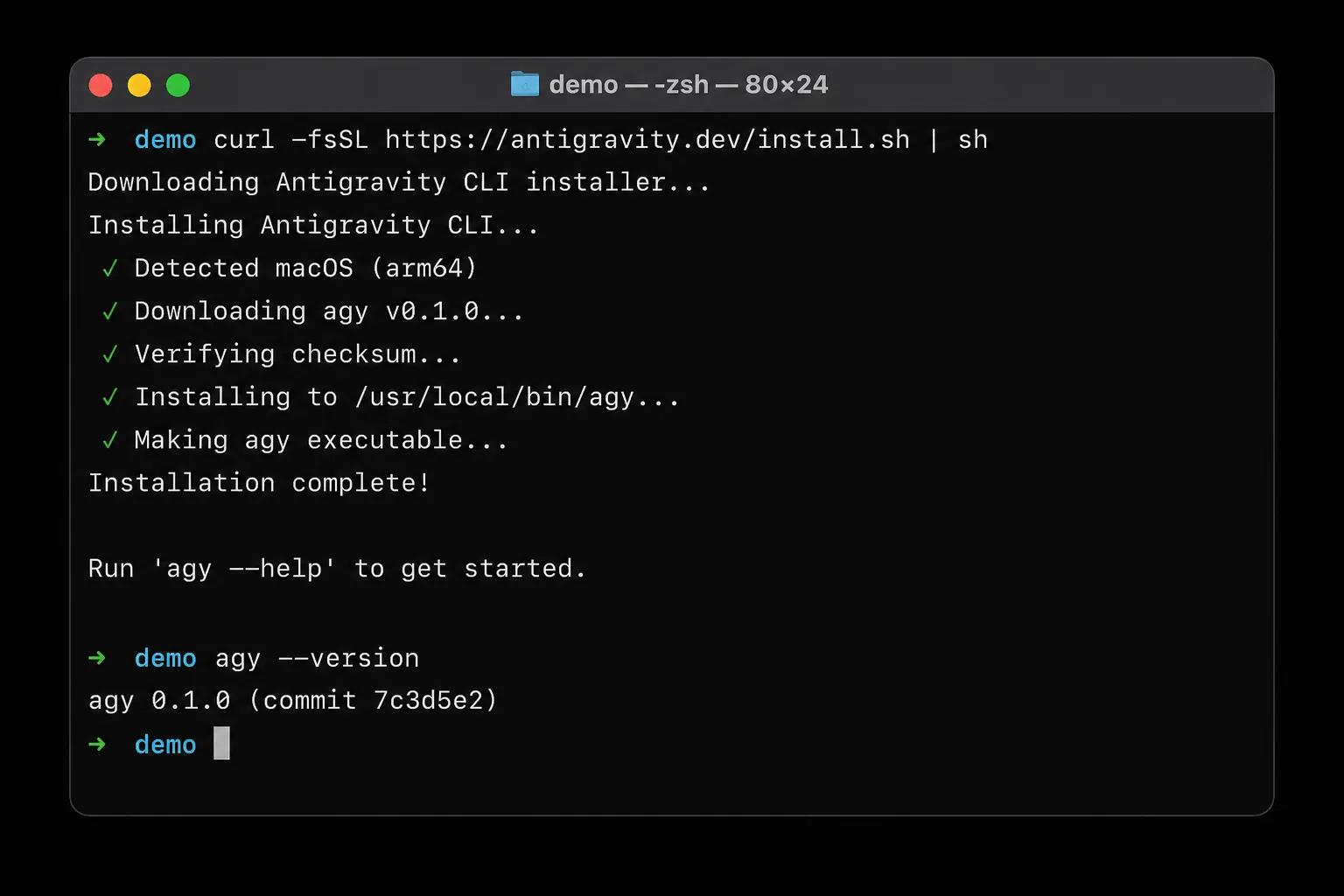
Because Antigravity CLI ships as a native Go binary, installation requires no Node.js or other runtime. A single command handles everything — OS detection, architecture selection (x86_64, ARM64, Apple Silicon), and PATH configuration.
Prerequisites
- OS: macOS Monterey 12+, 64-bit Linux (glibc 2.28+), or Windows 10+ (native PowerShell, no WSL required)
- curl (macOS/Linux) or PowerShell 5+ (Windows)
- Google Account: free tier, Pro, Ultra, or Code Assist Standard/Enterprise
macOS and Linux
# Install Antigravity CLI
curl -fsSL https://antigravity.google/cli/install.sh | bash

# Add to PATH — bash users
echo 'export PATH="$HOME/.local/bin:$PATH"' >> ~/.bashrc && source ~/.bashrc

# zsh users
echo 'export PATH="$HOME/.local/bin:$PATH"' >> ~/.zshrc && source ~/.zshrc
The installer auto-detects your OS and architecture (Apple Silicon M1–M4, Intel, ARM Linux, x86_64 Linux) and downloads the appropriate binary.
Windows (PowerShell — run as Administrator)
# Install Antigravity CLI
irm https://antigravity.google/cli/install.ps1 | iex

# Refresh PATH in current session
$env:PATH = [System.Environment]::GetEnvironmentVariable("PATH","Machine") + ";" + [System.Environment]::GetEnvironmentVariable("PATH","User")
No WSL required. Antigravity CLI runs natively in PowerShell and Command Prompt on Windows 10+.
Verify the Installation
# Check version
agy --version
# Expected: Antigravity CLI v1.x.x

# View help
agy --help

# Check auth status (before login)
agy auth status
If agy --version outputs a version number, the installation was successful.
6 First-Time Authentication & Configuration 🔑
After installation, you need to authenticate with your Google account and configure your preferences. Running agy for the first time launches an interactive onboarding wizard.
First Launch — Interactive Onboarding
agyThe wizard presents development mode options. Select Agent-assisted development (Review-driven) — the recommended balance of AI autonomy and human oversight. The agent plans, you approve, then it executes.
Sign In with Google
# Browser-based OAuth — opens automatically on local machines
agy auth login

# On SSH remote machines, a URL is printed:
# "Open the following URL in your browser: https://accounts.google.com/o/oauth2/..."

# Confirm authentication
agy auth status
On local machines, the browser opens automatically. On SSH remote servers, Antigravity CLI detects the SSH environment and prints an auth URL — you open it in your local browser and the token flows back. This was the #1 pain point with Gemini CLI, and it's been solved cleanly.
Optional: Import Editor Settings
# Import keybindings from VS Code or Cursor
agy config import --from vscode
agy config import --from cursor

# Open config for manual editing
agy config edit
Familiar keybindings from your existing editor dramatically reduce the learning curve.
Start Your First Session
# Launch from your project root
cd ~/my-project
agy

# Or give it an immediate task
agy "Scan this codebase for security vulnerabilities and generate a report"
Running agy from your project root gives the agent full codebase context. Natural language is all you need — no special syntax.
Configuring Models
# List all config
agy config list

# Change model globally
agy config set model gemini-3.1-pro
agy config set model claude-sonnet-4

# Per-project override
agy config set --project model gemini-3-flash
7 Core Usage — Essential agy Commands ⌨️
Antigravity CLI operates in three primary modes: Interactive, Command, and Async. Knowing when to use each mode is the key to a smooth workflow.
Interactive Mode (Most Common)
# Launch interactive TUI
agy

# Internal TUI commands:
# /help       — list available commands
# /clear      — clear conversation history
# /history    — load a previous session
# /skills     — list loaded Agent Skills
# /tools      — list available tools
# /settings   — view current configuration
# /export     — export session to Antigravity 2.0 desktop app
# /usage      — check current quota usage
# Ctrl+C      — interrupt agent (keep session)
# Ctrl+D      — exit agy
Command Mode (Great for Scripts & CI/CD)
# Single task, then exit
agy "Replace all print() statements with logging.info() across the project"

# Provide files as context
agy --file ./src/main.py "Find the bug in this file and explain it"

# Multiple files
agy --file ./src/auth.py --file ./src/models.py "Identify coupling issues between these files"

# Pipe input (great for log analysis)
cat error.log | agy "Identify recurring error patterns and their root causes"

# JSON output for CI/CD integration
agy --output json "Rate the code quality of this project on a 1-10 scale"
Practical Real-World Examples
# Code generation
agy "Write a Flask JWT authentication middleware with full unit tests"

# Security audit
agy "Check the current git diff for potential security vulnerabilities"

# Refactoring
agy "Refactor all callback patterns in src/ to async/await"

# Documentation
agy "Add comprehensive JSDoc comments to all exported functions"

# Test generation
agy "Write pytest unit tests for every function in src/utils.py"

# Build & fix
agy "Build this TypeScript project and fix all compilation errors"

# Dependency audit
agy "Scan package.json dependencies for known CVEs and suggest patches"
Monitor Your Usage Quota
# Check usage (important for free-tier users)
agy /usage

# Example output:
# Daily requests:  847 / 1000
# Rate limit:       52 / 60 rpm
# Weekly agents: 12 / 50Async subagents consume quota in parallel. If you're on the free tier and running multi-agent tasks, check agy /usage regularly to avoid hitting daily limits mid-task.
8 Advanced Features: Async Agents, Skills, MCP, Hooks & Plugins 🧠
The biggest leap from Gemini CLI to Antigravity CLI is the native multi-agent orchestration. Where Gemini CLI users hacked parallel workflows with tmux or multiple terminal windows, Antigravity CLI handles it at the engine level.
🔀 Dynamic Subagents
When you give Antigravity CLI a complex task, the main agent analyzes the work, defines specialized subagents on the fly, and executes them in parallel — each with its own isolated context window. The main agent synthesizes results when all subagents complete.
# One prompt, three parallel agents
agy "Analyze this Python project: 1) code quality audit, 2) test coverage report, 3) security vulnerability scan — run all three simultaneously"

# agy spawns 3 subagents in parallel. Terminal stays unlocked.

# List running async tasks
agy tasks list

# Check a specific task result
agy tasks show <task-id>

# Cancel a task
agy tasks cancel <task-id>
🛠️ Agent Skills
Skills teach the agent reusable domain knowledge and behavioral patterns. Fully compatible with existing Gemini CLI Agent Skills files.
# List loaded skills
agy /skills

# Create a skill (YAML format)
cat << 'EOF' > ~/.antigravity/skills/strict-types.yaml
name: strict-types
description: "Always use strict TypeScript types, never use 'any'"
instructions: |
  - Replace all 'any' types with explicit interfaces or generics.
  - Use 'unknown' when the type genuinely isn't known.
  - Add Zod validation for external API responses.
  - Never suppress TypeScript errors with @ts-ignore.
EOF
🔌 MCP Server Integration
MCP servers from Gemini CLI migrate directly to Antigravity CLI with minimal config changes:
// ~/.antigravity/config.json
{
  "mcpServers": {
    "filesystem": {
      "command": "npx",
      "args": ["-y", "@modelcontextprotocol/server-filesystem", "/path/to/dir"]
    },
    "github": {
      "command": "npx",
      "args": ["-y", "@modelcontextprotocol/server-github"],
      "env": { "GITHUB_PERSONAL_ACCESS_TOKEN": "your_token" }
    },
    "postgres": {
      "command": "npx",
      "args": ["-y", "@modelcontextprotocol/server-postgres", "postgresql://localhost/mydb"]
    }
  }
}
⚓ JSON Hooks
Hooks let you inject custom behavior at agent lifecycle stages. Antigravity CLI upgraded the Hooks system to use simple JSON config files:
// .antigravity/hooks.json
{
  "hooks": {
    "before_tool_call": {
      "description": "Audit log every tool call",
      "script": "echo '[AUDIT] $(date): Tool=$TOOL_NAME' >> /var/log/agy-audit.log"
    },
    "after_model_call": {
      "description": "Track token usage",
      "script": "echo '$INPUT_TOKENS,$OUTPUT_TOKENS' >> /tmp/token-usage.csv"
    },
    "on_loop_stop": {
      "description": "Notify Slack when agent finishes",
      "script": "curl -s -X POST $SLACK_WEBHOOK -d '{\"text\":\"Agent task complete ✅\"}'"
    }
  }
}
🧩 Plugins (Replacing Gemini CLI Extensions)
# List available plugins
agy plugins list

# Install plugins
agy plugins install @antigravity/plugin-web-search
agy plugins install @antigravity/plugin-code-runner

# Migrate Gemini CLI extensions automatically
agy plugins migrate --from-gemini-extensions

# Extension compatibility note:
# Most extensions work but some have not been retested against the new Go runtime.
# Check the Antigravity community forum for compatibility status of specific extensions.
9 Migration Checklist ✅
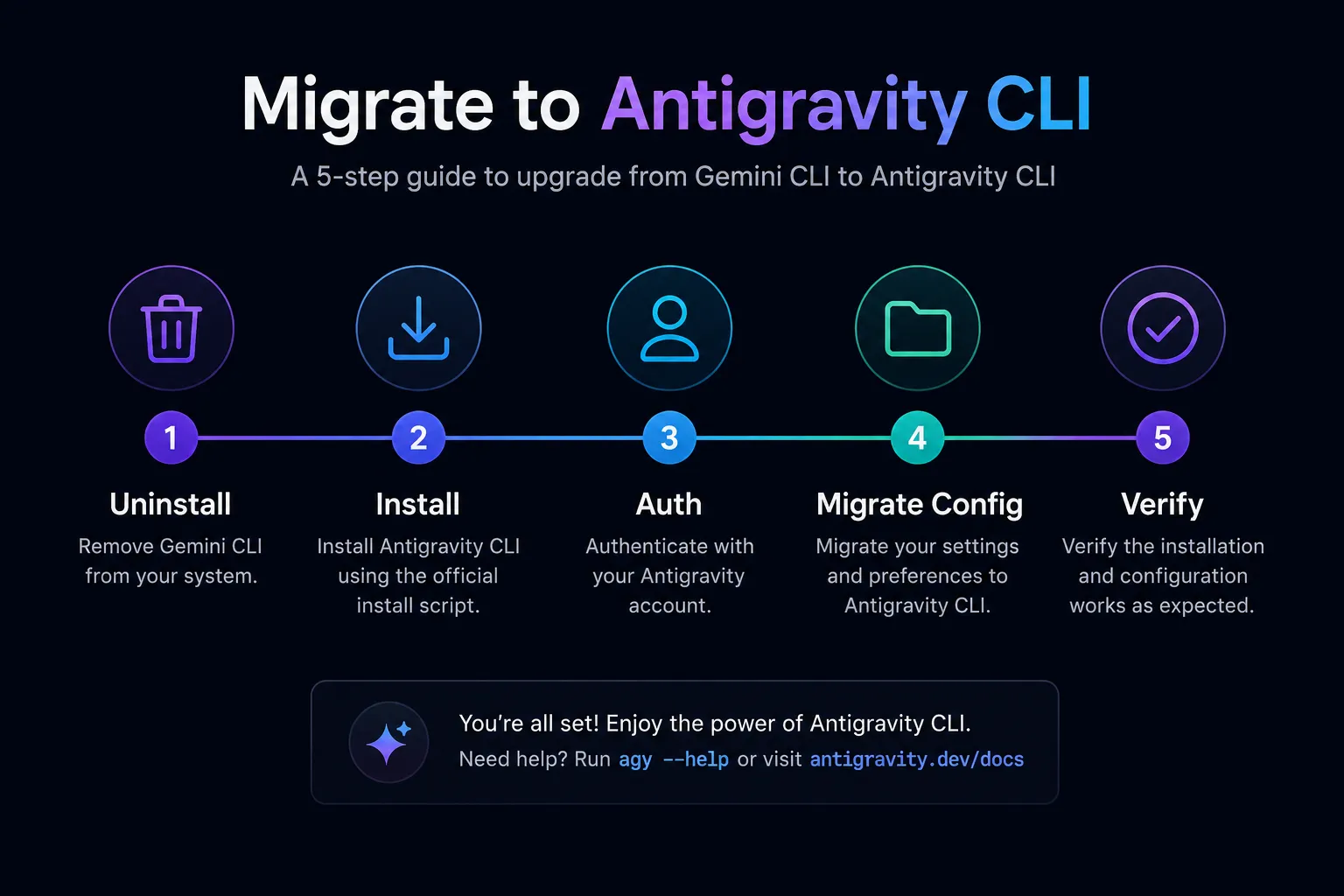
📋 Step-by-Step Migration Checklist
Phase 1: Pre-Migration Prep (~10 min)
- Note your current Gemini CLI version (
gemini --version) - Back up
~/.gemini/config directory - List all installed Extensions
- Inventory scripts, GitHub Actions, cron jobs calling
gemini - Back up custom Agent Skills files
Phase 2: Remove Gemini CLI (~5 min)
- Run
npm uninstall -g @google/gemini-cli - Clear npx cache if applicable
- Remove
geminialiases from~/.bashrc/~/.zshrc
Phase 3: Install Antigravity CLI (~5 min)
- Run
curl -fsSL https://antigravity.google/cli/install.sh | bash - Update PATH in shell config
- Confirm with
agy --version
Phase 4: Migrate Configuration (~10 min)
- Authenticate via
agy auth login - Move Agent Skills to
~/.antigravity/skills/ - Copy MCP server config to
~/.antigravity/config.json - Rewrite Hooks as JSON format
- Re-install plugins (
agy plugins migrate)
Phase 5: Validate & Update Automation (~10 min)
- Test key workflows
- Update GitHub Actions:
gemini→agy - Update cron jobs
- Update shared team scripts
10 Community Reaction & Real-World Reviews 💬
Developer sentiment since the Google I/O announcement has been genuinely mixed — technical enthusiasm tempered by open-source frustration and concerns about the migration timeline.
Positive Reactions
Critical Voices
Expert Assessment Summary
| Criterion | Rating | Notes |
|---|---|---|
| Installation ease | ⭐⭐⭐⭐⭐ | curl one-liner, no runtime dependency |
| SSH auth | ⭐⭐⭐⭐⭐ | Solved Gemini CLI's #1 pain point |
| Execution speed | ⭐⭐⭐⭐⭐ | Go binary noticeably faster than Node.js |
| Async multi-agents | ⭐⭐⭐⭐⭐ | Transformative improvement over Gemini CLI |
| Feature parity | ⭐⭐⭐⭐ | Some extensions not yet ported |
| Open-source culture | ⭐⭐ | Community deeply disappointed by closure |
| Migration timeline | ⭐⭐⭐ | 30 days tight for enterprise environments |
11 Enterprise Users: What You Need to Know 🏢
Organizations using Gemini Code Assist Standard or Enterprise licenses keep full access to Gemini CLI, Gemini Code Assist IDE extensions, and the latest Gemini models. Paid Gemini API keys also retain indefinite access. There is no forced migration for enterprise.
However, for enterprises that want to proactively migrate or evaluate Antigravity CLI, Google provides Google Cloud project-based integration:
# Authenticate with a Google Cloud project
agy auth login --project your-gcp-project-id

# Service account auth for CI/CD
export ANTIGRAVITY_SERVICE_ACCOUNT_KEY=/path/to/service-account.json
agy auth service-account

# Compliance configuration
agy config set --global data-region us      # Pin data to US region
agy config set --global audit-logging true # Enable audit logsOrganizations using Gemini Code Assist for GitHub (via GitHub organizations) should note: new installations are blocked on June 18, 2026, and requests stop being served in the weeks that follow. If your team relies on this integration, begin planning migration to the Antigravity GitHub integration now, regardless of your Code Assist license tier.
12 Final Thoughts: Why This Change Is Worth Embracing 🌱
Let's be candid: the Gemini CLI shutdown is handled imperfectly. A 30-day migration window for a beloved open-source project is too short. Closing the source without proper acknowledgment of contributors is a real cultural misstep. The developer community's frustration is legitimate.
And yet — the technical case for Antigravity CLI is real. A native Go binary that starts in milliseconds rather than seconds. SSH authentication that actually works. Async subagents that let a single terminal session do the work of an entire team. Bidirectional sync with a GUI that understands the same agent state. These aren't incremental improvements; they represent a qualitative shift in what a terminal AI agent can do.
The important thing is to act before June 18. For individual developers, the migration checklist in this guide can be completed in under 30 minutes. For teams with CI/CD pipelines, start the process today — not in two weeks. And if you're enterprise and not affected by the deadline, use the breathing room to evaluate Antigravity CLI properly before committing.
The terminal is no longer just a command-line interface. With tools like Antigravity CLI, it's becoming an orchestration hub for teams of AI agents that write, test, secure, and document your software. The shift is uncomfortable, but the direction is clear.
1. npm uninstall -g @google/gemini-cli
2. curl -fsSL https://antigravity.google/cli/install.sh | bash
3. agy auth login
30 minutes. Done. Don't wait until June 17.