Everyone seems to use ChatGPT these days. But ask "what's actually changed recently?" and most people go quiet. What is GPT-5.5, what's GPT-5.6, how did custom instructions change, and why are there suddenly so many pricing tiers? This one guide covers everything about ChatGPT as of July 2026 — the latest updates, prompt tips you can use right away, the pricing breakdown, honest community reactions, and a privacy checklist most people skip. Whether you're brand new or use it daily, there's something here for you. Grab a coffee — by the end, you'll use ChatGPT differently.
1. ChatGPT in 2026: how big has it actually gotten
ChatGPT quietly launched in November 2022 as a "research preview" built by a team you could count on two hands. Three and a half years later, what's happened since is arguably one of the fastest growth curves in internet history. It hit one million users in five days, and by January 2023 — just two months in — it had crossed 100 million monthly active users. Instagram took two and a half years to reach a million users; even Threads, which did it in an hour, couldn't sustain that pace afterward. ChatGPT's real distinction isn't the fast start — it's that the growth never really stopped.
Per OpenAI's official announcement on February 27, 2026, ChatGPT's weekly active users (WAU) topped 900 million — more than double the 400 million reported in February 2025, just a year earlier. It didn't stop there: in June 2026, Reuters reported (citing Sensor Tower data) that the ChatGPT app crossed 1 billion monthly active users, making it the fastest app in history to hit that milestone — faster than TikTok, Instagram, or Google Maps.
The numbers keep going. OpenAI's annualized revenue (ARR) has topped $25 billion — roughly $2 billion a month — and paying business accounts have surpassed 9 million. On June 8, OpenAI confidentially filed IPO paperwork with the SEC, reportedly targeting a valuation near $1 trillion. That filing came exactly one week after rival Anthropic filed its own confidential S-1, which industry watchers read as the starting gun for a genuine IPO race between the two labs.
Here's the twist, though: usage is at an all-time high, but market share keeps shrinking.
The reason is simple: it's not that ChatGPT got worse — it's that Gemini and Grok grew fast enough to expand the entire AI market. Absolute usage keeps climbing; there are just more services splitting that usage now. In short, ChatGPT isn't a "fading leader" — it's still the biggest player on a much bigger field.
The growth curve looks even more dramatic laid out over time. Weekly active users went from 300 million in December 2024, to 400 million in February 2025, to 700 million that July, past 800 million in December, and finally to 900 million in February 2026 — roughly tripling in just 14 months. By country, the US still leads with about 18.5% of traffic, but India is close behind at 9.8% — and India's user base doubled in a single month after the low-cost ChatGPT Go tier launched there. By age, 34% of US adults say they've used ChatGPT, rising to 58% among 18-29 year-olds, but only 10% among those 65 and older — a generational usage gap that's still quite stark.
The revenue mix is worth a look too. Roughly 24% comes from the $20/month Plus subscription, about half from Team and Enterprise plans, and the remaining quarter from API usage. Codex, the developer coding agent, doubled its weekly users from 2 million in April 2026 to 5 million by June, and a newly piloted ads business reportedly crossed $100 million in annualized revenue within six weeks. Average web session time sits at 12 minutes 34 seconds — a sign ChatGPT has become more of a "workspace" than a search substitute.
So what are those 900 million-plus people actually doing? Per one market research breakdown, general research and information lookup accounts for roughly 36-37% of usage, academic/schoolwork around 18%, coding assistance about 14%, email drafting another 14%, and pre-purchase "commercial research" around 5-6%. That last slice alone implies somewhere between 45 and 54 million purchase-related sessions running through ChatGPT every week. One study even found that 18% of travel purchase decisions now involve ChatGPT — a sign the tool has moved well past chatbot novelty and into the consumer decision-making funnel itself.
The gap between "people who know how to ask a good question" and everyone else has, by many accounts in the AI industry, grown larger than the old gaps in education or experience ever were. – a common assessment among AI-industry observers in 2026
2. GPT-5.5 and everything new: what actually changed
Let's start with what you can actually use in ChatGPT right now. As of July 2026, the flagship model is GPT-5.5, released April 23. And as of June 27, GPT-4.5 is completely gone from ChatGPT, including custom GPTs — a 30-day sunset that followed the May 28 retirement announcement. If you were still chatting with GPT-4.5, you were automatically moved over to GPT-5.5.
Before diving in, let's clear up a naming point that trips people up. "Instant" and "Thinking," appended after a model name, describe different personalities within the same generation. Instant is tuned for everyday conversation, quick questions, and fast turnaround; Thinking spends more time reasoning internally before responding, making it stronger on complex math, coding, and logic problems. Free users mostly get Instant, with lightweight reasoning kicking in automatically for harder questions, while paid users can pick either mode directly.
While we're here, a quick family tree of the models that got ChatGPT to this point:
| Timing | Model | Notes |
|---|---|---|
| Nov 2022 | GPT-3.5 | Original ChatGPT launch model |
| Mar 2023 | GPT-4 | 4th-gen base model |
| 2024-2025 | GPT-4o / o1 / o3 | Multimodal and reasoning-focused variants |
| Aug 2025 | GPT-5 | Underwhelmed on launch; sparked early backlash |
| Nov 2025 - Mar 2026 | GPT-5.1-5.4 | Fast, incremental improvements |
| Apr 2026 | GPT-5.5 | Current flagship model |
| Jun 2026 | GPT-5.6 (Sol/Terra/Luna) | Limited partner preview only |
① Conversation quality got another pass. OpenAI says it improved GPT-5.5 Instant — its most-used model — specifically for moments when users are making a decision, asking for advice, planning something, researching options, or shopping. It's better at reading the intent behind a question, holding context across multiple turns, and reliably addressing every constraint in a multi-part request. When you add a condition mid-conversation or push back on an answer, the model is meant to actually adapt rather than repeat itself. The fallback model you hit after exhausting your rate limit also changed, from GPT-5.3 Instant Mini to GPT-5.5 Instant Mini — it won't show up in the model picker, but OpenAI says it better tracks intent, calibrates tone, and cuts down on repetitive, overly structured answers, so hitting your limit should sting less than before.
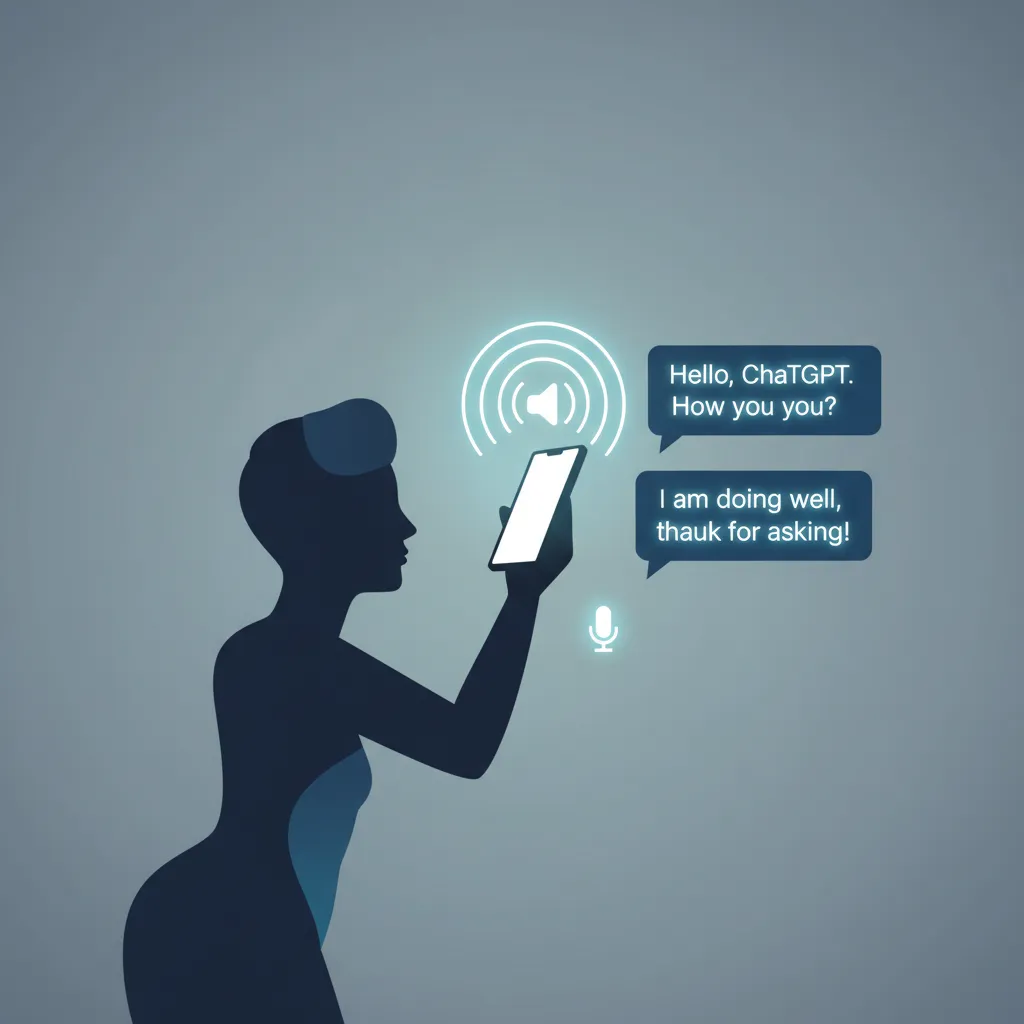
② The voice experience got rebuilt — meet GPT-Live-1. Paid users now get GPT-Live-1, and free users get GPT-Live-1 mini, for voice conversations. Both can listen and speak simultaneously, so interruptions and turn-taking feel much more natural than before. Text streams alongside the spoken response inside the chat window, and web search and memory both still work. It hasn't reached Business, Enterprise, or Edu workspaces yet, and it doesn't support screen sharing or video — for that, you'll still need the older Advanced Voice Mode.
③ ChatGPT might soon know your bank balance — the personal finance feature. A personal finance experience is rolling out to Plus subscribers in the US (web and iOS), and to Pro/Plus users on Android as well. Connect a supported bank account and you get a dashboard of your finances plus the ability to ask questions grounded in your actual financial situation. It's US-only for now, so it'll be a while before it reaches other regions, but wider rollout seems likely.
④ Dictation accuracy took a real step up. A new speech-to-text model is rolling out across every plan — there's nothing to configure, it just quietly improves in the background. Korean, Japanese, Chinese, Urdu, Vietnamese, and accented English all saw notable accuracy gains, along with better performance for speakers who mix languages mid-sentence, noisy environments like offices or public spaces, and quiet or whispered speech. OpenAI's internal evaluations showed word error rate dropping at least 10% for top languages compared to the previous model.
⑤ Canvas quietly disappeared. Remember the separate Canvas window that used to pop open for writing or coding tasks? It's gone from GPT-5.5 Instant and Thinking. That functionality is now built directly into chat responses as "writing blocks" and "code blocks" instead. Paid users still on legacy models keep Canvas temporarily, until those models are retired.
⑥ Codex can now be remote-controlled from your phone. Codex Remote, the developer coding agent, reached general availability across every plan. From the mobile app, you can start or continue work on a connected Mac or Windows machine, check progress, and approve actions on the go. Device pairing switched to authenticated QR-code pairing, and a new DigitalOcean Droplet Workspace plugin lets Codex provision and connect to a remote workspace directly.
⑦ The next generation, GPT-5.6, is still out of reachPREVIEW. On June 26, OpenAI officially announced its next model family, GPT-5.6. Rather than a single model, it splits into three: flagship reasoning model 'Sol,' balanced cost-efficient 'Terra,' and the fastest, cheapest 'Luna.' Much like Anthropic's Haiku/Sonnet/Opus lineup or Google's Flash/Pro split, OpenAI has now formally adopted a three-tier structure that reframes the question from "which company is best" to "which tier fits this task." For now, only about 20 government-vetted partner organizations can access it via API and Codex — it's not selectable inside ChatGPT yet, and general availability is promised "within weeks" with no firm date announced.
The first benchmark released was Terminal-Bench 2.1, a terminal-based agent benchmark: Sol's top configuration (Ultra) set a new record at 91.9%, and the mid-tier Terra cleared 80%. On the speed side, OpenAI announced a partnership to serve Sol on Cerebras hardware at up to 750 tokens per second starting in July. Pricing splits clearly by tier: Sol runs around $5 per million input tokens and $30 output, the balanced Terra sits near $2.50 input, and the lightweight Luna comes in around $1 input / $6 output. Terra's pricing lands right in the same range as competitors' promotional pricing — a signal that frontier-level performance keeps getting cheaper across the board.
Interestingly, the signs were visible before the official announcement too. In mid-June, a new model routing identifier turned up in ChatGPT's web code, fueling speculation that a launch was close, and unidentified models claiming to be part of the GPT family showed up in an anonymous testing arena on social media, drawing plenty of community attention. These pre-launch "leaks" have become something of a ritual before every major model release now.
Around the same time, Anthropic's newest models also briefly lost accessibility due to US export control issues before being restored — a reminder that "launched, but not available to everyone" has become a recurring pattern for frontier models lately. Meanwhile, legacy model cleanup continues: the o3 reasoning model is set to fully retire from ChatGPT on August 26, 2026, after a 90-day sunset window, following the same 30-day process GPT-4.5 just went through. OpenAI keeps retiring lightly-used older models this way, reinvesting the freed-up server capacity into its newest, best-performing models.
A few smaller conveniences round things out: the mobile app now supports home-screen widgets so you can start a question without even opening the app, and conversation history syncs in real time between desktop and mobile. Snap a photo and ChatGPT can still identify a plant or translate a foreign menu on the spot — small features, but the kind you notice once you start using them.
Key takeaway
If the voice UI in your ChatGPT app looks different than it used to, that's GPT-Live-1. And if you're wondering where Canvas went — don't worry, it didn't disappear, it just moved inside the chat as writing and code blocks. Keep using those the same way.
3. Pricing tiers compared: which plan fits you
Pricing is just as confusing as the feature list. Here's where things stand as of July 2026:
| Plan | Price | Highlights |
|---|---|---|
| Free | $0 | Limited GPT-5.5 Instant access, GPT-Live-1 mini voice, basic image generation |
| Go | ~$4.5/mo | Higher message limits than Free, larger file uploads, expanded image generation. Recently added Austria, Czechia, Denmark, Norway, Poland, Portugal, Spain, and Sweden, bringing coverage to 98 countries |
| Plus | $20/mo | Extended GPT-5.5 Instant/Thinking limits, GPT-Live-1, personal finance (US), Codex access |
| Pro | $200/mo | Effectively unlimited usage, GPT-5.5 Pro, Advanced Voice Mode. Sam Altman himself has said this tier runs at a loss relative to usage for heavy users |
| Business / Enterprise | Custom pricing | Team management, stronger security and compliance. Over 9 million paying business accounts; 92% of Fortune 500 companies use ChatGPT |
Bottom line: light, occasional use is fine on Free or Go. Daily work use calls for Plus, and heavy research or coding workloads make Pro worth considering. For company-wide rollout, talk to Business/Enterprise sales.
The Go tier's expansion pace stands out. Since launching at that aggressive $4.5/month price point, India's user base doubled within a month, and eight more European countries — Austria, Czechia, Denmark, Norway, Poland, Portugal, Spain, and Sweden — were just added, bringing total coverage to 98 countries. The low-cost strategy is clearly working in price-sensitive markets. The enterprise side tells a similar story: paying business accounts nearly quadrupled in under six months, and enterprise workplace seats passed 7 million. What started as a consumer product has become a platform spanning consumers, enterprises, and developers all at once.
One more practical note: you can upgrade or downgrade anytime, and changes generally take effect on your next billing cycle. If you only need heavy usage for one particular month, bumping up to Pro temporarily and dropping back to Plus afterward is a perfectly reasonable way to manage costs.
Here's how it plays out by role in practice:
- Marketers and content creators: drafting blog posts, social copy, and email newsletters, and quickly comparing different tones.
- Developers: code review, root-causing bugs, generating repetitive boilerplate, and increasingly, picking up work on the go via Codex Remote.
- Students and job seekers: rubric-aligned feedback on assignments, having tough concepts explained at their level, and mock interview practice.
- Small business owners and solopreneurs: menu translation, customer-response copy, and simple bookkeeping — the kind of odd jobs that are annoying to handle without dedicated staff.
4. 10 prompt tips that double your answer quality
Two people can use the exact same ChatGPT and get very different results — one gets what they need on the first try, the other rewrites the same question five times and still isn't happy. The difference almost always comes down to how the question is asked. Here are prompt tips you can put to use immediately.
- Assign a role or persona. Something like "You are a marketing expert with 10 years of experience" gets you an answer framed from that expert's point of view.
- Give generous context. Purpose, audience, tone, and length all matter. "Write a blog post" is far weaker than "Write a friendly-toned, under-500-word blog post about personal finance basics for people in their 20s."
- Pin down the output format. Phrases like "in bullet points," "as a table," or "under 500 words" get you much closer to what you actually wanted.
- Don't try to nail it in one shot. Iterating with feedback — "explain this part more," "make it more concise" — consistently produces better results than a single perfect prompt.
- Use the ELI5 trick. Adding "explain like I'm 5" at the end of a prompt forces even complex concepts down to a level anyone can follow.
- Set up custom instructions properly. The 2026 redesign of personalization combines presets, fine-grained sliders (like Enthusiasm), and two 1,500-character fields for context and output style. Changes apply immediately to open conversations and sync across web and app.
- Build your own shorthand commands. Setting a rule early in a conversation — "from now on, [CODE] means code review, [WRITE] means blog drafting" — saves you from re-explaining yourself every time.
- Declare a project up front. Starting with "From now on, we're working on [project name]" keeps consistent context across the whole conversation that follows.
- Lean on images and files. Multimodal input — like uploading a hand-drawn wireframe and getting HTML/CSS back — unlocks things plain text alone can't do.
- Always double-check the output. Hallucinations are still possible, so build a habit of cross-checking anything important against another source.
Tip #4 — iterating step by step — is easier to see than to explain, so here's a real example of how that flow looks in practice.
Turn 2 "The subject line is flat. Give me 3 options that spark curiosity"
Turn 3 "I like the second one. Rewrite the body in a more casual tone to match it"
Turn 4 "Add one line about the discount coupon at the end"
Rather than chasing a perfect prompt from the start, narrowing things down turn by turn gets you to the right result faster and more reliably. Time spent agonizing over the "perfect" first prompt is often better spent just throwing something out there and refining it.
Of everything on this list, practitioners consistently point to context and format specification as having the biggest payoff. Hover over the cards below (tap on mobile) to see exactly how much difference it makes.
"Make me a packing checklist for a trip"
→ hover to see the difference"Make a packing checklist for a 9-day backpacking trip to Italy in September, grouped by season and activity"
"Write me a blog post"
→ hover to see the difference"Topic: 2026 AI trends / Tone: casual and conversational / Length: ~800 words / Include: real examples, stats, practical tips / Audience: AI beginners"
If you're setting up custom instructions for the first time, copy the template below as a starting point and adjust the [Context] and [Output Style] sections to fit your situation.
[Context]
I'm a content marketer at a SaaS startup.
I mainly write blog posts, social copy, and email newsletters.
My audience is professionals in their 20s-30s who prefer plain
language over jargon.

[Output Style]
- Keep a friendly, conversational tone.
- Skip unnecessary apologies or hedging phrases.
- Always end with one concrete, actionable next step.That's plenty of theory — here are five quick, no-context-needed prompts that ChatGPT handles well right out of the gate. Think of these as "high-ROI, low-effort" prompts.
- Use-what's-in-the-fridge recipes: "I have eggs, scallions, and leftover rice. What can I make in 15 minutes?" — naming your ingredients and time budget gets you a far more realistic answer.
- Trip packing checklists: specifying destination and season ("a September trip to Italy") produces a genuinely useful, season-appropriate list.
- Simplifying tough concepts: "Explain nuclear fission like I'm 5" tailors the explanation to whatever level you specify.
- Summarizing long content: with information overload being what it is, asking for the key points of a long article or report in a few lines saves real time.
- Looking up historical events: questions with a clear factual answer, like "what happened on August 15th in history," work well even as a single-line prompt.
Whatever the use case, though, don't take ChatGPT's answers at 100% face value — anything tied to an important decision is worth double-checking.
Ready for a few more advanced moves? Once the basics feel natural, these three features expand what's possible even further.
- Projects: group related conversations, files, and custom instructions into a single project folder. Set up a "blog management" project, for instance, and every conversation inside it shares the same context and instructions — no more re-explaining the background every time.
- Deep Research: goes beyond a simple search, autonomously exploring and synthesizing multiple sources into a report-quality answer. Great for market research or competitive analysis that would otherwise take several research passes.
- Tasks (scheduled runs): schedule recurring requests like "every Monday morning, summarize last week's top 5 tech news stories," and ChatGPT delivers the result automatically at the set time — handy for newsletters or recurring reports.
5. What are real users saying: community reactions
Every flashy update announcement is followed by a much more grounded round of user reaction. Internationally, communities like r/ChatGPT and r/OpenAI on Reddit tend to be first to react with hands-on impressions whenever a new model drops; in Korea, communities like Clien, DCInside, and Ppomppu play a similar role. Taken together, sentiment toward ChatGPT is genuinely mixed.
An old wound: the legacy-model purge. When GPT-5 first launched, OpenAI removed legacy models like GPT-4o and GPT-4.5 all at once, and the backlash from paying users was intense — a moment people still bring up. Expectations had been set sky-high before launch, which made the underwhelming real-world performance sting even more. The promised "unlimited access on every plan" turned out to have real limits after all, and getting quietly downgraded to a lesser model after hitting them frustrated plenty of users. To make matters worse, GPT-5 mini was added quietly a week after launch, leaving people confused about which model they were even talking to. Some users switched to Gemini, Claude, or Grok during this period.
The forced safety-routing controversy. In late September 2025, it came out that sensitive-topic questions were being automatically routed to GPT-5 Instant as part of a "safety routing" test, sparking another wave of complaints. Users pushed back on the loss of conversational consistency, arguing that overly aggressive safety measures were actively hurting the experience — and this, too, drove some users elsewhere. The confusion mostly settled once OpenAI formally announced the routing policy in early October.
| When | Issue | User reaction |
|---|---|---|
| Aug 2025 | GPT-5 launch, mass legacy-model removal | Underwhelming real-world performance + loud demand to bring old models back |
| Sep 2025 | Forced safety routing on sensitive queries | Complaints over broken conversational consistency, some churn to rivals |
| Mar 2026 | GPT-5.4's big jump in knowledge and reasoning | Widely praised, near-perfect scores on exam-style benchmarks |
| Jun 2026 | GPT-4.5 fully retired | Landed smoothly with an automatic transition and no major backlash |
So how are things now? A notably quiet summer in 2026. Fortunately, the recent GPT-4.5 retirement (June 27, 2026) went smoothly a month after it was announced, with conversations automatically continuing on GPT-5.5 — nowhere near the backlash of past transitions. If anything, reaction has skewed positive, with users praising GPT-5.5 Instant's context retention and its improved handling of shopping and decision-making questions. The redesigned personalization system (presets, sliders, custom instructions) is also getting credit for giving users more direct control over tone they don't like.
The short version. Community sentiment follows a pretty clear pattern: abrupt change breeds complaints, while gradual, predictable change paired with user control gets accepted. OpenAI seems to have internalized that lesson — recent updates come with noticeably longer notice periods and sunset windows than before. If you're unhappy with ChatGPT's current tone or personality, check Settings → Personalization before complaining — there's more you can adjust than you'd expect.
6. ChatGPT vs Claude vs Gemini: which should you use
"So which one should I actually use?" is a question we hear constantly. There's no single right answer, but laying out how the three services position themselves as of July 2026 should help. You don't have to pick just one, either — plenty of practitioners subscribe to two or three at once, using one for writing and planning, another for coding, and another for image work.
| Category | ChatGPT | Claude | Gemini |
|---|---|---|---|
| Strength | Unmatched mainstream reach and versatility | Natural writing/coding conversations, leads in enterprise revenue | Strong multimodal capability, deep Google integration |
| Scale | 900M+ weekly active users | Undisclosed (enterprise revenue passed OpenAI's in mid-2025) | 900M+ monthly active users (as of May 2026) |
| Recent highlights | GPT-5.5, GPT-Live-1 voice, Codex Remote | Strong coding agent focus, emphasis on safety | Massive context windows, image/video generation |
| Barrier to entry | Free tier available, lowest barrier of the three | Free tier available, strong fit for API-centric workflows | Instant access with just a Google account |
Experts have offered some interesting takes on how the three "read" differently. Fields Medalist mathematician Terence Tao remarked in an April 2026 interview that GPT models make few errors and excel at rigorous math work but can feel somewhat mechanical in their writing, while Gemini is strong at producing visuals but tends toward verbose answers. Claude, by contrast, struck him as clearer and more conversational — he described it as feeling "more human." These are naturally subjective, personal impressions, and given how fast these models keep changing, they're best treated as a data point rather than gospel.
One more interesting wrinkle: cross-usage between the two. Per one market-research firm, the share of ChatGPT users who also use Claude rose from 1.4% in January to 3.7% in May, while the share of Claude users who also use ChatGPT climbed from 58.3% to 65.8% over the same period — suggesting Claude is expanding as a secondary tool rather than displacing ChatGPT outright. Mobile daily active user (DAU) trends tell a similar story: total mobile DAUs across generative AI chatbot apps have declined slightly for two months running, even as Claude, alongside Gemini, remains one of the few services still growing steadily — an interesting moment where the market is being reshuffled even as its total size edges down slightly.
Bottom line: if you want one tool that does everything, ChatGPT; if natural writing and coding conversation matters most, Claude; if seamless integration with Google's ecosystem is the priority, Gemini. Increasingly, people are mixing and matching based on the task at hand rather than picking a single winner.
It's also worth noting that all three companies have IPO chatter swirling around them this year. Both OpenAI and Anthropic have filed confidential paperwork, and Google is already pushing Gemini as a division of publicly-traded Alphabet. If any of these IPOs materialize, all three will face quarterly earnings pressure, which likely means even fiercer feature and price competition ahead. For consumers, that's a pretty good problem to have — it's worth lightly sampling across services for now to find the combination that actually fits how you work.
7. Privacy and security: what to check first
It's easy to get swept up in feature talk and skip past privacy. If you use ChatGPT for work, these five things are worth checking at least once.
- Memory: ChatGPT can remember details from past conversations and apply them later. It's convenient, but if you're handling sensitive personal or company information, periodically review or disable what's stored under Settings → Personalization → Memory.
- Temporary Chat: when you don't want a conversation kept, Temporary Chat mode ensures it isn't saved to history or memory and isn't used for model training — useful for sensitive topics.
- Whether your data trains the model: by default, conversations on personal plans (Free, Go, Plus, Pro) may be used to improve the model unless you turn that off. If you'd rather opt out, disable "Improve the model for everyone" under Data Controls. Business and Enterprise plans, by contrast, are designed to exclude training use by default.
- Be careful what you upload: before uploading sensitive files — IDs, contracts, internal documents — pause and ask whether it's actually necessary. For work use specifically, a Business or Enterprise account is safer than a personal one from a data-governance standpoint.
- Watch out for sketchy browser extensions: some third-party extensions claiming to be "ChatGPT companions" have been known to harvest conversation data or inject malicious scripts. Check the developer, reviews, and requested permissions carefully before installing anything.
Convenience and security are always a trade-off. Now that ChatGPT is this deeply woven into daily life, a single pass through your settings menu can meaningfully cut down on unnecessary risk.
Frequently Asked Questions
Q1. Is "ChatGPT" the same thing people mean by "챗지피티"?
Yes — 챗지피티 is simply the Korean phonetic spelling of "ChatGPT." They refer to the exact same service, so searching under either name turns up the same information.
Q2. Can I use GPT-5.5 for free?
Yes, though the Free plan comes with limited message quotas, and you'll be automatically switched to a lighter model once you hit them. If you use it often, Go or Plus is worth considering.
Q3. When will regular users get access to GPT-5.6?
As of July 2026, GPT-5.6 (Sol/Terra/Luna) remains a limited preview available only to about 20 partner organizations via API and Codex. No general availability date has been announced yet — check OpenAI's official announcements periodically for the most accurate timing.
Q4. Should I take ChatGPT's answers at face value?
No. GPT-5.5 is more accurate than earlier models, but hallucinations remain possible. For anything involving recent news, specific figures, or legal/medical information, always cross-check against another source.
Q5. What's the difference between custom instructions and memory?
Custom instructions are rules you write yourself (context and output style) that apply uniformly to every conversation, while memory is information ChatGPT automatically picks up and retains from past conversations on its own. Both are managed under Settings → Personalization.
Q6. Is performance in other languages much worse than English?
The gap keeps narrowing. Korean, for instance, was called out as one of the languages with the biggest accuracy gains in the latest dictation model update, and text response quality in non-English languages has visibly improved with each generation. That said, for very recent local news or regional information, turning on real-time web search still improves accuracy.
Q7. If I cancel ChatGPT Plus, do I lose my conversation history?
No — your existing conversation history stays on your account even after cancelling. You'll simply revert to Free plan message limits and model access, and lose paid-only features like GPT-5.5 Pro or personal finance.
Q8. What's the best way to roll ChatGPT out at a company?
Start with a small pilot on a Team plan to validate real-world impact, then evaluate an Enterprise transition based on your internal data-security requirements. Rather than a company-wide rollout from day one, a phased approach — departmental pilot → feedback → gradual expansion — is the safer path.
8. Wrapping up: how to actually use it going forward
That's the full picture of ChatGPT as of July 2026 — the latest updates and practical ways to use them. More than 900 million people use ChatGPT every week, yet most of them are still stuck at a basic question-and-answer level. Put another way: a handful of the prompts and settings covered in this guide could be enough to put you well ahead of the average user. To recap,
- ✅ The current flagship is GPT-5.5; next-gen GPT-5.6 (Sol/Terra/Luna) remains in limited partner preview
- ✅ Voice now runs on GPT-Live-1, coding has moved from Canvas into in-chat blocks, and remote work runs through Codex Remote
- ✅ Good prompting comes down to role + sufficient context + specific format, finished off with custom instructions
- ✅ Pricing spans Free through Pro — pick based on your actual usage pattern
- ✅ Rather than picking a "winner," mixing tools by use case is the realistic strategy
Technology keeps changing, but the gap between people who use it well and people who don't still comes down to one thing: how specifically you ask. Why not try one of today's prompt tips right in your next chat? And if you've genuinely never opened Settings → Personalization, do it once before you close this tab — a few slider adjustments go a long way toward making ChatGPT feel like it's actually yours. What do you use ChatGPT for the most? Share in the comments and we'll dig deeper into it in a future post! 🙌